Our VerdictAs a universal gaming mouse, Corsair’s M75 Wireless gets pretty close. Shave off some weight, improve the wheel and side buttons, and it’d be bang on.
Our VerdictAs a universal gaming mouse, Corsair’s M75 Wireless gets pretty close. Shave off some weight, improve the wheel and side buttons, and it’d be bang on.
Our Verdict
Our Verdict
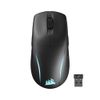
As a universal gaming mouse, Corsair’s M75 Wireless gets pretty close. Shave off some weight, improve the wheel and side buttons, and it’d be bang on.
ForGenuinely ambidextrousSolid build qualityDecent battery lifeAgainstSide buttons are too low profileWheel movement resistanceNot especially lightweight
ForGenuinely ambidextrousSolid build qualityDecent battery life
AgainstSide buttons are too low profileWheel movement resistanceNot especially lightweight
PC Gamer’s got your backOur experienced team dedicates many hours to every review, to really get to the heart of what matters most to you.Find out more about how we evaluate games and hardware.
PC Gamer’s got your backOur experienced team dedicates many hours to every review, to really get to the heart of what matters most to you.Find out more about how we evaluate games and hardware.
7 Amazon customer reviews☆☆☆☆☆$129.99$79.99View$79.99View$129.99$79.99ViewShow More DealsWe check over 250 million products every day for the best prices
7 Amazon customer reviews☆☆☆☆☆$129.99$79.99View$79.99View$129.99$79.99ViewShow More DealsWe check over 250 million products every day for the best prices
7 Amazon customer reviews☆☆☆☆☆
7 Amazon customer reviews☆☆☆☆☆
☆☆☆☆☆
$129.99$79.99View$79.99View$129.99$79.99View
$129.99$79.99View
$129.99$79.99View


$129.99$79.99View
$129.99$79.99
$79.99
$79.99View
$79.99View


$79.99View
$79.99
$79.99
$129.99$79.99View
$129.99$79.99View


$129.99$79.99View
$129.99$79.99
$79.99
Show More Deals
Show More Deals
We check over 250 million products every day for the best prices
We check over 250 million products every day for the best prices
Well, that’s the idea at least, but in practice, it’s not quite as simple as just pressing a button. The first thing you need to do is remove the magnetically attached side buttons on the left and blank covers on the right and replace them with inverted ones included in the box.
I’m certainly not hamfisted in any way but oh boy, is it a fiddly process. At least once that’s done, all you need to do then is head into the iCUE application, click on the settings cog icon for the M75 Wireless, and then select left-hand mode. And there you have it—a universal gaming mouse.
But is it agooduniversal gaming mouse? I mean, being all righty-lefty is well and good, but if it fails at being a decent mouse in the first place, then all that’s for nought. Fortunately, the Corsair M75 Wirelessisa good gaming mouse. It’s not a great one, mind, but it’s not so far off being that way that the next revision of it could be perfect.
M75 Wireless specs(Image credit: Future)Buttons:5Feet:PTFEConnectivity:2.4 GHz Slipstream (USB-A dongle) | BluetoothSensor:Marksman 26KMax DPI:26,000Max acceleration:50 gMax speed:650 IPSPolling rate:1,000 HzBattery life:105 Hrs (RGB on) to 210 Hrs (Bluetooth, no RGB)RGB lighting:programmable via softwareWarranty:2 yearsPrice:$90|£120|AU$159
M75 Wireless specs
(Image credit: Future)Buttons:5Feet:PTFEConnectivity:2.4 GHz Slipstream (USB-A dongle) | BluetoothSensor:Marksman 26KMax DPI:26,000Max acceleration:50 gMax speed:650 IPSPolling rate:1,000 HzBattery life:105 Hrs (RGB on) to 210 Hrs (Bluetooth, no RGB)RGB lighting:programmable via softwareWarranty:2 yearsPrice:$90|£120|AU$159
(Image credit: Future)

Buttons:5Feet:PTFEConnectivity:2.4 GHz Slipstream (USB-A dongle) | BluetoothSensor:Marksman 26KMax DPI:26,000Max acceleration:50 gMax speed:650 IPSPolling rate:1,000 HzBattery life:105 Hrs (RGB on) to 210 Hrs (Bluetooth, no RGB)RGB lighting:programmable via softwareWarranty:2 yearsPrice:$90|£120|AU$159
In terms of hardware, nothing is outstanding about it, but what’s there is perfectly fine—five buttons in total, sporting ‘zero gap’ optical switches under the main mouse buttons, a decent optical sensor, and a low-latency 2.4 GHz wireless dongle. Oh, and RGB lighting underneath the logo and in the mouse’s base. All of these are pretty much standard fare on a $100+ gaming mouse these days, but they all work perfectly well.
As to what doesn’t work perfectly well is a subjective matter. For example, the M75 Wireless weighs 89 g—that’s not very heavy but neither is it especially light. Corsair does make an RGB-less version of the M75 Wireless (theM75 Air Wireless) that’s a full 20 g lighter and it’s also cheaper.
Compared to some mice I’ve been testing of late, the M75 feels a tad cumbersome and in part, I think it’s down to the mass distribution within the chassis.
All wireless mice require a rechargeable battery, of course, and the one in this Corsair model is good for 105 hours via the 2.4 GHz Slipstream wireless connection and with the RGB lighting disabled.
That increases to 210 hours via a Bluetooth connection but you wouldn’t want to do any fast gaming on that system. Either way, that’s a pretty decent amount of battery life and Corsair’s figures do seem accurate from my time using the M75 Wireless.
Image1of2(Image credit: Future)(Image credit: Future)
Image1of2(Image credit: Future)(Image credit: Future)
Image1of2
(Image credit: Future)(Image credit: Future)
(Image credit: Future)(Image credit: Future)
(Image credit: Future)
(Image credit: Future)
(Image credit: Future)
(Image credit: Future)
(Image credit: Future)

(Image credit: Future)
(Image credit: Future)
(Image credit: Future)
(Image credit: Future)
(Image credit: Future)
I suspect the mouse has quite a large battery inside it and it feels like it’s located a little too much toward the front of the mouse, rather than being located more toward the natural pivot (i.e. your wrist). Along with the somewhat narrow PTFE feet on the base, the M75 Wireless doesn’t glide around as effortlessly as, say, aRazer DeathAdder V3 Pro.
The side buttons and wheel aren’t perfect, either. The former are low profile and in the middle of a frantic round, my thumb didn’t always push them in properly, causing the game to not register the button click.
The wheel is a solid affair but there’s a little more resistance to movement than I’d like, especially in a gaming mouse. In general use, it’s adequate but compared to Logitech’s brilliant MagSpeed wheel system, it feels stiff and sluggish.
Image1of4(Image credit: Corsair)(Image credit: Corsair)(Image credit: Corsair)(Image credit: Corsair)
Image1of4(Image credit: Corsair)(Image credit: Corsair)(Image credit: Corsair)(Image credit: Corsair)
Image1of4
(Image credit: Corsair)(Image credit: Corsair)(Image credit: Corsair)(Image credit: Corsair)
(Image credit: Corsair)(Image credit: Corsair)(Image credit: Corsair)(Image credit: Corsair)
(Image credit: Corsair)
(Image credit: Corsair)
(Image credit: Corsair)
(Image credit: Corsair)
(Image credit: Corsair)
(Image credit: Corsair)
(Image credit: Corsair)
(Image credit: Corsair)
(Image credit: Corsair)
(Image credit: Corsair)
(Image credit: Corsair)
(Image credit: Corsair)
(Image credit: Corsair)
(Image credit: Corsair)
(Image credit: Corsair)
(Image credit: Corsair)
(Image credit: Corsair)
(Image credit: Corsair)
(Image credit: Corsair)
(Image credit: Corsair)
And speaking of use, Corsair’s Slipstream wireless system boasts a 2,000 Hz polling rate—that’s more than what most gamers would ever really need but it’s also somewhat moot, as the USB port in which the dongle resides is only polled at the standard 1,000 Hz rate.
Image1of4(Image credit: Future)1,000 Hz —The closer the dots are together, the more consistent a mouse is reporting movement. More variation or stray dots makes for a less accurate sensor.(Image credit: Future)1,000 Hz —Each dot represents an update, which corresponds to the polling rate. Every 1 ms should mark a single update on a 1,000 Hz mouse.(Image credit: Future)Here’s the same update time chart for a Razer DeathAdder Viper V3 Pro. There are far fewer update spikes compared to the Corsair M75 Wireless.(Image credit: Future)1,000 Hz —The closer the dots are together, the more consistent a mouse is reporting movement. More variation or stray dots makes for a less accurate sensor.
Image1of4(Image credit: Future)1,000 Hz —The closer the dots are together, the more consistent a mouse is reporting movement. More variation or stray dots makes for a less accurate sensor.(Image credit: Future)1,000 Hz —Each dot represents an update, which corresponds to the polling rate. Every 1 ms should mark a single update on a 1,000 Hz mouse.(Image credit: Future)Here’s the same update time chart for a Razer DeathAdder Viper V3 Pro. There are far fewer update spikes compared to the Corsair M75 Wireless.(Image credit: Future)1,000 Hz —The closer the dots are together, the more consistent a mouse is reporting movement. More variation or stray dots makes for a less accurate sensor.
Image1of4
(Image credit: Future)1,000 Hz —The closer the dots are together, the more consistent a mouse is reporting movement. More variation or stray dots makes for a less accurate sensor.(Image credit: Future)1,000 Hz —Each dot represents an update, which corresponds to the polling rate. Every 1 ms should mark a single update on a 1,000 Hz mouse.(Image credit: Future)Here’s the same update time chart for a Razer DeathAdder Viper V3 Pro. There are far fewer update spikes compared to the Corsair M75 Wireless.(Image credit: Future)1,000 Hz —The closer the dots are together, the more consistent a mouse is reporting movement. More variation or stray dots makes for a less accurate sensor.
(Image credit: Future)1,000 Hz —The closer the dots are together, the more consistent a mouse is reporting movement. More variation or stray dots makes for a less accurate sensor.(Image credit: Future)1,000 Hz —Each dot represents an update, which corresponds to the polling rate. Every 1 ms should mark a single update on a 1,000 Hz mouse.(Image credit: Future)Here’s the same update time chart for a Razer DeathAdder Viper V3 Pro. There are far fewer update spikes compared to the Corsair M75 Wireless.(Image credit: Future)1,000 Hz —The closer the dots are together, the more consistent a mouse is reporting movement. More variation or stray dots makes for a less accurate sensor.
(Image credit: Future)1,000 Hz —The closer the dots are together, the more consistent a mouse is reporting movement. More variation or stray dots makes for a less accurate sensor.
(Image credit: Future)1,000 Hz —The closer the dots are together, the more consistent a mouse is reporting movement. More variation or stray dots makes for a less accurate sensor.
(Image credit: Future)
(Image credit: Future)
(Image credit: Future)
1,000 Hz —The closer the dots are together, the more consistent a mouse is reporting movement. More variation or stray dots makes for a less accurate sensor.
1,000 Hz —The closer the dots are together, the more consistent a mouse is reporting movement. More variation or stray dots makes for a less accurate sensor.
(Image credit: Future)1,000 Hz —Each dot represents an update, which corresponds to the polling rate. Every 1 ms should mark a single update on a 1,000 Hz mouse.
(Image credit: Future)1,000 Hz —Each dot represents an update, which corresponds to the polling rate. Every 1 ms should mark a single update on a 1,000 Hz mouse.
(Image credit: Future)
(Image credit: Future)
(Image credit: Future)
1,000 Hz —Each dot represents an update, which corresponds to the polling rate. Every 1 ms should mark a single update on a 1,000 Hz mouse.
1,000 Hz —Each dot represents an update, which corresponds to the polling rate. Every 1 ms should mark a single update on a 1,000 Hz mouse.
(Image credit: Future)Here’s the same update time chart for a Razer DeathAdder Viper V3 Pro. There are far fewer update spikes compared to the Corsair M75 Wireless.
(Image credit: Future)Here’s the same update time chart for a Razer DeathAdder Viper V3 Pro. There are far fewer update spikes compared to the Corsair M75 Wireless.
(Image credit: Future)
(Image credit: Future)
(Image credit: Future)
Here’s the same update time chart for a Razer DeathAdder Viper V3 Pro. There are far fewer update spikes compared to the Corsair M75 Wireless.
Here’s the same update time chart for a Razer DeathAdder Viper V3 Pro. There are far fewer update spikes compared to the Corsair M75 Wireless.
(Image credit: Future)1,000 Hz —The closer the dots are together, the more consistent a mouse is reporting movement. More variation or stray dots makes for a less accurate sensor.
(Image credit: Future)1,000 Hz —The closer the dots are together, the more consistent a mouse is reporting movement. More variation or stray dots makes for a less accurate sensor.
(Image credit: Future)
(Image credit: Future)
(Image credit: Future)
1,000 Hz —The closer the dots are together, the more consistent a mouse is reporting movement. More variation or stray dots makes for a less accurate sensor.
1,000 Hz —The closer the dots are together, the more consistent a mouse is reporting movement. More variation or stray dots makes for a less accurate sensor.
Using Mouse Tester to examine the performance of the optical sensor and wireless signalling system shows that while the M75 Wireless tracks very accurately, the connection isn’t as flawless as Razer’s HyperSpeed tech.
The second chart above shows several samples with very long update times (well over the 10 milliseconds it should take). Compared to aDeathAdder Viper V3 ProI tested on the same PC, it’s clear that Corsair’s Slipstream system isn’t as good as Razer’s HyperSpeed.
I tested the dongle in a variety of different USB ports but the test results were the roughly same in all of them—the spikes were still always there, just that in some cases they were no more than 30 milliseconds but sometimes well over 150 milliseconds.
Buy if…✅You’re left-handed:Gaming mice for lefties are rare, so kudos to Corsair for making it genuinely ambidextrous.✅ You prefer subtle RGB:Even at full brightness, the LEDs in the base and logo won’t turn your gaming den into a disco.
Buy if…
✅You’re left-handed:Gaming mice for lefties are rare, so kudos to Corsair for making it genuinely ambidextrous.✅ You prefer subtle RGB:Even at full brightness, the LEDs in the base and logo won’t turn your gaming den into a disco.
✅You’re left-handed:Gaming mice for lefties are rare, so kudos to Corsair for making it genuinely ambidextrous.
✅ You prefer subtle RGB:Even at full brightness, the LEDs in the base and logo won’t turn your gaming den into a disco.
Don’t buy if…❌ You want a lightweight mouse:While 89 g isn’t super heavy, the RGB-less Air version of the M75 Wireless is cheaper and at just 60 g, it’s far lighter.❌ You need a quick and snappy wheel:The overall action is solid but the initial resistance to rotation makes it a little slow to use in frantic games.
Don’t buy if…
❌ You want a lightweight mouse:While 89 g isn’t super heavy, the RGB-less Air version of the M75 Wireless is cheaper and at just 60 g, it’s far lighter.❌ You need a quick and snappy wheel:The overall action is solid but the initial resistance to rotation makes it a little slow to use in frantic games.
❌ You want a lightweight mouse:While 89 g isn’t super heavy, the RGB-less Air version of the M75 Wireless is cheaper and at just 60 g, it’s far lighter.
❌ You need a quick and snappy wheel:The overall action is solid but the initial resistance to rotation makes it a little slow to use in frantic games.
In most games, the spikes in update times weren’t noticeable at all but there were a few occasions in Counter Strike 2 where the screen and mouse weren’t totally in sync. Whether that was down to the mouse is hard to tell, though.
Corsair doesn’t market the M75 Wireless as being a ‘pro gamer’ model, so the standard polling rate will be fine for most gamers, but if you want something that’s ultra-fast all the time, then you’re going to be better off checking out another wireless gaming mouse.
I’d be reluctant to hand over the full amount for something that’s not perfect for me. But right now in the US, Corsair’s offering is just $90 and at that price, it’s a really good deal. This isn’t a bad gaming mouse—it’s genuinely agoodmouse—but small niggles tend to grate in time.
But if it lost a bit of weight, had a nicer wheel, and came with larger profile side buttons, I’d certainly consider it to be a great option for any PC gamer. Even if you’re using the wrong hand to control it. Sorry, lefties.
Corsair M75 Wireless: Price Comparison
7 Amazon customer reviews☆☆☆☆☆
7 Amazon customer reviews☆☆☆☆☆
☆☆☆☆☆
$129.99$79.99View$129.99$79.99View$79.99View$79.99View$129.99$79.99View
$129.99$79.99View
$129.99$79.99View
$129.99$79.99View
$129.99$79.99
$79.99
$129.99$79.99View
$129.99$79.99View

$129.99$79.99View
$129.99$79.99
$79.99
$79.99View
$79.99View
$79.99View
$79.99
$79.99
$79.99View
$79.99View

$79.99View
$79.99
$79.99
$129.99$79.99View
$129.99$79.99View
$129.99$79.99View
$129.99$79.99
$79.99
Show More Deals
Show More Deals
We check over 250 million products every day for the best prices

The Verdict83Read our review policyCorsair M75 WirelessAs a universal gaming mouse, Corsair’s M75 Wireless gets pretty close. Shave off some weight, improve the wheel and side buttons, and it’d be bang on.
The Verdict
The Verdict
83Read our review policyCorsair M75 WirelessAs a universal gaming mouse, Corsair’s M75 Wireless gets pretty close. Shave off some weight, improve the wheel and side buttons, and it’d be bang on.
83Read our review policy
83
Corsair M75 WirelessAs a universal gaming mouse, Corsair’s M75 Wireless gets pretty close. Shave off some weight, improve the wheel and side buttons, and it’d be bang on.
Corsair M75 Wireless
As a universal gaming mouse, Corsair’s M75 Wireless gets pretty close. Shave off some weight, improve the wheel and side buttons, and it’d be bang on.
TOPICSHardware
TOPICS
LatestThe Last of Us season 2 trailer is a brief look at a story you should probably just play yourself in AprilWorld of Warcraft’s most recent patch soars with fun additions that last just long enoughLords of the Fallen studio embraces fear of the DEI boogeyman, says it will not include ‘any social or political agendas’ in its gamesSee more latest►
LatestThe Last of Us season 2 trailer is a brief look at a story you should probably just play yourself in AprilWorld of Warcraft’s most recent patch soars with fun additions that last just long enoughLords of the Fallen studio embraces fear of the DEI boogeyman, says it will not include ‘any social or political agendas’ in its gamesSee more latest►
LatestThe Last of Us season 2 trailer is a brief look at a story you should probably just play yourself in AprilWorld of Warcraft’s most recent patch soars with fun additions that last just long enoughLords of the Fallen studio embraces fear of the DEI boogeyman, says it will not include ‘any social or political agendas’ in its gamesSee more latest►
Latest
The Last of Us season 2 trailer is a brief look at a story you should probably just play yourself in AprilWorld of Warcraft’s most recent patch soars with fun additions that last just long enoughLords of the Fallen studio embraces fear of the DEI boogeyman, says it will not include ‘any social or political agendas’ in its games
The Last of Us season 2 trailer is a brief look at a story you should probably just play yourself in April
The Last of Us season 2 trailer is a brief look at a story you should probably just play yourself in April
World of Warcraft’s most recent patch soars with fun additions that last just long enough
World of Warcraft’s most recent patch soars with fun additions that last just long enough
Lords of the Fallen studio embraces fear of the DEI boogeyman, says it will not include ‘any social or political agendas’ in its games
Lords of the Fallen studio embraces fear of the DEI boogeyman, says it will not include ‘any social or political agendas’ in its games
See more latest►
Most PopularTurtle Beach Stealth Pivot reviewIkea Matchspel gaming chair reviewASRock DeskMini X600 reviewZotac Zbox Magnus EN374070C reviewMinisforum AtomMan G7 Ti reviewSamsung Galaxy Book4 Ultra reviewNoctua NH-D15 G2 reviewGulikit KK3 Max reviewBallionaire reviewMarvel Rivals reviewBe Quiet! Dark Rock 5 review
Most PopularTurtle Beach Stealth Pivot reviewIkea Matchspel gaming chair reviewASRock DeskMini X600 reviewZotac Zbox Magnus EN374070C reviewMinisforum AtomMan G7 Ti reviewSamsung Galaxy Book4 Ultra reviewNoctua NH-D15 G2 reviewGulikit KK3 Max reviewBallionaire reviewMarvel Rivals reviewBe Quiet! Dark Rock 5 review
Most PopularTurtle Beach Stealth Pivot reviewIkea Matchspel gaming chair reviewASRock DeskMini X600 reviewZotac Zbox Magnus EN374070C reviewMinisforum AtomMan G7 Ti reviewSamsung Galaxy Book4 Ultra reviewNoctua NH-D15 G2 reviewGulikit KK3 Max reviewBallionaire reviewMarvel Rivals reviewBe Quiet! Dark Rock 5 review
Most Popular
Turtle Beach Stealth Pivot review
Ikea Matchspel gaming chair review
ASRock DeskMini X600 review
Zotac Zbox Magnus EN374070C review
Minisforum AtomMan G7 Ti review
Samsung Galaxy Book4 Ultra review
Noctua NH-D15 G2 review
Gulikit KK3 Max review
Ballionaire review
Marvel Rivals review
Be Quiet! Dark Rock 5 review
HARDWARE BUYING GUIDESLATEST GAME REVIEWS1Best Steam Deck accessories in Australia for 2025: Our favorite docks, powerbanks and gamepads2Best graphics card for laptops: the mobile GPUs I’d want in my next gaming laptop3Best mini PCs in 2025: The compact computers I love the most4Best 14-inch gaming laptop: The top compact gaming laptops I’ve held in these hands5Best Mini-ITX motherboards in 2025: My pick from all the mini mobo marvels I’ve tested1Thank Goodness You’re Here! review2Shiren the Wanderer: The Mystery Dungeon of Serpentcoil Island review3WD Black SN850X 8 TB NVMe SSD review4Ikea Utespelare desk review5Asus ROG Harpe Ace Mini wireless mouse review
HARDWARE BUYING GUIDESLATEST GAME REVIEWS1Best Steam Deck accessories in Australia for 2025: Our favorite docks, powerbanks and gamepads2Best graphics card for laptops: the mobile GPUs I’d want in my next gaming laptop3Best mini PCs in 2025: The compact computers I love the most4Best 14-inch gaming laptop: The top compact gaming laptops I’ve held in these hands5Best Mini-ITX motherboards in 2025: My pick from all the mini mobo marvels I’ve tested1Thank Goodness You’re Here! review2Shiren the Wanderer: The Mystery Dungeon of Serpentcoil Island review3WD Black SN850X 8 TB NVMe SSD review4Ikea Utespelare desk review5Asus ROG Harpe Ace Mini wireless mouse review
HARDWARE BUYING GUIDESLATEST GAME REVIEWS1Best Steam Deck accessories in Australia for 2025: Our favorite docks, powerbanks and gamepads2Best graphics card for laptops: the mobile GPUs I’d want in my next gaming laptop3Best mini PCs in 2025: The compact computers I love the most4Best 14-inch gaming laptop: The top compact gaming laptops I’ve held in these hands5Best Mini-ITX motherboards in 2025: My pick from all the mini mobo marvels I’ve tested1Thank Goodness You’re Here! review2Shiren the Wanderer: The Mystery Dungeon of Serpentcoil Island review3WD Black SN850X 8 TB NVMe SSD review4Ikea Utespelare desk review5Asus ROG Harpe Ace Mini wireless mouse review
HARDWARE BUYING GUIDESLATEST GAME REVIEWS1Best Steam Deck accessories in Australia for 2025: Our favorite docks, powerbanks and gamepads2Best graphics card for laptops: the mobile GPUs I’d want in my next gaming laptop3Best mini PCs in 2025: The compact computers I love the most4Best 14-inch gaming laptop: The top compact gaming laptops I’ve held in these hands5Best Mini-ITX motherboards in 2025: My pick from all the mini mobo marvels I’ve tested1Thank Goodness You’re Here! review2Shiren the Wanderer: The Mystery Dungeon of Serpentcoil Island review3WD Black SN850X 8 TB NVMe SSD review4Ikea Utespelare desk review5Asus ROG Harpe Ace Mini wireless mouse review
HARDWARE BUYING GUIDESLATEST GAME REVIEWS
1Best Steam Deck accessories in Australia for 2025: Our favorite docks, powerbanks and gamepads
1Best Steam Deck accessories in Australia for 2025: Our favorite docks, powerbanks and gamepads
1
Best Steam Deck accessories in Australia for 2025: Our favorite docks, powerbanks and gamepads
2Best graphics card for laptops: the mobile GPUs I’d want in my next gaming laptop
2Best graphics card for laptops: the mobile GPUs I’d want in my next gaming laptop
2
Best graphics card for laptops: the mobile GPUs I’d want in my next gaming laptop
3Best mini PCs in 2025: The compact computers I love the most
3Best mini PCs in 2025: The compact computers I love the most
3
Best mini PCs in 2025: The compact computers I love the most
4Best 14-inch gaming laptop: The top compact gaming laptops I’ve held in these hands
4Best 14-inch gaming laptop: The top compact gaming laptops I’ve held in these hands
4
Best 14-inch gaming laptop: The top compact gaming laptops I’ve held in these hands
5Best Mini-ITX motherboards in 2025: My pick from all the mini mobo marvels I’ve tested
5Best Mini-ITX motherboards in 2025: My pick from all the mini mobo marvels I’ve tested
5
Best Mini-ITX motherboards in 2025: My pick from all the mini mobo marvels I’ve tested
1Thank Goodness You’re Here! review
1Thank Goodness You’re Here! review
1
Thank Goodness You’re Here! review
2Shiren the Wanderer: The Mystery Dungeon of Serpentcoil Island review
2Shiren the Wanderer: The Mystery Dungeon of Serpentcoil Island review
2
Shiren the Wanderer: The Mystery Dungeon of Serpentcoil Island review
3WD Black SN850X 8 TB NVMe SSD review
3WD Black SN850X 8 TB NVMe SSD review
3
WD Black SN850X 8 TB NVMe SSD review
4Ikea Utespelare desk review
4Ikea Utespelare desk review
4
Ikea Utespelare desk review
5Asus ROG Harpe Ace Mini wireless mouse review
5Asus ROG Harpe Ace Mini wireless mouse review
5
Asus ROG Harpe Ace Mini wireless mouse review
