HardwareDragon Age: The VeilguardDragon Age: The Veilguard performance analysis—decent frame rates and blessedly glitch-freeWhen you purchase through links on our site, we may earn an affiliate commission.Here’s how it works.
HardwareDragon Age: The VeilguardDragon Age: The Veilguard performance analysis—decent frame rates and blessedly glitch-freeWhen you purchase through links on our site, we may earn an affiliate commission.Here’s how it works.
When you purchase through links on our site, we may earn an affiliate commission.Here’s how it works.
(Image credit: BioWare/Electronic Arts)
Jump to:Native performanceUpscaling performanceBest settings and presets
Jump to:Native performanceUpscaling performanceBest settings and presets
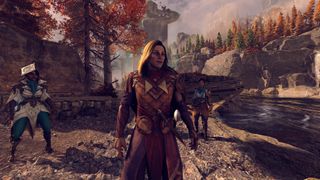
After a ten-year hiatus, Dragon Age is back. New faces, old faces; new locations, old locations. Old-school looks, cutting-edge techniques. Okay, that last one is somewhat of an exaggeration but it’s not entirely untrue. Dragon Age: The Veilguard (DA:TV) eschews the modern trend of going all-out with ultra-realistic graphics and in many ways, it doesn’t look too dissimilar to what we were treated to inDragon Age: Inquisitionfrom 2014.
But a decade in graphics is a veritable eternity, and things have really moved on since then, even though DA:TV still uses Electronic Arts' Frostbite engine. So naturally that means you’ve got ray tracing, upscaling, and frame generation.
Rather than going hell-for-leather with every modern rendering technique, resulting in deathly low frame rates on older hardware, BioWare has sensibly chosen to support awide range of gaming PC configurations.
Dragon Age: The Veilguard - Native performance
(Image credit: BioWare/Electronic Arts)
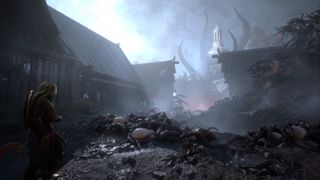
If you’re familiar withDragon Age: Origins, you’ll remember the game’s world consisted of multiple, fairly tightly constrained levels rather than a sprawling open-world map. Dragon Age: The Veilguard does a similar thing and although the environment is relatively static, it can still be rich with detail and characters.
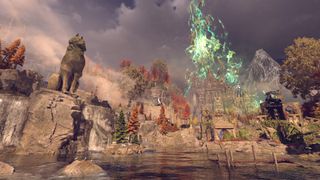
To examine the typical performance of DA:TV, I measured frame rates in an urban location of the game, as such areas tend to sport the highest levels of detail. Multiple runs were done at 1080p, 1440p, and 4K across all of the game’s quality presets, and the figures below are the averages of those.
For testing, I’ve used anAsus ROG Ally X, anAcer RTX 4050 gaming laptop, and three desktop configurations, with a variety of graphics cards. BioWare’s minimum system requirements areverylow—an IntelCore i5 8400from 2017 and an AMDRadeon R9 290Xfrom 2013 are quite shocking to see in a 2024 triple-A game.
However, there are good reasons why you really don’t want to try running the game on such hardware, which I’ll come to shortly.
The biggest gaming news, reviews and hardware deals
At 1080p High settings, almost all of the test systems run DA:TV at a perfectly playable standard.
At 1080p High settings, almost all of the test systems run DA:TV at a perfectly playable standard.
Along with the four quality presets, I also tested the ‘maximum graphics’ mode, where ray-traced reflections and ambient occlusion are used everywhere, instead of being selectively applied, along with the ‘Ultra Ray Tracing’ setting enabled. It’s not overly clear what that actually does, though—I don’tthinkit’s path tracing as the impact it has is subtle, but it definitely affects the overall quality of the lighting.
At 1080p High settings, almost all of the test systems run DA:TV at a perfectly playable standard. It’s not a fast-paced, twitchy game and 60 fps feels very comfortable. However, if you’re hoping to get more than 120 fps, because you have a 144 or 240 Hz monitor for example, then you’re unlikely to achieve that without the use of upscaling.
The Ally X copes well enough with the low and medium quality presets, so if you’re planning on doing a spot of Veilguarding on the go, then you should have no problems. Valve’s Steam Deck isn’t as powerful as the Ally X but the low preset with a little bit of upscaling works fine—the game looks perfectly acceptable on a small screen when using this mode.
(Image credit: BioWare/Electronic Arts)
SPONSOREDZotac Gaming GeForce RTX 4070 Ti Super Trinity Black Edition:DLSS 3 technology offers breathtaking specificity. These GPUs, with high-speed 16GB GDDR6X memory and a boost clock of 2610 MHz, can upscale your graphics, boosting your frame rate up to four times higher than you’re used to. The sleek, black design with SPECTRA RGB lighting is the cherry on top of your graphics card experience.View Deal
SPONSOREDZotac Gaming GeForce RTX 4070 Ti Super Trinity Black Edition:DLSS 3 technology offers breathtaking specificity. These GPUs, with high-speed 16GB GDDR6X memory and a boost clock of 2610 MHz, can upscale your graphics, boosting your frame rate up to four times higher than you’re used to. The sleek, black design with SPECTRA RGB lighting is the cherry on top of your graphics card experience.View Deal
SPONSOREDZotac Gaming GeForce RTX 4070 Ti Super Trinity Black Edition:DLSS 3 technology offers breathtaking specificity. These GPUs, with high-speed 16GB GDDR6X memory and a boost clock of 2610 MHz, can upscale your graphics, boosting your frame rate up to four times higher than you’re used to. The sleek, black design with SPECTRA RGB lighting is the cherry on top of your graphics card experience.View Deal
SPONSOREDZotac Gaming GeForce RTX 4070 Ti Super Trinity Black Edition:DLSS 3 technology offers breathtaking specificity. These GPUs, with high-speed 16GB GDDR6X memory and a boost clock of 2610 MHz, can upscale your graphics, boosting your frame rate up to four times higher than you’re used to. The sleek, black design with SPECTRA RGB lighting is the cherry on top of your graphics card experience.
SPONSOREDZotac Gaming GeForce RTX 4070 Ti Super Trinity Black Edition:DLSS 3 technology offers breathtaking specificity. These GPUs, with high-speed 16GB GDDR6X memory and a boost clock of 2610 MHz, can upscale your graphics, boosting your frame rate up to four times higher than you’re used to. The sleek, black design with SPECTRA RGB lighting is the cherry on top of your graphics card experience.
SPONSORED
SPONSORED
SPONSORED
Zotac Gaming GeForce RTX 4070 Ti Super Trinity Black Edition:DLSS 3 technology offers breathtaking specificity. These GPUs, with high-speed 16GB GDDR6X memory and a boost clock of 2610 MHz, can upscale your graphics, boosting your frame rate up to four times higher than you’re used to. The sleek, black design with SPECTRA RGB lighting is the cherry on top of your graphics card experience.
View Deal
View Deal
View Deal
Naturally, the use of ray tracing induces a sizeable hit in performance but at this resolution, theRadeon RX 7800 XTcopes just fine. There is one caveat, though, and it’s the choice of CPU. Paired with theRyzen 5 5600X, the RDNA 3 GPU didn’t run anywhere near as well (low 70s fps) and it’s just one aspect of the game that requires a hefty central processor.
Should you try to run Dragon Age: The Veilguard with something like a Core i5 8400, you’re going to have a very long wait before you’ll be able to play the game because, upon first start-up, you have to go through a very long shader compilation process. On a high-end CPU like theRyzen 9 9950X, it blasts through that very quickly, but it took over 8 minutes to do it on the Ally X.
The plus side to this is that there is no sign of shader stuttering during actual gameplay, though you still have to go through a fairly brief ‘shader verification’ sequence when starting the game.
TheArc A770andRadeon RX 5700 XTstruggled at 1440p when using anything higher than the medium preset, but that’s to be expected with those GPUs. The Intel graphic card almost certainly requires the game to be properly supported in the drivers but, for once, the Arc card rendered everything just fine.
In fact, for a pre-launch body of code, DA:TV is remarkably free of issues. Soft cloth physics often gets confused when you move the camera away from an NPC, causing fabrics to flap about when brought back into view, but that was pretty much the sum of notable glitches I’ve encountered.
Lastly, the 4K performance offers no real surprises—it’s very much the preserve of high-end graphics cards when using the high or ultra quality presets, but theRTX 4070and RX 7800 XT coped surprisingly well at medium settings. A minor application of upscaling easily remedies that issue.
Something else that upscaling helps with is the amount of VRAM the game uses. For the above performance runs, I usedPIX on Windowsto measure the actual usage (i.e.notVRAM allocation) and while it’s certainly not as heavy asThe Last of Us Part 1was like at launch, it’s a little more than you’d expect.
If your GPU sports 8 GB of VRAM, you will be fine unless you try to use 4K Ultra or the like.
If your GPU sports 8 GB of VRAM, you will be fine unless you try to use 4K Ultra or the like.
This is especially true when one considers that 4 GB graphics cards are being stated as the minimum hardware requirement. I put every graphics setting to its lowest value and disabled things like contact shadows, motion blur, and even AA—and yet Dragon Age: The Veilguard used more than 4 GB at all times.
If your GPU sports 8 GB of VRAM, you will be fine unless you try to use 4K Ultra or the like. With this setting, the graphics memory demands an average of around 11 GB but peaks at over 14 GB. For 8 GB graphics cards, those peaks manifest during the game in the form of traversal stutter, where moving to a new location results in momentary hitches in the frame rate, as the fresh assets are loaded in.
Should you have 12 GB or more of VRAM, though, you’re unlikely to experience any problems relating to how much graphics memory you have.
Dragon Age: The Veilguard - Upscaling performance
(Image credit: BioWare/Electronic Arts)

Dragon Age: The Veilguard offers all of the current upscaling systems (AMD’s FSR, Intel’s XeSS, and Nvidia’s DLSS) but it seems that only DLSS is the latest version. While you have access to DLSS Frame Generation, AMD’s equivalent system is absent (though could be added in a later patch or via mods).
There are exceptions to this and the Asus ROG Ally X is a good example. Dragon Age: The Veilguard is acceptably playable at 1080p Low on this gaming handheld PC but the medium quality preset is certainly nicer looking.
However, the Ally X can’t crack 30 fps with this setting, unless you apply upscaling. Fortunately, you don’t need to go over-the-top with the use of FSR, as quality mode is more than enough to make the game playable with the medium preset.
Notice that you don’t get a huge improvement when using performance mode, however, even though the rendering resolution is very low. That’s in part because the game is quite CPU-heavy—I’m not talking aboutDragon’s Dogma 2levels of processor pounding here, but it’s perhaps more than you’d expect.
Image1of4(Image credit: BioWare/Electronic Arts)(Image credit: BioWare/Electronic Arts)(Image credit: BioWare/Electronic Arts)(Image credit: BioWare/Electronic Arts)
Image1of4(Image credit: BioWare/Electronic Arts)(Image credit: BioWare/Electronic Arts)(Image credit: BioWare/Electronic Arts)(Image credit: BioWare/Electronic Arts)
Image1of4
(Image credit: BioWare/Electronic Arts)(Image credit: BioWare/Electronic Arts)(Image credit: BioWare/Electronic Arts)(Image credit: BioWare/Electronic Arts)
(Image credit: BioWare/Electronic Arts)(Image credit: BioWare/Electronic Arts)(Image credit: BioWare/Electronic Arts)(Image credit: BioWare/Electronic Arts)
(Image credit: BioWare/Electronic Arts)
(Image credit: BioWare/Electronic Arts)
(Image credit: BioWare/Electronic Arts)
(Image credit: BioWare/Electronic Arts)
(Image credit: BioWare/Electronic Arts)

(Image credit: BioWare/Electronic Arts)
(Image credit: BioWare/Electronic Arts)
(Image credit: BioWare/Electronic Arts)
(Image credit: BioWare/Electronic Arts)
(Image credit: BioWare/Electronic Arts)
(Image credit: BioWare/Electronic Arts)
(Image credit: BioWare/Electronic Arts)
(Image credit: BioWare/Electronic Arts)
(Image credit: BioWare/Electronic Arts)
(Image credit: BioWare/Electronic Arts)
(Image credit: BioWare/Electronic Arts)
(Image credit: BioWare/Electronic Arts)
(Image credit: BioWare/Electronic Arts)
(Image credit: BioWare/Electronic Arts)
(Image credit: BioWare/Electronic Arts)
While the game’s implementation of FSR is stable and glitch-free, at 1080p AMD’s upscaling overly blurs shadows, to the point that some will disappear altogether. It’s less of a problem if you’re upscaling from a higher native resolution but as the feature is most likely to be used on less capable hardware, which is typically used at 1080p, it’s somewhat disappointing to see.
Nvidia has been heavily promoting its DLSS technology and Dragon Age: The Veilguard, and it is the best upscaling implementation of all three. DLSS doesn’t produce a great deal more performance than FSR but the visual quality is much better—shadows are unaffected and there is considerably less pixel crawling on surfaces than FSR and XeSS.
AMD and Intel’s upscalers produce near identical results in terms of performance but XeSS doesn’t have the shadow problem that FSR does. Unfortunately, at higher levels of upscaling, Intel’s system induces alotof pixel crawling at 1080p. If you have an Arc graphics card, you’re better off sticking with FSR and the lack of proper shadows.
Image1of4(Image credit: BioWare/Electronic Arts)(Image credit: BioWare/Electronic Arts)(Image credit: BioWare/Electronic Arts)(Image credit: BioWare/Electronic Arts)
Image1of4(Image credit: BioWare/Electronic Arts)(Image credit: BioWare/Electronic Arts)(Image credit: BioWare/Electronic Arts)(Image credit: BioWare/Electronic Arts)
Image1of4
(Image credit: BioWare/Electronic Arts)(Image credit: BioWare/Electronic Arts)(Image credit: BioWare/Electronic Arts)(Image credit: BioWare/Electronic Arts)
(Image credit: BioWare/Electronic Arts)(Image credit: BioWare/Electronic Arts)(Image credit: BioWare/Electronic Arts)(Image credit: BioWare/Electronic Arts)
(Image credit: BioWare/Electronic Arts)
(Image credit: BioWare/Electronic Arts)
(Image credit: BioWare/Electronic Arts)
(Image credit: BioWare/Electronic Arts)
(Image credit: BioWare/Electronic Arts)
(Image credit: BioWare/Electronic Arts)
(Image credit: BioWare/Electronic Arts)
(Image credit: BioWare/Electronic Arts)
(Image credit: BioWare/Electronic Arts)
(Image credit: BioWare/Electronic Arts)
(Image credit: BioWare/Electronic Arts)
(Image credit: BioWare/Electronic Arts)
(Image credit: BioWare/Electronic Arts)
(Image credit: BioWare/Electronic Arts)
(Image credit: BioWare/Electronic Arts)
(Image credit: BioWare/Electronic Arts)
(Image credit: BioWare/Electronic Arts)
(Image credit: BioWare/Electronic Arts)
(Image credit: BioWare/Electronic Arts)
(Image credit: BioWare/Electronic Arts)
If you’re wondering why the higher levels of DLSS upscaling producelessperformance with the RTX 4050, it’s because the game is CPU-limited with those settings on the laptop used. The CPU in the machine I used ran increasingly hotter, going from native rendering to DLSS performance mode, and the chip was probably thermally limited.
However, the use of Frame Generation emphasises the amount of RAM that Dragon Age: The Veilguard: VRAM uses. The RTX 4050 only has 6 GB of VRAM and, while that’s fine for the Low quality preset, it’s not quite enough for Medium. Throw in Frame Generation and it’s not enough full-stop, resulting in long pauses while assets are swapped in and out of the VRAM.
You might have a 6 GB graphics card that’s more than capable of using the high quality preset because it has plenty of shader performance, but it will run into problems with not having enough VRAM. The only solution is to decrease some graphics settings.
Dragon Age: The Veilguard - Best settings
For the best performance and graphics balance on most gaming PCs, use the Medium or High preset and then turn down these settings:
While there are just four quality presets to choose from, there’s a wealth of individual graphics settings to play around with, should you so wish to do so. The biggest jump in visual quality is going from the low preset to the medium preset. There are still obvious improvements using the others, but it’s much more subtle.
Swipe to scroll horizontallyQuality settingsLowMediumHighUltraTexture QualityLowMediumHighUltraTexture FilteringLowMediumHighUltraLighting QualityLowMediumHighUltraAmbient OcclusionHBAOHBAOHBAO Fulln/aScreen Space ReflectionsOffOnOnn/aVolumetric LightingLowMediumHighHighSky QualityLowMediumHighUltraRay-traced ReflectionsOffOffOffSelectiveRay-traced Ambient OcclusionOffOffOffSelectiveUltra Ray Tracingn/an/an/aOffLevel of DetailLowMediumHighUltraStrand HairOffOffOnOnTerrain QualityLowMediumHighUltraTerrain Decoration QualityLowMediumHighUltraVisual Effects QualityLowMediumHighUltraPost Processing QualityLowMediumHighUltra
Swipe to scroll horizontally
Quality settingsLowMediumHighUltraTexture QualityLowMediumHighUltraTexture FilteringLowMediumHighUltraLighting QualityLowMediumHighUltraAmbient OcclusionHBAOHBAOHBAO Fulln/aScreen Space ReflectionsOffOnOnn/aVolumetric LightingLowMediumHighHighSky QualityLowMediumHighUltraRay-traced ReflectionsOffOffOffSelectiveRay-traced Ambient OcclusionOffOffOffSelectiveUltra Ray Tracingn/an/an/aOffLevel of DetailLowMediumHighUltraStrand HairOffOffOnOnTerrain QualityLowMediumHighUltraTerrain Decoration QualityLowMediumHighUltraVisual Effects QualityLowMediumHighUltraPost Processing QualityLowMediumHighUltra
However, I suggest that you don’t use the depth of field and motion blur options at all. The former isn’t very good and moving the camera just a fraction away from an NPC or the like causes the entire model to be smoothed out, like a cheap social media filter.
Image1of2(Image credit: BioWare/Electronic Arts)(Image credit: BioWare/Electronic Arts)
Image1of2(Image credit: BioWare/Electronic Arts)(Image credit: BioWare/Electronic Arts)
Image1of2
(Image credit: BioWare/Electronic Arts)(Image credit: BioWare/Electronic Arts)
(Image credit: BioWare/Electronic Arts)(Image credit: BioWare/Electronic Arts)
(Image credit: BioWare/Electronic Arts)
(Image credit: BioWare/Electronic Arts)
(Image credit: BioWare/Electronic Arts)
(Image credit: BioWare/Electronic Arts)
(Image credit: BioWare/Electronic Arts)
(Image credit: BioWare/Electronic Arts)
(Image credit: BioWare/Electronic Arts)
(Image credit: BioWare/Electronic Arts)
(Image credit: BioWare/Electronic Arts)
(Image credit: BioWare/Electronic Arts)
It does make for a pleasant change to have a new, big-budget game that actually runs pretty well and across a wide range of hardware.
It does make for a pleasant change to have a new, big-budget game that actually runs pretty well and across a wide range of hardware.
The game’s photo mode highlights one problem with the graphics settings and it’s the fact that the excess use of bloom and saturated lighting can’t be adjusted in actual gameplay, just for taking photos. The former really is over-the-top and masks a lot of excellent textures that are used to create the environment and characters.
And while I’m in a critical mode, I’m surprised that there aren’t any real options to scale the use and quality of shadows, separate from the overall quality changes. Even with the low preset, you still get lots of shadows being cast everywhere and while that looks nice, it’s not ideal for performance on low-end systems.
It’s also disappointing to have a game in 2024 requiring a restart if you change certain graphics settings (specifically, the preset option, texture quality, and level of detail)—that might have been acceptable ten years ago, but it stands out as being anachronistic when the likes of Cyberpunk 2077 lets you change everything and not require a single restart.
Image1of6(Image credit: BioWare/Electronic Arts)(Image credit: BioWare/Electronic Arts)(Image credit: BioWare/Electronic Arts)(Image credit: BioWare/Electronic Arts)(Image credit: BioWare/Electronic Arts)(Image credit: BioWare/Electronic Arts)
Image1of6(Image credit: BioWare/Electronic Arts)(Image credit: BioWare/Electronic Arts)(Image credit: BioWare/Electronic Arts)(Image credit: BioWare/Electronic Arts)(Image credit: BioWare/Electronic Arts)(Image credit: BioWare/Electronic Arts)
Image1of6
(Image credit: BioWare/Electronic Arts)(Image credit: BioWare/Electronic Arts)(Image credit: BioWare/Electronic Arts)(Image credit: BioWare/Electronic Arts)(Image credit: BioWare/Electronic Arts)(Image credit: BioWare/Electronic Arts)
(Image credit: BioWare/Electronic Arts)(Image credit: BioWare/Electronic Arts)(Image credit: BioWare/Electronic Arts)(Image credit: BioWare/Electronic Arts)(Image credit: BioWare/Electronic Arts)(Image credit: BioWare/Electronic Arts)
(Image credit: BioWare/Electronic Arts)
(Image credit: BioWare/Electronic Arts)
(Image credit: BioWare/Electronic Arts)
(Image credit: BioWare/Electronic Arts)
(Image credit: BioWare/Electronic Arts)
(Image credit: BioWare/Electronic Arts)
(Image credit: BioWare/Electronic Arts)
(Image credit: BioWare/Electronic Arts)
(Image credit: BioWare/Electronic Arts)
(Image credit: BioWare/Electronic Arts)
(Image credit: BioWare/Electronic Arts)
(Image credit: BioWare/Electronic Arts)
(Image credit: BioWare/Electronic Arts)
(Image credit: BioWare/Electronic Arts)
(Image credit: BioWare/Electronic Arts)
(Image credit: BioWare/Electronic Arts)
(Image credit: BioWare/Electronic Arts)
(Image credit: BioWare/Electronic Arts)
(Image credit: BioWare/Electronic Arts)
(Image credit: BioWare/Electronic Arts)
(Image credit: BioWare/Electronic Arts)
(Image credit: BioWare/Electronic Arts)
(Image credit: BioWare/Electronic Arts)
(Image credit: BioWare/Electronic Arts)
(Image credit: BioWare/Electronic Arts)
(Image credit: BioWare/Electronic Arts)
(Image credit: BioWare/Electronic Arts)
(Image credit: BioWare/Electronic Arts)
(Image credit: BioWare/Electronic Arts)
(Image credit: BioWare/Electronic Arts)
That said, it does make for a pleasant change to have a new, big-budget game that actually runs pretty well and across a wide range of hardware. Upscaling is there to boost performance, rather than be a required setting, and while enabling ray tracing doesn’t utterly transform the visuals, it can be used without totally crippling your gaming PC.
Though the gameshouldrun well, as the world’s levels are generally narrow and linear—think Origins rather than Inquisition, and you’ll have a good idea of what to expect. The overall graphics are hardlyBlack Myth: Wukonglevel but they fit the vibe of the game well enough.
At a time when games frequently launch with performance-crushing bugs, horrendous shader stutters, and the like, BioWare deserves no small credit for making Dragon Age: The Veilguard a solid piece of code.
TOPICSHardware
TOPICS
More about hardwareThe Freewrite Wordrunner with a built-in word counter might be the keyboard to look out for if you want to improve your writing processLenovo’s rollable laptop screen isn’t just a CES party trick—you’ll be able to pick one up yourself in JuneLatestAsus reveals three new Slash Travel Bags for carting around your ROG Ally—however, none of them are particularly fashion forwardSee more latest►
More about hardwareThe Freewrite Wordrunner with a built-in word counter might be the keyboard to look out for if you want to improve your writing processLenovo’s rollable laptop screen isn’t just a CES party trick—you’ll be able to pick one up yourself in JuneLatestAsus reveals three new Slash Travel Bags for carting around your ROG Ally—however, none of them are particularly fashion forwardSee more latest►
More about hardwareThe Freewrite Wordrunner with a built-in word counter might be the keyboard to look out for if you want to improve your writing processLenovo’s rollable laptop screen isn’t just a CES party trick—you’ll be able to pick one up yourself in June
More about hardware
The Freewrite Wordrunner with a built-in word counter might be the keyboard to look out for if you want to improve your writing processLenovo’s rollable laptop screen isn’t just a CES party trick—you’ll be able to pick one up yourself in June
The Freewrite Wordrunner with a built-in word counter might be the keyboard to look out for if you want to improve your writing process
The Freewrite Wordrunner with a built-in word counter might be the keyboard to look out for if you want to improve your writing process
Lenovo’s rollable laptop screen isn’t just a CES party trick—you’ll be able to pick one up yourself in June
Lenovo’s rollable laptop screen isn’t just a CES party trick—you’ll be able to pick one up yourself in June
LatestAsus reveals three new Slash Travel Bags for carting around your ROG Ally—however, none of them are particularly fashion forwardSee more latest►
Latest
Asus reveals three new Slash Travel Bags for carting around your ROG Ally—however, none of them are particularly fashion forward
Asus reveals three new Slash Travel Bags for carting around your ROG Ally—however, none of them are particularly fashion forward
Asus reveals three new Slash Travel Bags for carting around your ROG Ally—however, none of them are particularly fashion forward
See more latest►
Most Popular
These are the 14 biggest upcoming RPGs of 2025—get ready for another amazing year for the genre
Five new Steam games you probably missed (January 6, 2025)
I’ve seen enough: No more forcing singleplayer studios to make mediocre live service games
6 games that could be bigger hits than you’re expecting in 2025
What are your 2025 gaming resolutions?
The FBI put a $5 million bounty on the ‘Cryptoqueen’ last year but still hasn’t found her, so take your pick: Russia, South Africa, or murdered on a yacht in 2018
The Witcher season 4: Everything we know about Hemsworth’s debut on The Continent
8 bold gaming predictions for 2025
The PC game releases we’re most excited about in January
Twitter is dead, X is a cesspit, let’s make 2025 the year of the message board
HARDWARE BUYING GUIDESLATEST GAME REVIEWS1Best Steam Deck accessories in Australia for 2025: Our favorite docks, powerbanks and gamepads2Best graphics card for laptops: the mobile GPUs I’d want in my next gaming laptop3Best mini PCs in 2025: The compact computers I love the most4Best 14-inch gaming laptop: The top compact gaming laptops I’ve held in these hands5Best Mini-ITX motherboards in 2025: My pick from all the mini mobo marvels I’ve tested1Thank Goodness You’re Here! review: An anarchic treasure trove of jokes and skits2Shiren the Wanderer: The Mystery Dungeon of Serpentcoil Island review—like juggling chainsaws on horseback3WD Black SN850X 8 TB NVMe SSD review4Ikea Utespelare desk review5Asus ROG Harpe Ace Mini wireless mouse review
HARDWARE BUYING GUIDESLATEST GAME REVIEWS1Best Steam Deck accessories in Australia for 2025: Our favorite docks, powerbanks and gamepads2Best graphics card for laptops: the mobile GPUs I’d want in my next gaming laptop3Best mini PCs in 2025: The compact computers I love the most4Best 14-inch gaming laptop: The top compact gaming laptops I’ve held in these hands5Best Mini-ITX motherboards in 2025: My pick from all the mini mobo marvels I’ve tested1Thank Goodness You’re Here! review: An anarchic treasure trove of jokes and skits2Shiren the Wanderer: The Mystery Dungeon of Serpentcoil Island review—like juggling chainsaws on horseback3WD Black SN850X 8 TB NVMe SSD review4Ikea Utespelare desk review5Asus ROG Harpe Ace Mini wireless mouse review
HARDWARE BUYING GUIDESLATEST GAME REVIEWS1Best Steam Deck accessories in Australia for 2025: Our favorite docks, powerbanks and gamepads2Best graphics card for laptops: the mobile GPUs I’d want in my next gaming laptop3Best mini PCs in 2025: The compact computers I love the most4Best 14-inch gaming laptop: The top compact gaming laptops I’ve held in these hands5Best Mini-ITX motherboards in 2025: My pick from all the mini mobo marvels I’ve tested1Thank Goodness You’re Here! review: An anarchic treasure trove of jokes and skits2Shiren the Wanderer: The Mystery Dungeon of Serpentcoil Island review—like juggling chainsaws on horseback3WD Black SN850X 8 TB NVMe SSD review4Ikea Utespelare desk review5Asus ROG Harpe Ace Mini wireless mouse review
HARDWARE BUYING GUIDESLATEST GAME REVIEWS1Best Steam Deck accessories in Australia for 2025: Our favorite docks, powerbanks and gamepads2Best graphics card for laptops: the mobile GPUs I’d want in my next gaming laptop3Best mini PCs in 2025: The compact computers I love the most4Best 14-inch gaming laptop: The top compact gaming laptops I’ve held in these hands5Best Mini-ITX motherboards in 2025: My pick from all the mini mobo marvels I’ve tested1Thank Goodness You’re Here! review: An anarchic treasure trove of jokes and skits2Shiren the Wanderer: The Mystery Dungeon of Serpentcoil Island review—like juggling chainsaws on horseback3WD Black SN850X 8 TB NVMe SSD review4Ikea Utespelare desk review5Asus ROG Harpe Ace Mini wireless mouse review
HARDWARE BUYING GUIDESLATEST GAME REVIEWS
1Best Steam Deck accessories in Australia for 2025: Our favorite docks, powerbanks and gamepads
1Best Steam Deck accessories in Australia for 2025: Our favorite docks, powerbanks and gamepads
1
Best Steam Deck accessories in Australia for 2025: Our favorite docks, powerbanks and gamepads
2Best graphics card for laptops: the mobile GPUs I’d want in my next gaming laptop
2Best graphics card for laptops: the mobile GPUs I’d want in my next gaming laptop
2
Best graphics card for laptops: the mobile GPUs I’d want in my next gaming laptop
3Best mini PCs in 2025: The compact computers I love the most
3Best mini PCs in 2025: The compact computers I love the most
3
Best mini PCs in 2025: The compact computers I love the most
4Best 14-inch gaming laptop: The top compact gaming laptops I’ve held in these hands
4Best 14-inch gaming laptop: The top compact gaming laptops I’ve held in these hands
4
Best 14-inch gaming laptop: The top compact gaming laptops I’ve held in these hands
5Best Mini-ITX motherboards in 2025: My pick from all the mini mobo marvels I’ve tested
5Best Mini-ITX motherboards in 2025: My pick from all the mini mobo marvels I’ve tested
5
Best Mini-ITX motherboards in 2025: My pick from all the mini mobo marvels I’ve tested
1Thank Goodness You’re Here! review: An anarchic treasure trove of jokes and skits
1Thank Goodness You’re Here! review: An anarchic treasure trove of jokes and skits
1
Thank Goodness You’re Here! review: An anarchic treasure trove of jokes and skits
2Shiren the Wanderer: The Mystery Dungeon of Serpentcoil Island review—like juggling chainsaws on horseback
2Shiren the Wanderer: The Mystery Dungeon of Serpentcoil Island review—like juggling chainsaws on horseback
2
Shiren the Wanderer: The Mystery Dungeon of Serpentcoil Island review—like juggling chainsaws on horseback
3WD Black SN850X 8 TB NVMe SSD review
3WD Black SN850X 8 TB NVMe SSD review
3
WD Black SN850X 8 TB NVMe SSD review
4Ikea Utespelare desk review
4Ikea Utespelare desk review
4
Ikea Utespelare desk review
5Asus ROG Harpe Ace Mini wireless mouse review
5Asus ROG Harpe Ace Mini wireless mouse review
5
Asus ROG Harpe Ace Mini wireless mouse review
