HardwareProcessorsFive things I always tell people before they buy a new gaming CPUWhen you purchase through links on our site, we may earn an affiliate commission.Here’s how it works.
HardwareProcessorsFive things I always tell people before they buy a new gaming CPUWhen you purchase through links on our site, we may earn an affiliate commission.Here’s how it works.
When you purchase through links on our site, we may earn an affiliate commission.Here’s how it works.
(Image credit: Future)
Jump to:1. Motherboards2. Core count3. CPU generation4. Cooling5. RAM
Jump to:1. Motherboards2. Core count3. CPU generation4. Cooling5. RAM
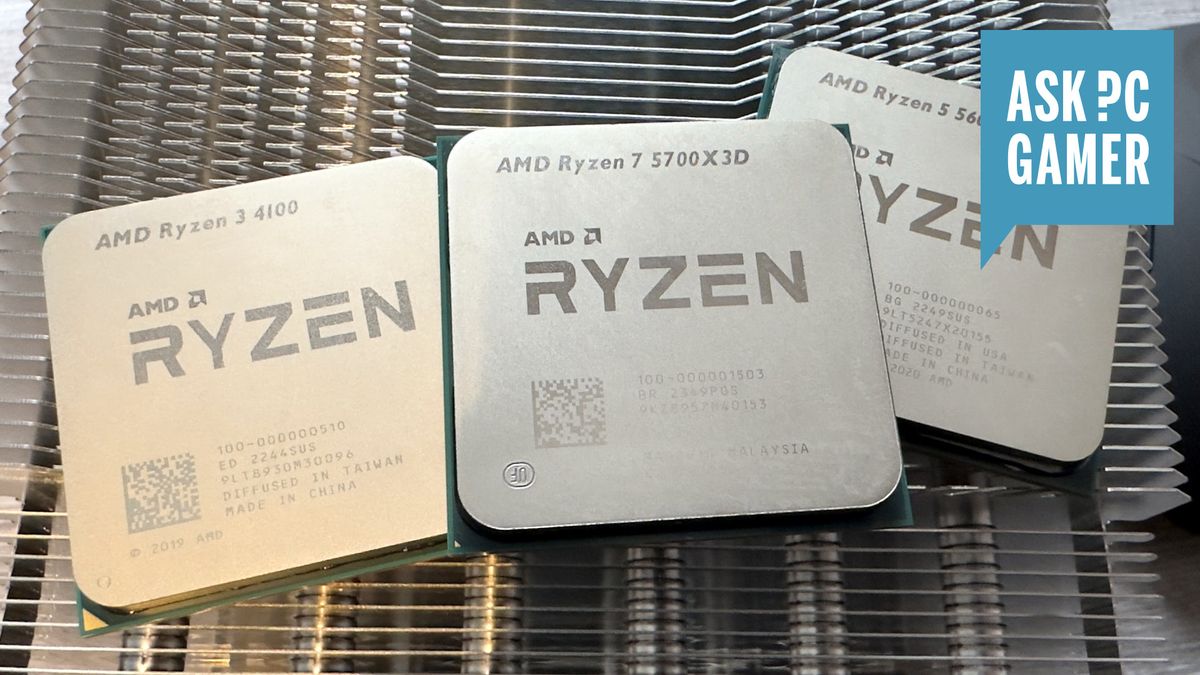
Every computer has a central processor or CPU, be it a tiny tablet or a hulking workstation, but when it comes to desktop gaming PCs, oh boy is there a lot to choose from. Despite there being only two vendors in the whole market, you’ve got hundreds of different models vying for your attention.
Browse through the listings of any major retailer, and you’ll be faced with three to four generations worth of chips from AMD and Intel. You can get them with just four or six cores, to as many as 24. And there’s a bewildering number of varieties of the same chip—you can find up toninevariants of AMD’sRyzen5 5000-series chips.
It’s easy enough to find out what the very best gaming chips are (just check out ourbest CPU for gamingguide for that) but what if you want something different? As the go-to person in my family and circle of friends when it comes to tech-related guidance, I’ve been asked more times than I count about advice for getting a new CPU.
So before you charge off into theBlack Friday salesto get your perfect processor, here are five things I always tell anyone before they splash the cash on a cache-toting chip.
Nick Evanson
Nick bought his first CPU over 30 years ago and he’s been jamming processors into motherboards ever since. While modern chips are amazing at gaming, he does miss the old days of using a pencil to unlock a processor for overclocking.
Nick bought his first CPU over 30 years ago and he’s been jamming processors into motherboards ever since. While modern chips are amazing at gaming, he does miss the old days of using a pencil to unlock a processor for overclocking.
1. Motherboards
(Image credit: Future)
Do you want to keep your current motherboard?
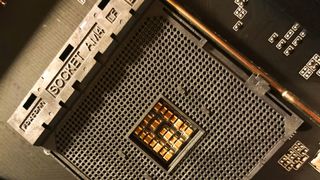
There are two approaches to picking a new gaming CPU: (1) get one that will work in the motherboard you already have or (2) get a new CPU, motherboard, and RAM kit altogether. Rather obviously, the second option is going to be alotmore expensive than the first one, but it greatly simplifies the process of choosing which new CPU to get.
That’s because every motherboard has a finite range of processor models it can support. In some cases, it’s a huge number—for example, theAsus ROG Strix B550-Esupports every single desktop Ryzen 3000, 4000, and 5000-series chip (as long as it has the latest BIOS installed). Nearly 70 different CPUs in total!
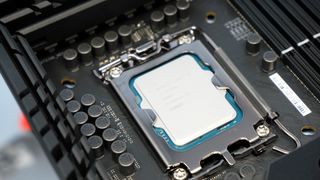
But the very latest processors from AMD and Intel use a different socket from those a few years ago. For example, if your gaming PC has aCore i5 10600Kinside it, the motherboard that houses it won’t accept a 13th or 14th Gen Core chip, nor the new Core Ultra models.
So if your gaming PC is five or more years old, you’re probably better off getting a whole new setup if you want to get a current or last-gen CPU. That will mean replacing the motherboard and RAM, and possibly even the CPU cooler. You’ll then need to reinstall Windows (although you can just risk shoving the storage drives in as they are), which makes the whole thing a lot more hassle than just dropping in a new CPU.
This is why it’s the first thing I ask anyone if they’re planning on getting a new CPU. If you’re not sure what motherboard is in your gaming PC, then downloadCPUIDand click on the motherboard tab. It’s completely free to use and it’ll tell you everything you need to know about your CPU, motherboard, and RAM.
Should you decide to keep your motherboard, use CPUID to find which model it is, and then look up the manufacturer’s webpage for it. Head to the support section and you should see a list of what CPUs you’ll be able to install.
2. Core count
(Image credit: Future)
Eight cores are more than enough for gaming, even six is fine
While the latest high-end CPUs are pretty expensive, they’re a whole lot cheaper than anything in the equivalent sector of graphics cards. So you might be tempted to splash out and get yourself anAMD Ryzen 9 9950Xor anIntel Core i9 14900K.
The thing is, for gaming, the huge number of cores they both offer are wasted. Content creation tools, like Blender for rendering or Handbrake for video encoding, will take as many cores as you can throw at them but games are primarily designed around six- or eight-core CPUs.
Partly because many of them are developed for consoles, as well as gaming PCs, and partly because games just don’t create dozens of demanding threads for the CPU to crunch through. A thread is basically a string of instructions—e.g. add these numbers, put the answer here, get this data, add the results together—and game engines only use four to six big threads for everything.
Some will use more than this, but the extra threads are typically very light in nature, and the game won’t suffer if there aren’t enough cores available to crunch them. What happens is that the whole processor just gets worked a bit harder and, unless you have a very old chip, it’ll cope just fine.
So don’t worry about cores and instead focus on things like what generation of model the CPU is, its maximum clock speed, and how much cache it has. The very best CPUs for gaming are all AMD 3D V-Cache models, with the stars of the show being theRyzen 7 5700X3D, theRyzen 7 7800X3D, and the newRyzen 7 9800X3D. All three have eight cores, and you’ll never want for more in gaming.
3. CPU generation
(Image credit: Intel)

The best way to save money is to buy a last- or two-gen old CPU
On the point of AMD’s 3D V-Cache chips, the Ryzen 7 5700X3D uses the Zen 3 microarchitecture that first appeared four years ago. At the time of writing, that particular CPU is $210 atAmazonbut it’s been cheaper than that, and the price will probably drop further still in the Black Friday sales. Cheaper still is the six-core, 12-threadRyzen 5 5600X, just $131 atAmazon, which also uses Zen 3.
Nobody would expect them to be on par with the very latest models and yet both chips stack up well against AMD’s 9000-series and Intel’s 14th Gen and Core Ultra 200S when it comes to gaming performance.
While the Ryzen 5 5600X is clearly the slowest of all the CPUs shown above, it’s not like the figures are reallybad. And as for the 5700X3D, well that puts theCore Ultra 5 245K($319 atAmazon) to shame in both Cyberpunk 2077 and Baldur’s Gate 3.
Once you increase the game’s resolution to 1440p or higher, the CPU becomes far less of a limiting factor in the performance—it’s almost all about the GPU then (anRTX 4070was used for the above figures).
So, if you’re looking to save a bit of cash when choosing a new CPU, don’t dismiss older chips, as they’re still more than good enough in today’s games. And in the case of the 5700X3D, it’ll probably be fine for at least another three or four years, before it becomes the main limit in how fast your games run.
If consoles work fine with 8-core CPUs using a microarchitecture that’s five years old, and clocked a lot slower than most desktop equivalents, your PC gaming experience will be just fine with something that’s a couple of years old. Your wallet experience will be even better!
4. Cooling
(Image credit: Noctua)
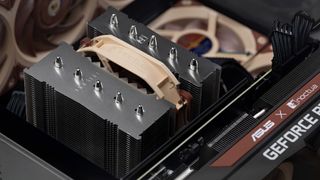
You don’t actually need a big AIO liquid cooler, even with a high-end chip
CPUs require electrical energy to work but all of it (to any measurable degree, at least) ends up being transferred into heat. All modern processors have systems to prevent themselves from getting damaged if their temperature gets too high but you still need a cooler to dissipate the heat.
AMD’s processors and Intel’s new Core Ultra 200S chips don’t generate a lot of heat when used in games. Even those that have a small mountain of cores don’t—for example, the 16-core Ryzen 9 9950X averages less than 130 W of heat in Baldur’s Gate 3. However, Intel’s last-gen Core i9 14900K is a little more serious, pumping out 177 W in the same test.
So you might think that you need a big and expensive all-in-one (AIO) liquid cooler to keep temperatures in check. The truth of the matter is that you don’t or at the very least, definitely not with AMD CPUs. Something like the Thermalright Peerless Assassin 120 SE air cooler (just $39 atAmazon) will have no problems cooling any Ryzen processor.
It’ll cope with Core Ultra 200S chips just fine too but with Intel 13th and 14th Gen Core i7 and Core i9 CPUs, you just need to give it a helping hand in the form of reducing the power limits. Modern CPUs have at least two power limits: one that acts as a baseline figure, usually called TPD (thermal design power or just PL1) and the other as a short-term limit (aka PL2).
Intel’s Core i7 and i9 chips are designed to run with a TDP of 125 W or so, and 253 W for PL2, but motherboard vendors often set both limits to 253 W. Most Intel motherboards will let you set PL1 and PL2 to a different value in the BIOS.
Reducing them will mean losing a little bit of performance but you’re unlikely to notice it much in games. For example, my Core i7 14700KF is always set to 175 W on both limits for normal use, though I switch back to Intel’s values when testing. But in doing so, I have a cooler and quieter PC and air coolers have had no issue in dealing with it all.
5. RAM
(Image credit: Future)

Modern CPUs work best with super-fast RAM but it’s not a must-have
AMD and Intel design their processors to work with a particular type of RAM and they’re all rated to work 100% normally up to a certain memory speed. For example, Intel 14th Gen Core chips can be paired with either DDR4-3200 or DDR5-5600, while AMD’s Ryzen 9000-series it’s just DDR5-5600.
However, you can buy faster RAM than this and I have an Intel 14th Gen i7 14700KF using DDR5-6400, an IntelCore Ultra 9 285Kwith DDR5-7800, and a Ryzen 9 9950X running with DDR5-6000 in front of me as I write this. Technical speaking, this means the memory controller in each of these chips is overclocked.
The rest of the CPU is running normally, though, which is why they’re all fine with such speeds, but there are no guarantees that every combination of CPU and motherboard will cope with faster-than-normal RAM.
Speedier memory does equate to better performance, but the actual gains one experiences depend an awful lot on what game is being used to measure the impact. Some will show practically no difference between running at the vendor default speed (e.g. DDR5-5200) and an overclocked mode (often called EXPO mode with AMD chips and XMP mode with Intel). Others will show a marked improvement, even with just a minor overclock.
It also depends on what quality settings and resolution you game at—running something like Cyberpunk 2077 at 4K with path tracing enabled will show almost no change with faster RAM because it will be so GPU-limited.
Slower RAM is cheaper, but not massively so. A 32 GB kit of Corsair Vengeance DDR5-5200 is $97 atAmazonat the moment, while the DDR5-6000 version is$120, only $23 more expensive. However, if you wanted to save as much as possible, to get a better CPU for example, then going with slower RAM is one way to do it (and the same is true if you’re looking at a processor that uses DDR4).
So don’t think that you absolutelymustget the fastest RAM money can buy with your new CPU. I usually recommend DDR5-5600 and DDR4-3200 as the best balance between money, performance, and compatibility—it just comes down to the CPU and motherboard configuration, so check with the vendor for the latter to see what RAM the board is happy with.
TOPICSHardware
TOPICS
More about processorsIf you’re a content creator and gamer looking for a CPU upgrade, this Ryzen 9 9900X deal will get you $90 offAMD accuses Intel’s Arrow Lake of being a ‘horrible’ product and implies a lack of options for consumers has caused the Ryzen 7 9800X3D shortage
More about processors
If you’re a content creator and gamer looking for a CPU upgrade, this Ryzen 9 9900X deal will get you $90 offAMD accuses Intel’s Arrow Lake of being a ‘horrible’ product and implies a lack of options for consumers has caused the Ryzen 7 9800X3D shortage

If you’re a content creator and gamer looking for a CPU upgrade, this Ryzen 9 9900X deal will get you $90 off
If you’re a content creator and gamer looking for a CPU upgrade, this Ryzen 9 9900X deal will get you $90 off
AMD accuses Intel’s Arrow Lake of being a ‘horrible’ product and implies a lack of options for consumers has caused the Ryzen 7 9800X3D shortage
AMD accuses Intel’s Arrow Lake of being a ‘horrible’ product and implies a lack of options for consumers has caused the Ryzen 7 9800X3D shortage
Latest
See more latest►
Most Popular
2024 was the year updates for old games beat out all the new ones for me
Train like you game with this adventure-inspired workout
‘It’s simply impossible to make a difficulty level that’s just right for all players’: How Final Fantasy 14’s lead battle designer has been playing a precarious balancing game for Dawntrail’s dungeons and raids
Please join me in getting super excited for all the cool looking survival games coming in 2025 (and beyond)
Competitive shooters are at a crucial crossroads in 2025: ‘sweaty’ teamplay vs. casual fun
Call of Duty’s $28 Squid Game skins are the perfect crossover for our capitalist dystopia, and Activision knows exactly what it’s doing
These are the 14 biggest upcoming RPGs of 2025—get ready for another amazing year for the genre
Five new Steam games you probably missed (January 6, 2025)
I’ve seen enough: No more forcing singleplayer studios to make mediocre live service games
6 games that could be bigger hits than you’re expecting in 2025
HARDWARE BUYING GUIDESLATEST GAME REVIEWS1Best Steam Deck accessories in Australia for 2025: Our favorite docks, powerbanks and gamepads2Best graphics card for laptops: the mobile GPUs I’d want in my next gaming laptop3Best mini PCs in 2025: The compact computers I love the most4Best 14-inch gaming laptop: The top compact gaming laptops I’ve held in these hands5Best Mini-ITX motherboards in 2025: My pick from all the mini mobo marvels I’ve tested1Thank Goodness You’re Here! review2Shiren the Wanderer: The Mystery Dungeon of Serpentcoil Island review3WD Black SN850X 8 TB NVMe SSD review4Ikea Utespelare desk review5Asus ROG Harpe Ace Mini wireless mouse review
HARDWARE BUYING GUIDESLATEST GAME REVIEWS1Best Steam Deck accessories in Australia for 2025: Our favorite docks, powerbanks and gamepads2Best graphics card for laptops: the mobile GPUs I’d want in my next gaming laptop3Best mini PCs in 2025: The compact computers I love the most4Best 14-inch gaming laptop: The top compact gaming laptops I’ve held in these hands5Best Mini-ITX motherboards in 2025: My pick from all the mini mobo marvels I’ve tested1Thank Goodness You’re Here! review2Shiren the Wanderer: The Mystery Dungeon of Serpentcoil Island review3WD Black SN850X 8 TB NVMe SSD review4Ikea Utespelare desk review5Asus ROG Harpe Ace Mini wireless mouse review
HARDWARE BUYING GUIDESLATEST GAME REVIEWS1Best Steam Deck accessories in Australia for 2025: Our favorite docks, powerbanks and gamepads2Best graphics card for laptops: the mobile GPUs I’d want in my next gaming laptop3Best mini PCs in 2025: The compact computers I love the most4Best 14-inch gaming laptop: The top compact gaming laptops I’ve held in these hands5Best Mini-ITX motherboards in 2025: My pick from all the mini mobo marvels I’ve tested1Thank Goodness You’re Here! review2Shiren the Wanderer: The Mystery Dungeon of Serpentcoil Island review3WD Black SN850X 8 TB NVMe SSD review4Ikea Utespelare desk review5Asus ROG Harpe Ace Mini wireless mouse review
HARDWARE BUYING GUIDESLATEST GAME REVIEWS1Best Steam Deck accessories in Australia for 2025: Our favorite docks, powerbanks and gamepads2Best graphics card for laptops: the mobile GPUs I’d want in my next gaming laptop3Best mini PCs in 2025: The compact computers I love the most4Best 14-inch gaming laptop: The top compact gaming laptops I’ve held in these hands5Best Mini-ITX motherboards in 2025: My pick from all the mini mobo marvels I’ve tested1Thank Goodness You’re Here! review2Shiren the Wanderer: The Mystery Dungeon of Serpentcoil Island review3WD Black SN850X 8 TB NVMe SSD review4Ikea Utespelare desk review5Asus ROG Harpe Ace Mini wireless mouse review
HARDWARE BUYING GUIDESLATEST GAME REVIEWS
1Best Steam Deck accessories in Australia for 2025: Our favorite docks, powerbanks and gamepads
1Best Steam Deck accessories in Australia for 2025: Our favorite docks, powerbanks and gamepads
1
Best Steam Deck accessories in Australia for 2025: Our favorite docks, powerbanks and gamepads
2Best graphics card for laptops: the mobile GPUs I’d want in my next gaming laptop
2Best graphics card for laptops: the mobile GPUs I’d want in my next gaming laptop
2
Best graphics card for laptops: the mobile GPUs I’d want in my next gaming laptop
3Best mini PCs in 2025: The compact computers I love the most
3Best mini PCs in 2025: The compact computers I love the most
3
Best mini PCs in 2025: The compact computers I love the most
4Best 14-inch gaming laptop: The top compact gaming laptops I’ve held in these hands
4Best 14-inch gaming laptop: The top compact gaming laptops I’ve held in these hands
4
Best 14-inch gaming laptop: The top compact gaming laptops I’ve held in these hands
5Best Mini-ITX motherboards in 2025: My pick from all the mini mobo marvels I’ve tested
5Best Mini-ITX motherboards in 2025: My pick from all the mini mobo marvels I’ve tested
5
Best Mini-ITX motherboards in 2025: My pick from all the mini mobo marvels I’ve tested
1Thank Goodness You’re Here! review
1Thank Goodness You’re Here! review
1
Thank Goodness You’re Here! review
2Shiren the Wanderer: The Mystery Dungeon of Serpentcoil Island review
2Shiren the Wanderer: The Mystery Dungeon of Serpentcoil Island review
2
Shiren the Wanderer: The Mystery Dungeon of Serpentcoil Island review
3WD Black SN850X 8 TB NVMe SSD review
3WD Black SN850X 8 TB NVMe SSD review
3
WD Black SN850X 8 TB NVMe SSD review
4Ikea Utespelare desk review
4Ikea Utespelare desk review
4
Ikea Utespelare desk review
5Asus ROG Harpe Ace Mini wireless mouse review
5Asus ROG Harpe Ace Mini wireless mouse review
5
Asus ROG Harpe Ace Mini wireless mouse review
