HardwareGaming PCsFive things I always tell people before they buy a new gaming PCWhen you purchase through links on our site, we may earn an affiliate commission.Here’s how it works.
HardwareGaming PCsFive things I always tell people before they buy a new gaming PCWhen you purchase through links on our site, we may earn an affiliate commission.Here’s how it works.
When you purchase through links on our site, we may earn an affiliate commission.Here’s how it works.
(Image credit: Future)
Jump to:1. GPU first2. RAM3. NVMe SSDs4. CPUs and sockets5. Upgradability
Jump to:1. GPU first2. RAM3. NVMe SSDs4. CPUs and sockets5. Upgradability
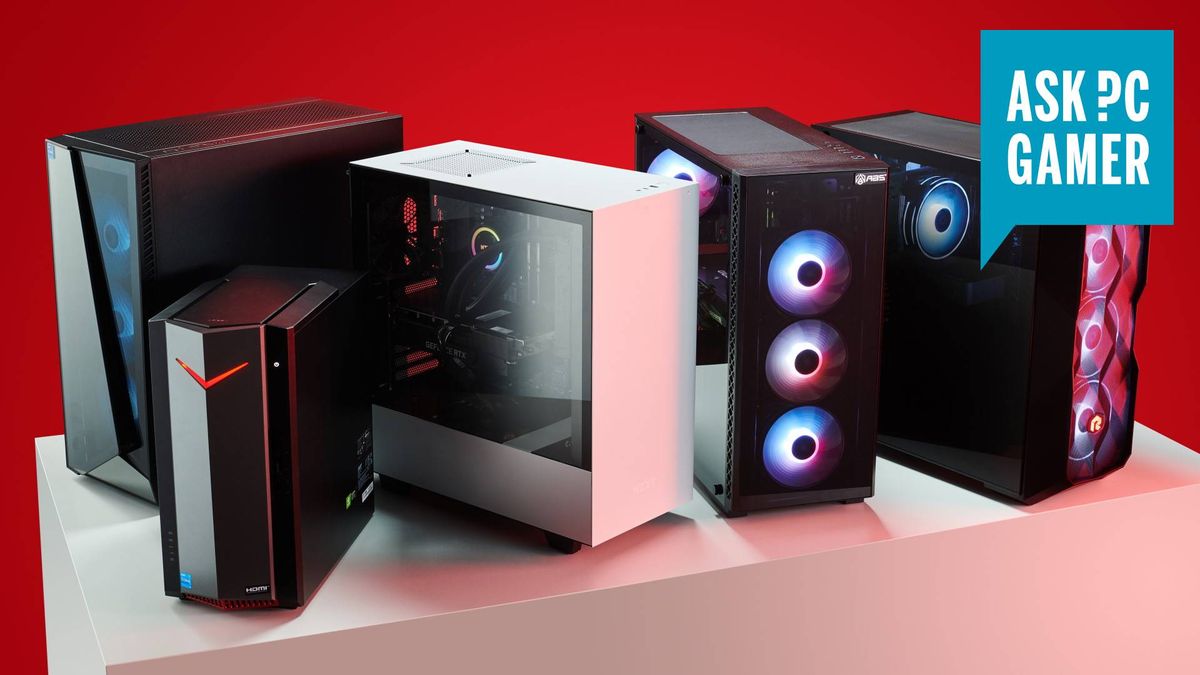
A pre-built gaming PC is probably the most exciting purchase you can make. We’re talking about an entirely new system—perhaps even your very first one. But it can be a little daunting, too, seeing component after component, spec after spec, and trying to separate the wheat from the chaff. We’ve all been there.
In fact, I’ve been there enough to know that actually, it doesn’t have to be as daunting as it might at first seem. And I’ve helped others who have been there enough to know what the most common pitfalls are and what to focus on to get cracking and make a good gaming PC purchasing decision.
If you keep the following tips in mind I think you’ll have a much easier time figuring out which PC to go for:
Jacob Fox
1. GPU first
(Image credit: Future)
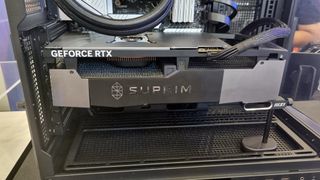
After you’ve figured out your budget and eliminated options outside of it, start thinking about what graphics card you want in your gaming PC. Provided all the other components are at least passable, a good graphics card will have the most impact on your gaming performance.
We have some new graphics cards approaching in the form of the Nvidia 50-series, codenamed Blackwell, but for now, the RTX 40-series is where it’s at for Team Green, and if you opt for an AMD card you should be going for an RX 7000-series one.
You can check out ourGPU hierarchy chartto get a quick feel for how all the different graphics cards stack up against each other, and of course, you can check out the full run-down of thebest graphics cards, but here’s a super basic breakdown.
TheRTX 4090is the best of the best but super expensive. TheRTX 4080 Superis the best high-end graphics card that isn’t ridiculously expensive, alongside theAMD RX 7900 XTX. These graphics cards are great if you have a 4K monitor and want to make the most of it, or a 1440p one with a high refresh rate.
Below this, we’re in mainstream high-end territory, with cards like theRTX 4070 SuperandRX 7800 XT. These should be capable of playing modern AAA games at 1440p on max settings, though not at high refresh rates without dropping below max. They’re your ideal pick for 1440p monitors with a 165 Hz refresh rate, for example, or for some 4K gaming in all but the most demanding games.
2. RAM
(Image credit: Future)
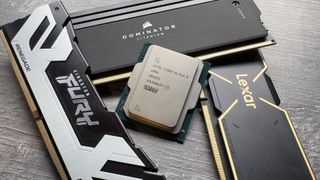
2. 16 GB of RAM is fine on a budget, but try to get DDR5
It seems like only yesterday that 16 GB of RAM was the gold standard for gaming PCs, but that’s no longer true. Today, 32 GB is the gold standard. This, however, has led some to assume that gaming PCs with 16 GB of RAM should be avoided entirely. But this isn’t true, either.
The main reason to opt for 32 GB of RAM is for the peace of mind to know that you could play pretty much anything, at any settings, without memory capacity being a bottleneck. But if you’re on a budget, you’re probably not expecting to be able to play any game at any settings, so only having 16 GB of RAM shouldn’t be catastrophic.
This is because, provided you’re not changing RAM generation, RAM is super easy to upgrade and not massively expensive, either. That generational proviso is important, though. If you get a gaming PC with DDR4 memory, your motherboard won’t support DDR5 so you won’t be able to upgrade to it.
If you’re going for something that you might want to upgrade, then, I’d ensure you get a gaming PC that has DDR5 memory. It’s not ridiculously faster for gaming, but it’s not insignificantly so, either, and it has much more longevity than DDR4.
Of course, if you have the option, a nice, fast DDR5 kit is ideal. 6,000 MT/s is great, but 5,600 MT/s is fine, too.
3. NVMe SSDs
(Image credit: Future)
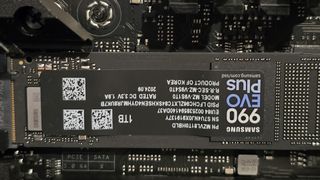
3. Make sure it has an NVMe SSD with 1 TB capacity or more
Most PCs these days come with anNVMe SSDfor their storage, but occasionally you’ll come across one with an old-school hard drive or SATA SSD, and these you should avoid. They’re great for extra mass storage, but not as main system drives.
A few years ago, NVMe drives were nice-to-haves but far from ubiquitous. Plenty of people still rocked SATA SSDs as a primary storage device, and this was fine, even when PCIe NVMe drives started hitting the market. That’s primarily because, at the time, NVMe drives were so much more expensive.
These days, however, NVMe drives are as cheap as SATA drives were back then, and they’re the de-facto pick. In fact, unless you’re cash-happy, it’ll almost certainly be a PCIe 4.0 NVMe drive that you want, not a 5.0 one. PCIe 5.0 drives right now stillaren’t really worth the cost for gaming, so don’t go paying extra for a gaming PC just because it has a PCIe 5.0 drive.
Also don’t underestimate SSD capacity. Yes, you can upgrade it down the line, but you risk running out of space well before you’d like if you only have 512 GB of storage, for instance. Unless you’re on a super-strict budget, given game and application install sizes these days, 1 TB capacity is a minimum, and 2 TB or more is ideal.
4. CPUs and sockets
(Image credit: Future)
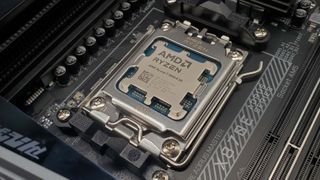
4. Consider your CPU’s general performance and socket upgradeability
When you’re buying a gaming PC, of course, you’re going to care about its gaming performance. But it can be easy to forget all the other things you might use your PC for, things that might require a more powerful CPU.
Budget CPUs such as theIntel Core i5 13400and the six-coreAMD Ryzen5 7600, although not thebest CPUson the market, are perfectly fine for gaming. However, you might be kicking yourself for not getting better if, for example, you end up doing CPU-intensive work such as encoding further down the line.
Similarly, if budget’s no concern and you want something ultra-high-end, you might go for an X3D chip such as theRyzen 7 7800X3Dor9800X3D, because these will offer the best gaming performance without a doubt. But if you want the absolute best productivity performance, you might be best sacrificing a little gaming performance and going for a high-end Core i9 or Ryzen 9. There are no hard rules, just don’t forget to consider performance in areas other than gaming.
Don’t forget to think about the CPU and motherboard socket, either. When you’re building your own gaming PC you have to consider the motherboard socket to ensure it’s compatible with your CPU, but when you’re buying a pre-built gaming PC, you don’t have to consider compatibility at all. In fact, sockets often aren’t even listed in a PC’s specifications.
So, if you don’t have to worry about compatibility with a pre-built, why care about the socket? The answer is upgradeability. While a gaming PC’s socket obviously supports the CPU sitting in it right now, it might not support the CPU you choose to upgrade to down the line.
Right now, what this mostly means is that you should take care when considering a gaming PC with an Intel 13th or 14th Gen CPU, because these are the last generations that fit the LGA 1700 socket, meaning you’ll need a new motherboard to upgrade to a new CPU whenever you decide to upgrade, and Intel motherboards can be expensive. AMD 7000-series CPUs, on the other hand, fit the AM5 socket, and this is compatible with a 9000-series upgrade and will be compatible with the generation after that, too.
5. Upgradability
(Image credit: Future)

5. Remember you can always upgrade later
There’s a lot to think about when it comes to gaming PCs because they’re essentially a collection of modular parts. But while this might make things seem a little overwhelming at first—something this guide has hopefully helped with—it’s also a massive boon. That’s because it means pretty much everything is upgradeable.
What this means practically, if you’re buying your first PC, is that you shouldn’t worry too much about getting something wrong and being stuck with it forever. There’s so much you can upgrade in your computer, from its graphics card to its CPU, memory, motherboard, storage, and plenty more.
There are a few things you need to keep in mind to ensure it’ll beeasilyupgradeable, but I think we’ve covered those, here.
You want to ensure you get a PC that supports DDR5 memory if you want to be able to upgrade that without switching motherboards. And ditto the socket: AM5’s the way to go if you want upgradeability, which means an AMD 7000-series or 9000-series chip.
Intel’s 13th and 14th Gen chips use LGA 1700 and so are incompatible with the latest Intel generation, and it’s unlikely that the next Intel generation will use the same socket as the current Core Ultra 200S generation.
Apart from those caveats, though, have at it. You’re not committing yourself to a never-changing rig. Most people who buy a gaming PC will probably end up upgrading some component or other before long. If you do so and you catch the PC building bug, you might even be in for aship of Theseusscenario, perpetually rebuilding your gaming PC into eternity. There’ll always be a “later”, so don’t stress it too much.
TOPICSHardware
TOPICS
More about gaming pcsThis Jinx-inspired gaming PC is my favorite of CES 2025 and I’m head over heels for the hardwareThe 2025 Asus ROG NUC looks epic and has some mighty specs but a desktop gaming PC will probably be far better value for moneyLatestWatching an all-romances speedrun of the legendarily janky Fallout: New Vegas is a delightSee more latest►
More about gaming pcsThis Jinx-inspired gaming PC is my favorite of CES 2025 and I’m head over heels for the hardwareThe 2025 Asus ROG NUC looks epic and has some mighty specs but a desktop gaming PC will probably be far better value for moneyLatestWatching an all-romances speedrun of the legendarily janky Fallout: New Vegas is a delightSee more latest►
More about gaming pcsThis Jinx-inspired gaming PC is my favorite of CES 2025 and I’m head over heels for the hardwareThe 2025 Asus ROG NUC looks epic and has some mighty specs but a desktop gaming PC will probably be far better value for money
More about gaming pcs
This Jinx-inspired gaming PC is my favorite of CES 2025 and I’m head over heels for the hardwareThe 2025 Asus ROG NUC looks epic and has some mighty specs but a desktop gaming PC will probably be far better value for money

This Jinx-inspired gaming PC is my favorite of CES 2025 and I’m head over heels for the hardware
This Jinx-inspired gaming PC is my favorite of CES 2025 and I’m head over heels for the hardware
The 2025 Asus ROG NUC looks epic and has some mighty specs but a desktop gaming PC will probably be far better value for money
The 2025 Asus ROG NUC looks epic and has some mighty specs but a desktop gaming PC will probably be far better value for money
LatestWatching an all-romances speedrun of the legendarily janky Fallout: New Vegas is a delightSee more latest►
Latest
Watching an all-romances speedrun of the legendarily janky Fallout: New Vegas is a delight
Watching an all-romances speedrun of the legendarily janky Fallout: New Vegas is a delight
Watching an all-romances speedrun of the legendarily janky Fallout: New Vegas is a delight
See more latest►
Most Popular
This bizarre roguelike has a new take on the Vampire Survivors formula: letting you build your own custom weapons out of brains, eyeballs, and chimpanzee spines
18 games the PC Gamer team can’t wait to play in 2025
The Witcher 3’s now 2-year-old bonus quest is our first taste of the ‘vibe’ CD Projekt is going for in The Witcher 4
2024 was the year updates for old games beat out all the new ones for me
Train like you game with this adventure-inspired workout
‘It’s simply impossible to make a difficulty level that’s just right for all players’: How Final Fantasy 14’s lead battle designer has been playing a precarious balancing game for Dawntrail’s dungeons and raids
Please join me in getting super excited for all the cool looking survival games coming in 2025 (and beyond)
Competitive shooters are at a crucial crossroads in 2025: ‘sweaty’ teamplay vs. casual fun
Call of Duty’s $28 Squid Game skins are the perfect crossover for our capitalist dystopia, and Activision knows exactly what it’s doing
These are the 14 biggest upcoming RPGs of 2025—get ready for another amazing year for the genre
HARDWARE BUYING GUIDESLATEST GAME REVIEWS1Best Steam Deck accessories in Australia for 2025: Our favorite docks, powerbanks and gamepads2Best graphics card for laptops: the mobile GPUs I’d want in my next gaming laptop3Best mini PCs in 2025: The compact computers I love the most4Best 14-inch gaming laptop: The top compact gaming laptops I’ve held in these hands5Best Mini-ITX motherboards in 2025: My pick from all the mini mobo marvels I’ve tested1Thank Goodness You’re Here! review: An anarchic treasure trove of jokes and skits2Shiren the Wanderer: The Mystery Dungeon of Serpentcoil Island review—like juggling chainsaws on horseback3WD Black SN850X 8 TB NVMe SSD review4Ikea Utespelare desk review5Asus ROG Harpe Ace Mini wireless mouse review
HARDWARE BUYING GUIDESLATEST GAME REVIEWS1Best Steam Deck accessories in Australia for 2025: Our favorite docks, powerbanks and gamepads2Best graphics card for laptops: the mobile GPUs I’d want in my next gaming laptop3Best mini PCs in 2025: The compact computers I love the most4Best 14-inch gaming laptop: The top compact gaming laptops I’ve held in these hands5Best Mini-ITX motherboards in 2025: My pick from all the mini mobo marvels I’ve tested1Thank Goodness You’re Here! review: An anarchic treasure trove of jokes and skits2Shiren the Wanderer: The Mystery Dungeon of Serpentcoil Island review—like juggling chainsaws on horseback3WD Black SN850X 8 TB NVMe SSD review4Ikea Utespelare desk review5Asus ROG Harpe Ace Mini wireless mouse review
HARDWARE BUYING GUIDESLATEST GAME REVIEWS1Best Steam Deck accessories in Australia for 2025: Our favorite docks, powerbanks and gamepads2Best graphics card for laptops: the mobile GPUs I’d want in my next gaming laptop3Best mini PCs in 2025: The compact computers I love the most4Best 14-inch gaming laptop: The top compact gaming laptops I’ve held in these hands5Best Mini-ITX motherboards in 2025: My pick from all the mini mobo marvels I’ve tested1Thank Goodness You’re Here! review: An anarchic treasure trove of jokes and skits2Shiren the Wanderer: The Mystery Dungeon of Serpentcoil Island review—like juggling chainsaws on horseback3WD Black SN850X 8 TB NVMe SSD review4Ikea Utespelare desk review5Asus ROG Harpe Ace Mini wireless mouse review
HARDWARE BUYING GUIDESLATEST GAME REVIEWS1Best Steam Deck accessories in Australia for 2025: Our favorite docks, powerbanks and gamepads2Best graphics card for laptops: the mobile GPUs I’d want in my next gaming laptop3Best mini PCs in 2025: The compact computers I love the most4Best 14-inch gaming laptop: The top compact gaming laptops I’ve held in these hands5Best Mini-ITX motherboards in 2025: My pick from all the mini mobo marvels I’ve tested1Thank Goodness You’re Here! review: An anarchic treasure trove of jokes and skits2Shiren the Wanderer: The Mystery Dungeon of Serpentcoil Island review—like juggling chainsaws on horseback3WD Black SN850X 8 TB NVMe SSD review4Ikea Utespelare desk review5Asus ROG Harpe Ace Mini wireless mouse review
HARDWARE BUYING GUIDESLATEST GAME REVIEWS
1Best Steam Deck accessories in Australia for 2025: Our favorite docks, powerbanks and gamepads
1Best Steam Deck accessories in Australia for 2025: Our favorite docks, powerbanks and gamepads
1
Best Steam Deck accessories in Australia for 2025: Our favorite docks, powerbanks and gamepads
2Best graphics card for laptops: the mobile GPUs I’d want in my next gaming laptop
2Best graphics card for laptops: the mobile GPUs I’d want in my next gaming laptop
2
Best graphics card for laptops: the mobile GPUs I’d want in my next gaming laptop
3Best mini PCs in 2025: The compact computers I love the most
3Best mini PCs in 2025: The compact computers I love the most
3
Best mini PCs in 2025: The compact computers I love the most
4Best 14-inch gaming laptop: The top compact gaming laptops I’ve held in these hands
4Best 14-inch gaming laptop: The top compact gaming laptops I’ve held in these hands
4
Best 14-inch gaming laptop: The top compact gaming laptops I’ve held in these hands
5Best Mini-ITX motherboards in 2025: My pick from all the mini mobo marvels I’ve tested
5Best Mini-ITX motherboards in 2025: My pick from all the mini mobo marvels I’ve tested
5
Best Mini-ITX motherboards in 2025: My pick from all the mini mobo marvels I’ve tested
1Thank Goodness You’re Here! review: An anarchic treasure trove of jokes and skits
1Thank Goodness You’re Here! review: An anarchic treasure trove of jokes and skits
1
Thank Goodness You’re Here! review: An anarchic treasure trove of jokes and skits
2Shiren the Wanderer: The Mystery Dungeon of Serpentcoil Island review—like juggling chainsaws on horseback
2Shiren the Wanderer: The Mystery Dungeon of Serpentcoil Island review—like juggling chainsaws on horseback
2
Shiren the Wanderer: The Mystery Dungeon of Serpentcoil Island review—like juggling chainsaws on horseback
3WD Black SN850X 8 TB NVMe SSD review
3WD Black SN850X 8 TB NVMe SSD review
3
WD Black SN850X 8 TB NVMe SSD review
4Ikea Utespelare desk review
4Ikea Utespelare desk review
4
Ikea Utespelare desk review
5Asus ROG Harpe Ace Mini wireless mouse review
5Asus ROG Harpe Ace Mini wireless mouse review
5
Asus ROG Harpe Ace Mini wireless mouse review
