HardwareGaming MonitorsFive things I always tell people before they buy their first gaming monitorWhen you purchase through links on our site, we may earn an affiliate commission.Here’s how it works.
HardwareGaming MonitorsFive things I always tell people before they buy their first gaming monitorWhen you purchase through links on our site, we may earn an affiliate commission.Here’s how it works.
When you purchase through links on our site, we may earn an affiliate commission.Here’s how it works.
(Image credit: Future)
Jump to:To OLED or not to OLEDOh no, HDRMulti-monitorPixel pushingRefresh rate
Jump to:To OLED or not to OLEDOh no, HDRMulti-monitorPixel pushingRefresh rate
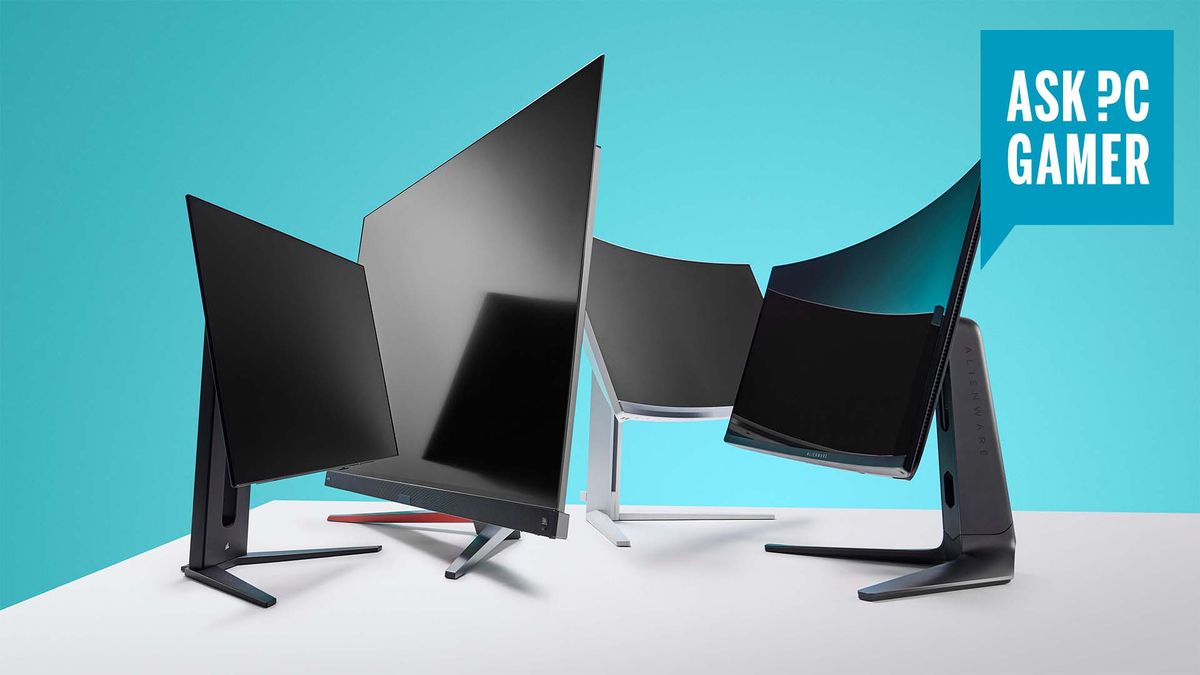
There are few parts of your gaming PC setup that will happily make the transition between multiple generations of your own system, but a good gaming monitor will absolutely be one of them. Pick well and you can end up with a display that lives with you through several different graphics cards and PCs, and still deliver an outstanding gaming experience through it all.
Though, it must be said, where once there was a somewhat beneficial state of stagnation in the monitor market, one that enabled a high-end screen to be at the top of the game for a decade, things have changed and are moving apace. Where a 2560 x 1440 IPS panel with a 144 Hz refresh rate could have been considered top spec for the longest time, we’re at a point when OLED screens have taken hold, offering 4K resolutions and 240 Hz+ refresh rates for thebest gaming monitors. For a price.
That, however, is great on multiple counts. On one hand, you get high-end panels with the sort of image fidelity we could only have dreamed of a couple years back, while on the other, such is the sky-high pricing of OLED technology, and its cemented position as the de facto top pick, that the sort of screen you can now get for a couple hundred dollars or a few hundred quid is nothing short of stunning. The top screens of two years ago are now phenomenally affordable.
We’re regularly rounding up our favourite screen bargains, and as we run up to the end of the year we’ve got a constantly updated list of thebest Black Friday gaming monitor deals, too. But you need to know what you’re actually looking for before you commit to anything.
So, here’s what you need to think about before buying your very first gaming monitor:
Dave James
To OLED or not to OLED
(Image credit: MSI)
1. Can you afford an OLED?
OLED gaming monitorsare the current pinnacle of screen technology. The latest LG and Samsung-built 4K panels—the highest resolution OLED gaming display you can currently buy—are some of the best monitors we’ve ever seen. But they areincrediblyexpensive. When you can buy a 55-inch OLED TV for $900, it feels a little hard to swallow having to pay over $1,000 for a 32-inch monitor that doesn’t even have a tuner or OS inside it.
But why would you want an OLED monitor? The simple answer is that OLEDs deliver perfect, genuine blacks and a level of contrast that is impossible to find from any other current monitor technology. The technical reason is that each pixel is self-emissive, which means it doesn’t require a light source behind it, and therefore means there is no bleeding of light between them. That’s what makes the contrast so crisp and the blacks so deep.
They don’t have the same sort of full-screen brightness as something like a mini-LED display, but a good modern OLED will deal with what it’s got better than any other panel technology.
You are going to have to spend the big bucks to get one, however. The best prices we’ve found for OLED gaming monitors that we would want (and that excludes the offensively over-priced 2560 x 1440 ones) come in at $800 at best. That’s a lot of cash to drop on a screen even if it will last through the lifespan of your current gaming PC.
The flip-side, as I’ve said earlier, is that the emergence of genuinely great OLED gaming monitors has crushed the prices of panels we would’ve thought of as top-spec just a short while ago. So, even if you can’t afford an OLED monitor, there are stunningly good value IPS and VA panels (the other two panel technologies we recommend) available right now that will still look great in-game and on your Windows desktop.
Oh no, HDR
(Image credit: Future)
2. HDR is a nice-to-have not a need-to-have
It’s very easy to get caught up in the marketing buzzwords of the day, and the HDR (or high-dynamic range) performance of a screen has been used for the past five years or so to denote whether a monitor is a particularly good gaming display. The problem is that HDR gaming on PC is, at best, a mess and, at worst, replete with what seem like obfuscating certifications.
The ‘400’ bit means that a certified screen is capable of a peak 400 nits brightness, which isn’t all that bright if we’re being honest. That’s absolutely fine for a standard dynamic range screen, and you can have a great time gaming on a 400 nit display, just not a greatHDRtime. You won’t get the little peaks in brightness which really make a HDR image pop.
To get a proper HDR experience you need either an OLED with true blacks and almost infinite contrast, or a screen with a ton of bright backlights, such as an expensive mini-LED panel. Even then,even then,HDR on PC is a cludge. It’s a mess of mismatched settings and awkward features which contradict each other and need to be manually enabled each time you game or your display experience suffers outside of gaming.
If you can get a DisplayHDR 600 or 1000 rated panel, then fine, you’re going to get a decent HDR representation, but I wouldn’t specifically pay over the odds to get that specs box ticked if you’re not 100% certain that you need HDR in your life.
Multi-monitor
(Image credit: Future)
3. How many screens do you want?
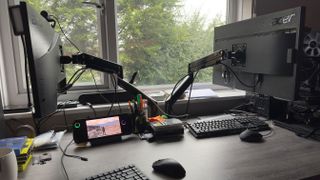
Are you content with running your gaming PC with just a solitary monitor, or do you feel the need, the need for moar? Personally, I’m a multi-monitor kinda guy because I spend a lot of time working on my machine, and I like to play games full-screen on one and have something else going on with a second screen.
But you can almost get the best of both worlds with a single screen, so long as that screen is wide enough. Orultrawideenough. That is a species of gaming monitor with an aspect ratio of at least 21:9, and can get even wider if you picka ludicrously broad 57-inch wide boi.
Some of these screens are effectively a pair of 32-inch 4K panels smooshed together in a holy ultrawide union. And some will even allow you to enter into a mode where you can split them up again to use each half of the screen as an individual screen before flipping back into ultrawide mode again.
The most arresting use, however, is in gaming.
Pixel pushing
(Image credit: Future)

4. What’s your GPU?
This has to be a key thing to ask yourself before you spend big on a gaming monitor. The native resolution of a display is key to your PC’s performance, and we would always recommend aiming to run at the native res of your screen where at all possible. Anything else is a recipe for muddy, fuzzy visuals.
The issue is that the rendering of pixels costs GPU performance, and you can get an idea of the extra load on your graphics card when you actually look at what a resolution actually means in terms of the number of pixels on a screen you’re asking your PC to deal withevery single second.At 1920 x 1080—still the most popular and easily achievable gaming resolution—you’re looking at just over 2 million pixels. It’s a simple matter of multiplying those width and height numbers to get your total pixel count.
A 2560 x 1440 resolution therefore means near 3.7 million pixels, which is a fair number over and above 1080p but not unreasonably so. Stepping up to 4K (or rather 3840 x 2160) and we’re now talking about around 8.3 million pixels, and you can see why that now places such a burden on your GPU.
Most modern graphics cards of this, and the previous generation should be more than capable of powering a native 1080p gaming monitor without breaking a sweat, and should also be relatively capable of running a 1440p display. Throw upscaling and some judicious adjustments to your game’s graphics settings, and you’ll get high frame rates out of most of them, too.
But only the verybest graphics cardscan comfortably cope with running a game at 4K native resolutions, especially without the magic of upscaling or frame generation. 4K gaming arguably starts around the RTX 4070 Ti Super level, and often benefits from 12 GB of VRAM or more.
Don’t be worried, however, if you’re looking for a new monitor today, and a new graphics card down the line—maybe when Jen-Hsun pulls his finger out and finally launches theRTX 50-serieshe’s been jealously holding onto for the past year. If you’re going to spend out on a high-end GPU of the coming generations, then speccing your monitor purchase to cater to that future card over your current won’t necessarily deliver a terrible experience.
A 4K monitor can still look decent running at 1440p and likewise a 1440p display can run at 1080p without looking too dreadful. It will certainly see you right while for the time you’re gaming out your time with an older card in preparation for a new purchase down the line.
Refresh rate
(Image credit: Future)
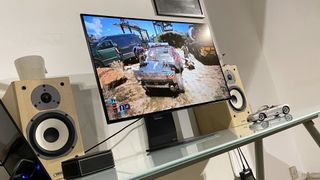
5. Don’t go unnecessarily chasing refresh rates
It’s easy to get caught up in the chase for ever higher numbers. It’s something that marketers will always latch onto as it avoids having to explain more complex topics and features of a particular product and it’s absolutely prevalent in tech.
Big number: good. Lower number: bad.
Ever higher refresh rates are such a marketing folks' dream digits, and ever since we made gaming monitors push beyond the 60 Hz refresh rate they were locked for the longest time it’s been a race to ever higher figures.
The refresh rate is the number of times a screen will refresh in a second. At 60 Hz the screen is refreshing every second, and if your game’s running at 60 fps then you’ve got a perfect match and the image will feel smooth. But higher refresh rates can be so much smoother.
I will admit I am an absolute sucker for high refresh rate screens, and will happily zoom windows around my 240 Hz Windows desktop just for the thrill of watching them smoothly float across my display. But in-game it’s a whole other thing. For a locked 240 Hz gaming monitor to feel super smooth you really need to be running at 240 fps, and that is not easily achievable. And what about a 360 Hz or 480 Hz panel?
For me, so long as you’re looking at a gaming monitor with a refresh rate of 144 Hz or 165 Hz then you are going to have a great gaming experience. Anything higher and you’re relying on your PC and its GPU to be able to match your panel. Good luck with that.
TOPICSHardware
TOPICS
More about gaming monitorsAMD is now reportedly making all-American Ryzen 9000 CPU dies at TSMC’s Arizona fabMSI intros cheaper ‘back connect’ Project Zero Intel motherboards for super-clean PC builds you might actually be able to affordLatestIt’s time for me to admit that AI-accelerated frame generation might actually be the way of the future and that’s a good thingSee more latest►
More about gaming monitorsAMD is now reportedly making all-American Ryzen 9000 CPU dies at TSMC’s Arizona fabMSI intros cheaper ‘back connect’ Project Zero Intel motherboards for super-clean PC builds you might actually be able to affordLatestIt’s time for me to admit that AI-accelerated frame generation might actually be the way of the future and that’s a good thingSee more latest►
More about gaming monitorsAMD is now reportedly making all-American Ryzen 9000 CPU dies at TSMC’s Arizona fabMSI intros cheaper ‘back connect’ Project Zero Intel motherboards for super-clean PC builds you might actually be able to afford
More about gaming monitors
AMD is now reportedly making all-American Ryzen 9000 CPU dies at TSMC’s Arizona fabMSI intros cheaper ‘back connect’ Project Zero Intel motherboards for super-clean PC builds you might actually be able to afford

AMD is now reportedly making all-American Ryzen 9000 CPU dies at TSMC’s Arizona fab
AMD is now reportedly making all-American Ryzen 9000 CPU dies at TSMC’s Arizona fab
MSI intros cheaper ‘back connect’ Project Zero Intel motherboards for super-clean PC builds you might actually be able to afford
MSI intros cheaper ‘back connect’ Project Zero Intel motherboards for super-clean PC builds you might actually be able to afford
LatestIt’s time for me to admit that AI-accelerated frame generation might actually be the way of the future and that’s a good thingSee more latest►
Latest
It’s time for me to admit that AI-accelerated frame generation might actually be the way of the future and that’s a good thing
It’s time for me to admit that AI-accelerated frame generation might actually be the way of the future and that’s a good thing
It’s time for me to admit that AI-accelerated frame generation might actually be the way of the future and that’s a good thing
See more latest►
Most Popular
Please join me in getting super excited for all the cool looking survival games coming in 2025 (and beyond)
Competitive shooters are at a crucial crossroads in 2025: ‘sweaty’ teamplay vs. casual fun
Call of Duty’s $28 Squid Game skins are the perfect crossover for our capitalist dystopia, and Activision knows exactly what it’s doing
These are the 14 biggest upcoming RPGs of 2025—get ready for another amazing year for the genre
Five new Steam games you probably missed (January 6, 2025)
I’ve seen enough: No more forcing singleplayer studios to make mediocre live service games
6 games that could be bigger hits than you’re expecting in 2025
What are your 2025 gaming resolutions?
The FBI put a $5 million bounty on the ‘Cryptoqueen’ last year but still hasn’t found her, so take your pick: Russia, South Africa, or murdered on a yacht in 2018
The Witcher season 4: Everything we know about Hemsworth’s debut on The Continent
HARDWARE BUYING GUIDESLATEST GAME REVIEWS1Best Steam Deck accessories in Australia for 2025: Our favorite docks, powerbanks and gamepads2Best graphics card for laptops: the mobile GPUs I’d want in my next gaming laptop3Best mini PCs in 2025: The compact computers I love the most4Best 14-inch gaming laptop: The top compact gaming laptops I’ve held in these hands5Best Mini-ITX motherboards in 2025: My pick from all the mini mobo marvels I’ve tested1Thank Goodness You’re Here! review: An anarchic treasure trove of jokes and skits2Shiren the Wanderer: The Mystery Dungeon of Serpentcoil Island review—like juggling chainsaws on horseback3WD Black SN850X 8 TB NVMe SSD review4Ikea Utespelare desk review5Asus ROG Harpe Ace Mini wireless mouse review
HARDWARE BUYING GUIDESLATEST GAME REVIEWS1Best Steam Deck accessories in Australia for 2025: Our favorite docks, powerbanks and gamepads2Best graphics card for laptops: the mobile GPUs I’d want in my next gaming laptop3Best mini PCs in 2025: The compact computers I love the most4Best 14-inch gaming laptop: The top compact gaming laptops I’ve held in these hands5Best Mini-ITX motherboards in 2025: My pick from all the mini mobo marvels I’ve tested1Thank Goodness You’re Here! review: An anarchic treasure trove of jokes and skits2Shiren the Wanderer: The Mystery Dungeon of Serpentcoil Island review—like juggling chainsaws on horseback3WD Black SN850X 8 TB NVMe SSD review4Ikea Utespelare desk review5Asus ROG Harpe Ace Mini wireless mouse review
HARDWARE BUYING GUIDESLATEST GAME REVIEWS1Best Steam Deck accessories in Australia for 2025: Our favorite docks, powerbanks and gamepads2Best graphics card for laptops: the mobile GPUs I’d want in my next gaming laptop3Best mini PCs in 2025: The compact computers I love the most4Best 14-inch gaming laptop: The top compact gaming laptops I’ve held in these hands5Best Mini-ITX motherboards in 2025: My pick from all the mini mobo marvels I’ve tested1Thank Goodness You’re Here! review: An anarchic treasure trove of jokes and skits2Shiren the Wanderer: The Mystery Dungeon of Serpentcoil Island review—like juggling chainsaws on horseback3WD Black SN850X 8 TB NVMe SSD review4Ikea Utespelare desk review5Asus ROG Harpe Ace Mini wireless mouse review
HARDWARE BUYING GUIDESLATEST GAME REVIEWS1Best Steam Deck accessories in Australia for 2025: Our favorite docks, powerbanks and gamepads2Best graphics card for laptops: the mobile GPUs I’d want in my next gaming laptop3Best mini PCs in 2025: The compact computers I love the most4Best 14-inch gaming laptop: The top compact gaming laptops I’ve held in these hands5Best Mini-ITX motherboards in 2025: My pick from all the mini mobo marvels I’ve tested1Thank Goodness You’re Here! review: An anarchic treasure trove of jokes and skits2Shiren the Wanderer: The Mystery Dungeon of Serpentcoil Island review—like juggling chainsaws on horseback3WD Black SN850X 8 TB NVMe SSD review4Ikea Utespelare desk review5Asus ROG Harpe Ace Mini wireless mouse review
HARDWARE BUYING GUIDESLATEST GAME REVIEWS
1Best Steam Deck accessories in Australia for 2025: Our favorite docks, powerbanks and gamepads
1Best Steam Deck accessories in Australia for 2025: Our favorite docks, powerbanks and gamepads
1
Best Steam Deck accessories in Australia for 2025: Our favorite docks, powerbanks and gamepads
2Best graphics card for laptops: the mobile GPUs I’d want in my next gaming laptop
2Best graphics card for laptops: the mobile GPUs I’d want in my next gaming laptop
2
Best graphics card for laptops: the mobile GPUs I’d want in my next gaming laptop
3Best mini PCs in 2025: The compact computers I love the most
3Best mini PCs in 2025: The compact computers I love the most
3
Best mini PCs in 2025: The compact computers I love the most
4Best 14-inch gaming laptop: The top compact gaming laptops I’ve held in these hands
4Best 14-inch gaming laptop: The top compact gaming laptops I’ve held in these hands
4
Best 14-inch gaming laptop: The top compact gaming laptops I’ve held in these hands
5Best Mini-ITX motherboards in 2025: My pick from all the mini mobo marvels I’ve tested
5Best Mini-ITX motherboards in 2025: My pick from all the mini mobo marvels I’ve tested
5
Best Mini-ITX motherboards in 2025: My pick from all the mini mobo marvels I’ve tested
1Thank Goodness You’re Here! review: An anarchic treasure trove of jokes and skits
1Thank Goodness You’re Here! review: An anarchic treasure trove of jokes and skits
1
Thank Goodness You’re Here! review: An anarchic treasure trove of jokes and skits
2Shiren the Wanderer: The Mystery Dungeon of Serpentcoil Island review—like juggling chainsaws on horseback
2Shiren the Wanderer: The Mystery Dungeon of Serpentcoil Island review—like juggling chainsaws on horseback
2
Shiren the Wanderer: The Mystery Dungeon of Serpentcoil Island review—like juggling chainsaws on horseback
3WD Black SN850X 8 TB NVMe SSD review
3WD Black SN850X 8 TB NVMe SSD review
3
WD Black SN850X 8 TB NVMe SSD review
4Ikea Utespelare desk review
4Ikea Utespelare desk review
4
Ikea Utespelare desk review
5Asus ROG Harpe Ace Mini wireless mouse review
5Asus ROG Harpe Ace Mini wireless mouse review
5
Asus ROG Harpe Ace Mini wireless mouse review
