HardwareStorageSSDsFive things I always tell people before they buy their first SSDWhen you purchase through links on our site, we may earn an affiliate commission.Here’s how it works.
HardwareStorageSSDsFive things I always tell people before they buy their first SSDWhen you purchase through links on our site, we may earn an affiliate commission.Here’s how it works.
When you purchase through links on our site, we may earn an affiliate commission.Here’s how it works.
(Image credit: Future)
Jump to:1. Check your sockets2. Go big3. Gen4 for the win4. No DRAM, no problem5. Check the heatsink
Jump to:1. Check your sockets2. Go big3. Gen4 for the win4. No DRAM, no problem5. Check the heatsink
If you’ve been using an old gaming PC that uses a traditional hard disk for storage, or if you’re just completely new to PC gaming, then you need to know that buying an SSD (solid state drive) is one of the simplest ways to give a rig a healthy upgrade. They’re extremely reliable these days and you can grab a seriously fast one, with bags of capacity, for relatively little money.
There are lots to choose from, which is great for keeping prices in check, but tricky to know which one to get. We frequently review storage drives so we know which ones are thebest gaming SSDsto buy, but just because something is great, doesn’t mean it’s an ideal fit for your PC.
So before you rush off to buy a new SSD in theBlack Friday sales,there are some important things you need to understand in order to get the perfect storage drive. Fortunately, you just need to ask yourself these five things that I tell everyone before they buy a new SSD.
Nick Evanson
Nick’s bought, installed, and broken more SSDs than he can count. Partly because he doesn’t have enough fingers and toes to do so, but mostly because he’s been using them since 2001. They’re so much better now that’s it hard to imagine how small and expensive they were, back then.
Nick’s bought, installed, and broken more SSDs than he can count. Partly because he doesn’t have enough fingers and toes to do so, but mostly because he’s been using them since 2001. They’re so much better now that’s it hard to imagine how small and expensive they were, back then.
1. Check your sockets
(Image credit: Future)
Check your motherboard’s SSD sockets/ports first
PC Gamer’s got your backOur experienced team dedicates many hours to every review, to really get to the heart of what matters most to you.Find out more about how we evaluate games and hardware.
PC Gamer’s got your backOur experienced team dedicates many hours to every review, to really get to the heart of what matters most to you.Find out more about how we evaluate games and hardware.
There are three ways to connect an SSD to your gaming PC: M.2, SATA, and USB. The last one is only forexternal drivesbut that doesn’t mean you shouldn’t dismiss them as an option. Internal drives get connected to the motherboard through an M.2 or SATA socket. But while most gaming PCs will have a spare SATA port or two, the number and type of M.2 socket you have will depend on how old the PC is and what make/model of motherboard it has.
Gaming PCs that are less than six years old will probably have two M.2 sockets at the least. One of these will be directly connected to the CPU, giving the best performance. There might be some more M.2 sockets that are also wired to the processor but it’s more common to have them connected to the motherboard’s chipset.
(Image credit: Future)
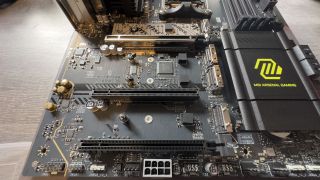
You can see four M.2 sockets in thisMSI MAG X870E Tomahawkmotherboard—the top two are wired to the CPU, and the bottom two are wired to the chipset, hidden underneath the metal heatsink on the right. Check the manual for your PC’s motherboard or ask the company that built your gaming PC to find out how each M.2 socket is connected.
It’s also worth finding out what type of interface the M.2 socket uses, too. Most will use PCI Express (PCIe) but some are limited to SATA only. An M.2 SSD that uses the SATA interface won’t work in one that uses PCIe, nor the other way around!
If you’re just looking to add more storage, rather than replace the drive you already have, and you don’t have any spare M.2 sockets, then don’t worry as you can always add agreat SATA SSDto your gaming PC. While they’re not as fast as PCIe drives, they’re still a lot quicker than an old HDD.
2. Go big
(Image credit: Future)
Get the largest capacity SSD you can afford
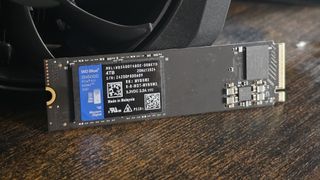
You can buy really fast PCIe SSDs for as little as $50 but they’ll only be 512 GB in capacity. Actually, they’ll be less than this because SSDs need to reserve some of the space (a process called overprovisioning) to help them last as long as possible, so you won’t get the full capacity anyway unless you disable overprovisioning (which you really shouldn’t do).
But why should you go as big as possible? Larger drives tend to be a little quicker than smaller ones but the main reason is that they will simply last longer, especially if you write and erase lots of files, all the time. Another advantage of having lots of storage in your gaming PC is that you can keep more of your game library installed, instead of having to delete stuff to make room for a new favourite. If your Internet connection has a data cap, this will come in extra handy.
And speaking of SSD ‘size’, M.2 drives come in a variety of physical lengths. The most common is labelled as 2280, which is actually the width and length of the drive in millimetres (22 x 80 mm). Handheld gaming PCs generally use 2230 drives because there isn’t enough room inside the device for a longer SSD, so check what your handheld uses before heading for an upgrade.
3. Gen4 for the win
(Image credit: Future)
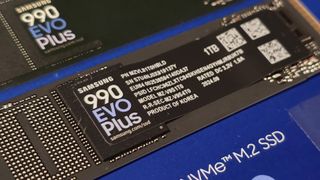
Get yourself a Gen4 (PCIe 4.0) NVMe SSD
NVMe (non-volatile memory express) drives all use a PCIe connection, for the best possible performance, and when searching for an SSD for your gaming PC, this is the most common type you’ll find.
PCI Express is backwards compatible, so a Gen 4 SSD will work just fine in an M.2 socket that uses PCIe 3.0 for its interface. However, since each PCIe version is twice as fast as the previous one, putting a Gen 4 drive in a Gen 3 slot means it won’t reach its full speed potential.
Unfortunately, no game comes anywhere near being able to take advantage of all that performance and won’t do for many years to come. Current Gen 5 SSDs are also very expensive and run really hot when being worked hard, so just stick with a PCIe 4.0 (Gen 4) SSD and you’ll be fine.
4. No DRAM, no problem
(Image credit: Future)
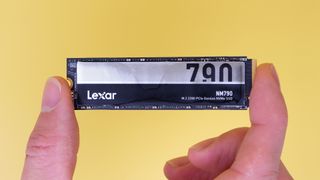
DRAM-less SSDs are perfectly fine for gaming
If you look carefully at the specs of internal SSDs, you’ll see that some come with a DRAM chip and others don’t. This is the same type of RAM that’s used for a PC’s system memory but what’s for and why do some SSDs not have it?
The DRAM is used for two important tasks: (1) storing a table that indicates where all the data is stored in the SSD’s memory chips and (2) buffering data that are queued for writing to the SSD. Using DRAM to do this gives you the best performance, but SSDs without the extra RAM chip have a couple of tricks up their sleeves.
You can see the so-calledpseudo-SLCcachein action above. The chart shows how quickly data is being written to a Samsung 990 Evo Plus 2 TB SSD and you can see for the first 30 seconds of writing, the drive works at full speed because of the cache. Once it’s full, the write speed drops to the fastest rate that the normal mode of the NAND flash supports.
In this example, the cache is around 175 GB in size. That means if you’re writing files smaller than this, either individually or in total, then you’ll never really hit that lower write speed. Given that we’re not at the stage where every AAA game is bigger than 175 GB, you’ll have no problem installing games on that SSD.
Not every DRAM-less SSD has a pseudo-SLC cache that big and some cheaper models are as small as 64 GB. My favourite DRAM-less SSD, theLexar NM790, has a really big cache—around 280 GB for the 2 and 4 TB models—and I can’t imagine there are many gaming scenarios that will ever hit that limit.
If you really must have the best possible SSD performance, for every use case, then choose something like theWD Black SN850X, which comes with at least 1 GB of DRAManda dynamic SLC cache up to 300 GB in size.
5. Check the heatsink
(Image credit: Future)
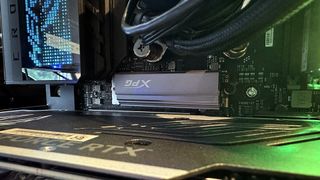
Check your motherboard to see if you need an SSD with a pre-fitted heatsink
Although SSDs use very little power, the small chips they use can get quite toasty when being worked hard. If they get too hot, the device will run slower to prevent it from overheating and damaging the chips. Generally speaking, the faster the drive (or the higher the Gen), the hotter it will run.
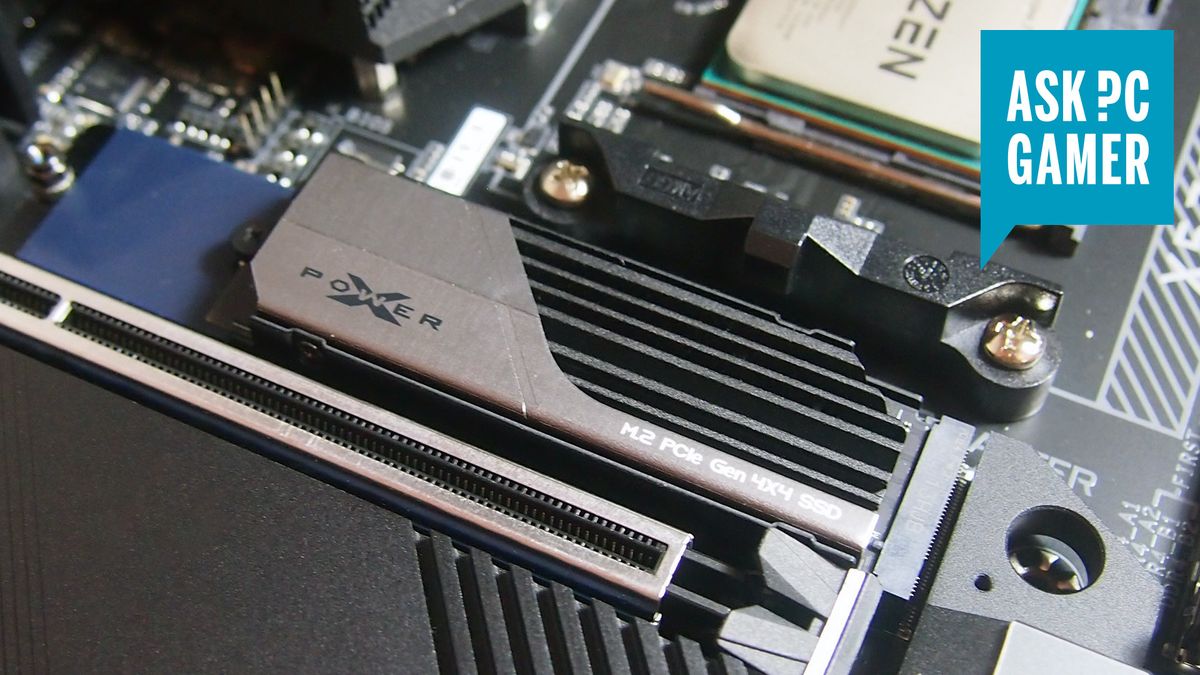
The best way to solve this problem is with a heatsink and many vendors sell SSDs with pre-fitted lumps of metal to absorb and then dissipate the heat. However, lots of motherboards these days already have heatsinks for the M.2 slots and if you can’t remove the one on the SSD, it might not fit in the PC.
(Image credit: Future)
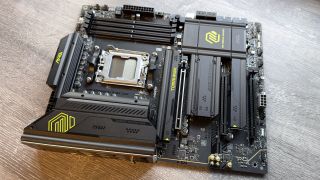
Here’s that MSI motherboard I showed you before, except this time with all of its heatsinks covering the M.2 slots. Let’s say you were planning on fitting a new SSD into the second slot (labelled 02 on the heatsink)—if the SSD you were planning on buying has a non-removable heatsink, then it just won’t fit, because it will prevent the graphics card from being installed in the main PCIe slot.
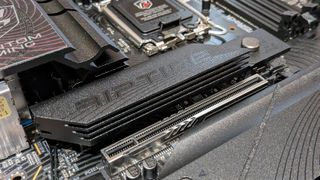
The one slot that does tend to accept SSDs with a heatsink is the primary M.2 slot, the one that’s directly connected to the CPU. In the picture a little further up, you can see anAdata XPG Gammix S70 2 TBdrive installed in anAsus ROG Crosshair X670E Hero.
That motherboard does have its own heatsink for the top M.2 slot but the SDD’s heatsink isn’t easily removable. Fortunately, it all fits nicely enough with it still attached. It doesn’t block the graphics card or the CPU cooler in any way.
One thing that’s important for all SSD heatsinks, regardless of whether it’s the motherboard’s or the drive’s chunk of metal, is airflow—make sure that hot air is free to flow away from the SSD or have a fan blowing directly over it, otherwise, the heatsink just won’t be very effective.
TOPICSHardware
TOPICS
More about ssdsWD Black SN850X 8 TB NVMe SSD reviewPC Gamer Hardware Awards: The best gaming SSD of 2024LatestLords of the Fallen studio embraces the DEI bugbear, says it will not include ‘any social or political agendas’ in its gamesSee more latest►
More about ssdsWD Black SN850X 8 TB NVMe SSD reviewPC Gamer Hardware Awards: The best gaming SSD of 2024LatestLords of the Fallen studio embraces the DEI bugbear, says it will not include ‘any social or political agendas’ in its gamesSee more latest►
More about ssdsWD Black SN850X 8 TB NVMe SSD reviewPC Gamer Hardware Awards: The best gaming SSD of 2024
More about ssds
WD Black SN850X 8 TB NVMe SSD reviewPC Gamer Hardware Awards: The best gaming SSD of 2024

WD Black SN850X 8 TB NVMe SSD review
WD Black SN850X 8 TB NVMe SSD review
PC Gamer Hardware Awards: The best gaming SSD of 2024
PC Gamer Hardware Awards: The best gaming SSD of 2024
LatestLords of the Fallen studio embraces the DEI bugbear, says it will not include ‘any social or political agendas’ in its gamesSee more latest►
Latest
Lords of the Fallen studio embraces the DEI bugbear, says it will not include ‘any social or political agendas’ in its games
Lords of the Fallen studio embraces the DEI bugbear, says it will not include ‘any social or political agendas’ in its games
Lords of the Fallen studio embraces the DEI bugbear, says it will not include ‘any social or political agendas’ in its games
See more latest►
Most Popular
2024 was the year updates for old games beat out all the new ones for me
Train like you game with this adventure-inspired workout
‘It’s simply impossible to make a difficulty level that’s just right for all players’: How Final Fantasy 14’s lead battle designer has been playing a precarious balancing game for Dawntrail’s dungeons and raids
Please join me in getting super excited for all the cool looking survival games coming in 2025 (and beyond)
Competitive shooters are at a crucial crossroads in 2025: ‘sweaty’ teamplay vs. casual fun
Call of Duty’s $28 Squid Game skins are the perfect crossover for our capitalist dystopia, and Activision knows exactly what it’s doing
These are the 14 biggest upcoming RPGs of 2025—get ready for another amazing year for the genre
Five new Steam games you probably missed (January 6, 2025)
I’ve seen enough: No more forcing singleplayer studios to make mediocre live service games
6 games that could be bigger hits than you’re expecting in 2025
HARDWARE BUYING GUIDESLATEST GAME REVIEWS1Best Steam Deck accessories in Australia for 2025: Our favorite docks, powerbanks and gamepads2Best graphics card for laptops: the mobile GPUs I’d want in my next gaming laptop3Best mini PCs in 2025: The compact computers I love the most4Best 14-inch gaming laptop: The top compact gaming laptops I’ve held in these hands5Best Mini-ITX motherboards in 2025: My pick from all the mini mobo marvels I’ve tested1Thank Goodness You’re Here! review2Shiren the Wanderer: The Mystery Dungeon of Serpentcoil Island review3WD Black SN850X 8 TB NVMe SSD review4Ikea Utespelare desk review5Asus ROG Harpe Ace Mini wireless mouse review
HARDWARE BUYING GUIDESLATEST GAME REVIEWS1Best Steam Deck accessories in Australia for 2025: Our favorite docks, powerbanks and gamepads2Best graphics card for laptops: the mobile GPUs I’d want in my next gaming laptop3Best mini PCs in 2025: The compact computers I love the most4Best 14-inch gaming laptop: The top compact gaming laptops I’ve held in these hands5Best Mini-ITX motherboards in 2025: My pick from all the mini mobo marvels I’ve tested1Thank Goodness You’re Here! review2Shiren the Wanderer: The Mystery Dungeon of Serpentcoil Island review3WD Black SN850X 8 TB NVMe SSD review4Ikea Utespelare desk review5Asus ROG Harpe Ace Mini wireless mouse review
HARDWARE BUYING GUIDESLATEST GAME REVIEWS1Best Steam Deck accessories in Australia for 2025: Our favorite docks, powerbanks and gamepads2Best graphics card for laptops: the mobile GPUs I’d want in my next gaming laptop3Best mini PCs in 2025: The compact computers I love the most4Best 14-inch gaming laptop: The top compact gaming laptops I’ve held in these hands5Best Mini-ITX motherboards in 2025: My pick from all the mini mobo marvels I’ve tested1Thank Goodness You’re Here! review2Shiren the Wanderer: The Mystery Dungeon of Serpentcoil Island review3WD Black SN850X 8 TB NVMe SSD review4Ikea Utespelare desk review5Asus ROG Harpe Ace Mini wireless mouse review
HARDWARE BUYING GUIDESLATEST GAME REVIEWS1Best Steam Deck accessories in Australia for 2025: Our favorite docks, powerbanks and gamepads2Best graphics card for laptops: the mobile GPUs I’d want in my next gaming laptop3Best mini PCs in 2025: The compact computers I love the most4Best 14-inch gaming laptop: The top compact gaming laptops I’ve held in these hands5Best Mini-ITX motherboards in 2025: My pick from all the mini mobo marvels I’ve tested1Thank Goodness You’re Here! review2Shiren the Wanderer: The Mystery Dungeon of Serpentcoil Island review3WD Black SN850X 8 TB NVMe SSD review4Ikea Utespelare desk review5Asus ROG Harpe Ace Mini wireless mouse review
HARDWARE BUYING GUIDESLATEST GAME REVIEWS
1Best Steam Deck accessories in Australia for 2025: Our favorite docks, powerbanks and gamepads
1Best Steam Deck accessories in Australia for 2025: Our favorite docks, powerbanks and gamepads
1
Best Steam Deck accessories in Australia for 2025: Our favorite docks, powerbanks and gamepads
2Best graphics card for laptops: the mobile GPUs I’d want in my next gaming laptop
2Best graphics card for laptops: the mobile GPUs I’d want in my next gaming laptop
2
Best graphics card for laptops: the mobile GPUs I’d want in my next gaming laptop
3Best mini PCs in 2025: The compact computers I love the most
3Best mini PCs in 2025: The compact computers I love the most
3
Best mini PCs in 2025: The compact computers I love the most
4Best 14-inch gaming laptop: The top compact gaming laptops I’ve held in these hands
4Best 14-inch gaming laptop: The top compact gaming laptops I’ve held in these hands
4
Best 14-inch gaming laptop: The top compact gaming laptops I’ve held in these hands
5Best Mini-ITX motherboards in 2025: My pick from all the mini mobo marvels I’ve tested
5Best Mini-ITX motherboards in 2025: My pick from all the mini mobo marvels I’ve tested
5
Best Mini-ITX motherboards in 2025: My pick from all the mini mobo marvels I’ve tested
1Thank Goodness You’re Here! review
1Thank Goodness You’re Here! review
1
Thank Goodness You’re Here! review
2Shiren the Wanderer: The Mystery Dungeon of Serpentcoil Island review
2Shiren the Wanderer: The Mystery Dungeon of Serpentcoil Island review
2
Shiren the Wanderer: The Mystery Dungeon of Serpentcoil Island review
3WD Black SN850X 8 TB NVMe SSD review
3WD Black SN850X 8 TB NVMe SSD review
3
WD Black SN850X 8 TB NVMe SSD review
4Ikea Utespelare desk review
4Ikea Utespelare desk review
4
Ikea Utespelare desk review
5Asus ROG Harpe Ace Mini wireless mouse review
5Asus ROG Harpe Ace Mini wireless mouse review
5
Asus ROG Harpe Ace Mini wireless mouse review
