HardwareGaming PCs with no visible cables are the boldest design change I’ve seen in a decade of building computersWhen you purchase through links on our site, we may earn an affiliate commission.Here’s how it works.
HardwareGaming PCs with no visible cables are the boldest design change I’ve seen in a decade of building computersWhen you purchase through links on our site, we may earn an affiliate commission.Here’s how it works.
When you purchase through links on our site, we may earn an affiliate commission.Here’s how it works.
(Image credit: Asus)
Jacob Ridley, cable hater(Image credit: Future)This month I’ve been testing:Ultra-high polling rate gaming mice, to see what all the fuss is about; and trying to figure out what makes thebest PC fan.This month I have been playing:a bit of Baldur’s Gate 3, but mostly I’ve been caught up in Helldivers 2 and Content Warning.
Jacob Ridley, cable hater
(Image credit: Future)This month I’ve been testing:Ultra-high polling rate gaming mice, to see what all the fuss is about; and trying to figure out what makes thebest PC fan.This month I have been playing:a bit of Baldur’s Gate 3, but mostly I’ve been caught up in Helldivers 2 and Content Warning.
(Image credit: Future)

This month I’ve been testing:Ultra-high polling rate gaming mice, to see what all the fuss is about; and trying to figure out what makes thebest PC fan.This month I have been playing:a bit of Baldur’s Gate 3, but mostly I’ve been caught up in Helldivers 2 and Content Warning.
Cable management is not my forte, but when I’m close to completing a gaming PC build there’s nothing that bugs me more than a stray cable that I have to find some way to hide, be that around my liquid cooler, running across the VRM or looped under the motherboard 24-pin. I simply don’t bother for my test bench—I stare at a mess of cables erupting from it for the better part of every work day.
Though I shouldn’t have to, and I might not for much longer.
A gaming PC today looks a lot different than one from 10 years ago. I was reminded of this only recently when clearing out an old Corsair Air 540 chassis I had in storage—I still love its cuboid shape but it looks dated to me now. Yet many of the changes that have occurred over the past decade are only skin-deep. Get down to the core functionality, design and interplay of the core components and they work in much the same way they always have.
Take a fan, for example. Most fans come with a short cable with a three- or four-pin connector on the end, which runs to a complementary header on a motherboard. Or a GPU, which connects to your motherboard via a PCIe slot but still requires one, two, maybe even three extra power cables to keep it juiced up.
The same goes for a motherboard. These central hubs haven’t changed much in decades. There are some Mini-ITX models with creatively configured parts, but ask a PC gamer to draw one and we’re all going to come up with the same sort of sketch, artistry notwithstanding. Standardisation determines the CPU is plonked towards the top, the IO down the left-hand side and an array of headers for power and connectivitygenerallyplaced around the upper, right-hand and lower edges. The names and sockets change but the connections stay the same.
A more drastic change to how gaming PCs are hooked together is brewing, however.
The biggest gaming news, reviews and hardware deals
Here’s BTF in action, and you could go even further with other cable-cutting products.(Image credit: Future)
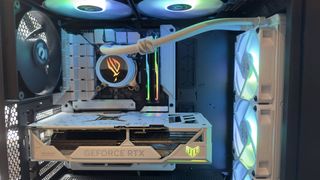
Asusand MSI have been leading the charge in dispatching with the old school way of thinking, namely where it comes to motherboards and how various components and cables connect to them. MSI has the Back-Connect, Asus has its BTF gear. The latter ourNick has tested and sings the praises of, calling it “the future of gaming and enthusiast PCs”, and both of which I saw awhole lot ofover at CES, when I previously said they were “shaping up to be one of the few fun concepts that make it mainstream.”
MSI has been slightly sloppy in covering up the cables behind this Back-Connect motherboard, but you get the idea.(Image credit: Future)

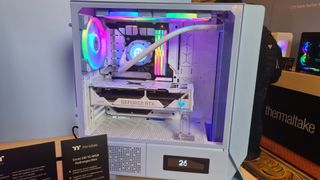
Case manufacturers are jumping on board with gusto, too. There are already a few cases available that support the BTF and Back-Connect formats, such as the Thermaltake Ceres 330 TG ARGB. You could take a dremel to a standard case yourself, of course, but probably better to buy a specific case for the smoothest solution. I saw heaps of them over at CES this year, and I’m sure more are coming.
Let’s play spot the cable with this Thermaltake case at CES 2024. The liquid cooling tubing doesn’t count.(Image credit: Future)
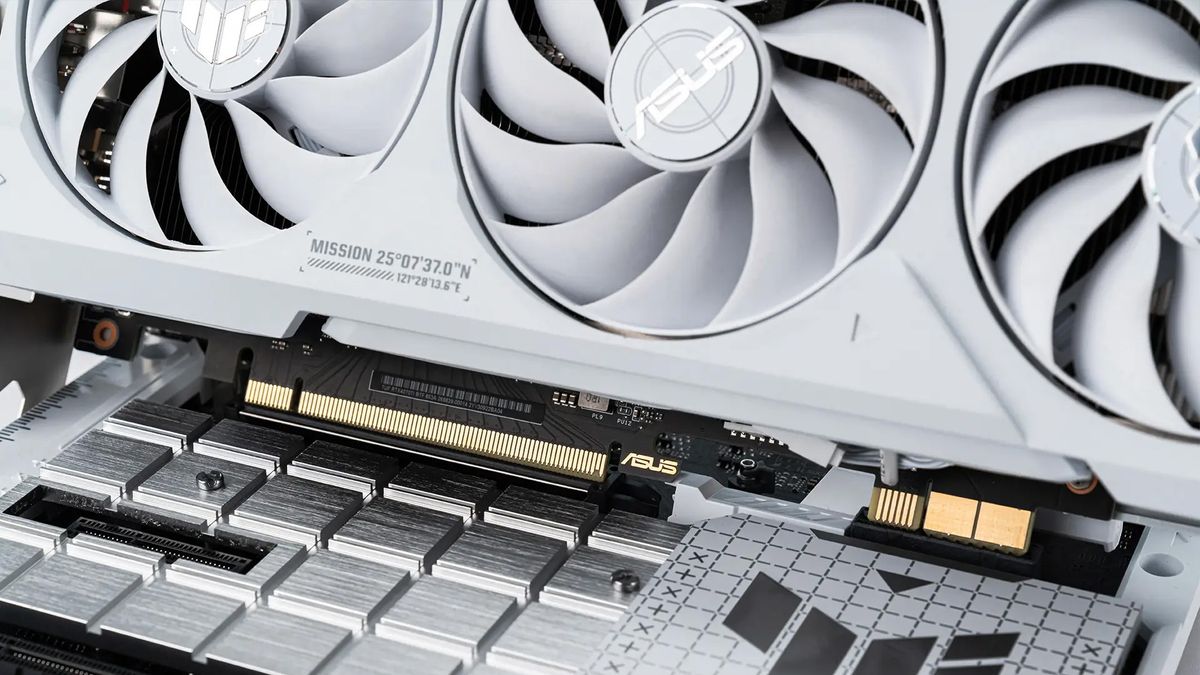
All of which helps cut down on motherboard cables, but Asus goes one step further with its BTF-compatible graphics card. It removes the PCIe power cables required of nearly all graphics cards over the past few decades, and replaces them with a single in-line connector along the same edge as the PCIe port. This requires support from the motherboard, and that’s why only companies that offer GPUs and motherboards could even attempt such an approach without some sort of standardisation, but the result is a totally clean-cut PC devoid of ugly cable runs. There’s also no need for fancy cable mods, though I usually quite like the look of those.
With that, we’ve killed off the bulk of a PC’s cables. And yet still some remain.
One of the worst offenders for causing awful cable runs and being a pain for planning are case fans. Each fan comes with a cable (or two for some RGB models) and they’re a required component within most gaming PCs. I know some diehard fanless fanatics will get annoyed at me for saying that without at least mentioning passive PC builds. So, there you go, passive builds also exist. For most of us, however, a fan is a requirement. They’re a bit of a cable nightmare, too.
Image1of2I’ve deceivingly hidden the only visible cable in this image I took of the QX120 RGB fans, but that’s easily done because there’s only a single cable per fan channel, which can include up to seven fans.(Image credit: Future)There’s the sneaky cable.(Image credit: Future)
Image1of2I’ve deceivingly hidden the only visible cable in this image I took of the QX120 RGB fans, but that’s easily done because there’s only a single cable per fan channel, which can include up to seven fans.(Image credit: Future)There’s the sneaky cable.(Image credit: Future)
Image1of2
I’ve deceivingly hidden the only visible cable in this image I took of the QX120 RGB fans, but that’s easily done because there’s only a single cable per fan channel, which can include up to seven fans.(Image credit: Future)There’s the sneaky cable.(Image credit: Future)
I’ve deceivingly hidden the only visible cable in this image I took of the QX120 RGB fans, but that’s easily done because there’s only a single cable per fan channel, which can include up to seven fans.(Image credit: Future)There’s the sneaky cable.(Image credit: Future)
I’ve deceivingly hidden the only visible cable in this image I took of the QX120 RGB fans, but that’s easily done because there’s only a single cable per fan channel, which can include up to seven fans.(Image credit: Future)
I’ve deceivingly hidden the only visible cable in this image I took of the QX120 RGB fans, but that’s easily done because there’s only a single cable per fan channel, which can include up to seven fans.(Image credit: Future)
I’ve deceivingly hidden the only visible cable in this image I took of the QX120 RGB fans, but that’s easily done because there’s only a single cable per fan channel, which can include up to seven fans.(Image credit: Future)
I’ve deceivingly hidden the only visible cable in this image I took of the QX120 RGB fans, but that’s easily done because there’s only a single cable per fan channel, which can include up to seven fans.(Image credit: Future)
I’ve deceivingly hidden the only visible cable in this image I took of the QX120 RGB fans, but that’s easily done because there’s only a single cable per fan channel, which can include up to seven fans.(Image credit: Future)

There’s the sneaky cable.(Image credit: Future)
There’s the sneaky cable.(Image credit: Future)
There’s the sneaky cable.(Image credit: Future)
There’s the sneaky cable.(Image credit: Future)
There’s the sneaky cable.(Image credit: Future)
Except I’ve been playing around with a few fans lately that completely remove all cable runs from the equation. I’ve both Corsair’s iCUE Link QX120 fans and Hyte’s Thicc FP12 fans around the test bench right now, though there are plenty of options, including those from MSI, Lian Li, and Thermaltake.
They all use similar, but assumedlylegally distinct,systems of connecting to one another. Each fan snaps to the next, creating a chain of interconnected and individually controllable fans. When a larger break is required, such as between top and side mounted cooling in a chassis, with the Corsair system you can use an iCUE link cable to continue the same chain, while the Hyte system requires a new Type-C cable back to a Hyte controller.
You can just make out the connectors that allow for a cable-free connection on these Hyte fans, beneath the right-hand corner.(Image credit: Future)
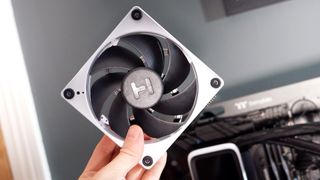
Two systems of daisy-chaining fans, and both deliver similar results: fewer cable runs, cleaner cases, and a more clean-cut aesthetic.
The Hyte fans came with the Thicc Q60 cooler, which keeps cables to an absolute minimum despite featuring a tremendously large screen. From the fans to the cooler itself, there are only a handful of cables linking together the entire thing. Hyte claims onits website: “Cables are just super gross, so we got rid of like all the cables.”
If you thought that’s most cables sorted, you’d be right. Though we haven’t spoken about the nexus for cable clutter: the power supply. A black box spewing connectors forth can be pretty tough to tidy, though I’ve come across a great solution for that, too. It’s a little more finicky, in that it demands a few things from a PC case in order to be actually usable, butCorsair’s RMx Shift power supplytakes some of the cable fuss out of the equation.
Image1of4It doesn’t look like much now but once installed this power supply keeps cables accessible, at the expense of your side panel cable management.(Image credit: Future)(Image credit: Future)(Image credit: Future)(Image credit: Future)
Image1of4It doesn’t look like much now but once installed this power supply keeps cables accessible, at the expense of your side panel cable management.(Image credit: Future)(Image credit: Future)(Image credit: Future)(Image credit: Future)
Image1of4
It doesn’t look like much now but once installed this power supply keeps cables accessible, at the expense of your side panel cable management.(Image credit: Future)(Image credit: Future)(Image credit: Future)(Image credit: Future)
It doesn’t look like much now but once installed this power supply keeps cables accessible, at the expense of your side panel cable management.(Image credit: Future)(Image credit: Future)(Image credit: Future)(Image credit: Future)
It doesn’t look like much now but once installed this power supply keeps cables accessible, at the expense of your side panel cable management.(Image credit: Future)
It doesn’t look like much now but once installed this power supply keeps cables accessible, at the expense of your side panel cable management.(Image credit: Future)
It doesn’t look like much now but once installed this power supply keeps cables accessible, at the expense of your side panel cable management.(Image credit: Future)
It doesn’t look like much now but once installed this power supply keeps cables accessible, at the expense of your side panel cable management.(Image credit: Future)
It doesn’t look like much now but once installed this power supply keeps cables accessible, at the expense of your side panel cable management.(Image credit: Future)
(Image credit: Future)
(Image credit: Future)
(Image credit: Future)
(Image credit: Future)
(Image credit: Future)
(Image credit: Future)
(Image credit: Future)
(Image credit: Future)
(Image credit: Future)
(Image credit: Future)
(Image credit: Future)
(Image credit: Future)
(Image credit: Future)
(Image credit: Future)
(Image credit: Future)
The RMx Shift is built to accommodate cables on the side of the case, thus protruding out towards a PC’s side panel for easy access, rather than into the depths of the chassis. You could argue that it doesn’t help with the mess, only reorients it, and you’d probably be correct. Though it also uses micro versions of all the PCIe connections to keep things trim.
Altogether the RMx Shift is a solid way for a serial tinkerer or lazy builder to quickly access each cable individually, without the need for removing shrouds or even the entire PSU itself.
I don’t have every piece of the puzzle assembled, not yet anyways, but combine the board, fan, card, PSU and case I’ve mentioned here today and you’re about as close to a truly cable-free PC as you could ask for. Some components are truly minimising cable clutter, others only hiding it, but all of a sudden us PC gamers are going from cable hell to cables going almost extinct.
TOPICSHardwareASUS
TOPICS
More about hardwareIt’s time for me to admit that AI-accelerated frame generation might actually be the way of the future and that’s a good thingIf you’re a content creator and gamer looking for a CPU upgrade, this Ryzen 9 9900X deal will get you $90 offLatestIs the new RTX 5070 really as fast as Nvidia’s previous flagship RTX 4090 GPU? Turns out the answer is yes. Kinda.See more latest►
More about hardwareIt’s time for me to admit that AI-accelerated frame generation might actually be the way of the future and that’s a good thingIf you’re a content creator and gamer looking for a CPU upgrade, this Ryzen 9 9900X deal will get you $90 offLatestIs the new RTX 5070 really as fast as Nvidia’s previous flagship RTX 4090 GPU? Turns out the answer is yes. Kinda.See more latest►
More about hardwareIt’s time for me to admit that AI-accelerated frame generation might actually be the way of the future and that’s a good thingIf you’re a content creator and gamer looking for a CPU upgrade, this Ryzen 9 9900X deal will get you $90 off
More about hardware
It’s time for me to admit that AI-accelerated frame generation might actually be the way of the future and that’s a good thingIf you’re a content creator and gamer looking for a CPU upgrade, this Ryzen 9 9900X deal will get you $90 off
It’s time for me to admit that AI-accelerated frame generation might actually be the way of the future and that’s a good thing
It’s time for me to admit that AI-accelerated frame generation might actually be the way of the future and that’s a good thing
If you’re a content creator and gamer looking for a CPU upgrade, this Ryzen 9 9900X deal will get you $90 off
If you’re a content creator and gamer looking for a CPU upgrade, this Ryzen 9 9900X deal will get you $90 off
LatestIs the new RTX 5070 really as fast as Nvidia’s previous flagship RTX 4090 GPU? Turns out the answer is yes. Kinda.See more latest►
Latest
Is the new RTX 5070 really as fast as Nvidia’s previous flagship RTX 4090 GPU? Turns out the answer is yes. Kinda.
Is the new RTX 5070 really as fast as Nvidia’s previous flagship RTX 4090 GPU? Turns out the answer is yes. Kinda.
Is the new RTX 5070 really as fast as Nvidia’s previous flagship RTX 4090 GPU? Turns out the answer is yes. Kinda.
See more latest►
Most Popular
Please join me in getting super excited for all the cool looking survival games coming in 2025 (and beyond)
Competitive shooters are at a crucial crossroads in 2025: ‘sweaty’ teamplay vs. casual fun
Call of Duty’s $28 Squid Game skins are the perfect crossover for our capitalist dystopia, and Activision knows exactly what it’s doing
These are the 14 biggest upcoming RPGs of 2025—get ready for another amazing year for the genre
Five new Steam games you probably missed (January 6, 2025)
I’ve seen enough: No more forcing singleplayer studios to make mediocre live service games
6 games that could be bigger hits than you’re expecting in 2025
What are your 2025 gaming resolutions?
The FBI put a $5 million bounty on the ‘Cryptoqueen’ last year but still hasn’t found her, so take your pick: Russia, South Africa, or murdered on a yacht in 2018
The Witcher season 4: Everything we know about Hemsworth’s debut on The Continent
HARDWARE BUYING GUIDESLATEST GAME REVIEWS1Best Steam Deck accessories in Australia for 2025: Our favorite docks, powerbanks and gamepads2Best graphics card for laptops: the mobile GPUs I’d want in my next gaming laptop3Best mini PCs in 2025: The compact computers I love the most4Best 14-inch gaming laptop: The top compact gaming laptops I’ve held in these hands5Best Mini-ITX motherboards in 2025: My pick from all the mini mobo marvels I’ve tested1Thank Goodness You’re Here! review: An anarchic treasure trove of jokes and skits2Shiren the Wanderer: The Mystery Dungeon of Serpentcoil Island review—like juggling chainsaws on horseback3WD Black SN850X 8 TB NVMe SSD review4Ikea Utespelare desk review5Asus ROG Harpe Ace Mini wireless mouse review
HARDWARE BUYING GUIDESLATEST GAME REVIEWS1Best Steam Deck accessories in Australia for 2025: Our favorite docks, powerbanks and gamepads2Best graphics card for laptops: the mobile GPUs I’d want in my next gaming laptop3Best mini PCs in 2025: The compact computers I love the most4Best 14-inch gaming laptop: The top compact gaming laptops I’ve held in these hands5Best Mini-ITX motherboards in 2025: My pick from all the mini mobo marvels I’ve tested1Thank Goodness You’re Here! review: An anarchic treasure trove of jokes and skits2Shiren the Wanderer: The Mystery Dungeon of Serpentcoil Island review—like juggling chainsaws on horseback3WD Black SN850X 8 TB NVMe SSD review4Ikea Utespelare desk review5Asus ROG Harpe Ace Mini wireless mouse review
HARDWARE BUYING GUIDESLATEST GAME REVIEWS1Best Steam Deck accessories in Australia for 2025: Our favorite docks, powerbanks and gamepads2Best graphics card for laptops: the mobile GPUs I’d want in my next gaming laptop3Best mini PCs in 2025: The compact computers I love the most4Best 14-inch gaming laptop: The top compact gaming laptops I’ve held in these hands5Best Mini-ITX motherboards in 2025: My pick from all the mini mobo marvels I’ve tested1Thank Goodness You’re Here! review: An anarchic treasure trove of jokes and skits2Shiren the Wanderer: The Mystery Dungeon of Serpentcoil Island review—like juggling chainsaws on horseback3WD Black SN850X 8 TB NVMe SSD review4Ikea Utespelare desk review5Asus ROG Harpe Ace Mini wireless mouse review
HARDWARE BUYING GUIDESLATEST GAME REVIEWS1Best Steam Deck accessories in Australia for 2025: Our favorite docks, powerbanks and gamepads2Best graphics card for laptops: the mobile GPUs I’d want in my next gaming laptop3Best mini PCs in 2025: The compact computers I love the most4Best 14-inch gaming laptop: The top compact gaming laptops I’ve held in these hands5Best Mini-ITX motherboards in 2025: My pick from all the mini mobo marvels I’ve tested1Thank Goodness You’re Here! review: An anarchic treasure trove of jokes and skits2Shiren the Wanderer: The Mystery Dungeon of Serpentcoil Island review—like juggling chainsaws on horseback3WD Black SN850X 8 TB NVMe SSD review4Ikea Utespelare desk review5Asus ROG Harpe Ace Mini wireless mouse review
HARDWARE BUYING GUIDESLATEST GAME REVIEWS
1Best Steam Deck accessories in Australia for 2025: Our favorite docks, powerbanks and gamepads
1Best Steam Deck accessories in Australia for 2025: Our favorite docks, powerbanks and gamepads
1
Best Steam Deck accessories in Australia for 2025: Our favorite docks, powerbanks and gamepads
2Best graphics card for laptops: the mobile GPUs I’d want in my next gaming laptop
2Best graphics card for laptops: the mobile GPUs I’d want in my next gaming laptop
2
Best graphics card for laptops: the mobile GPUs I’d want in my next gaming laptop
3Best mini PCs in 2025: The compact computers I love the most
3Best mini PCs in 2025: The compact computers I love the most
3
Best mini PCs in 2025: The compact computers I love the most
4Best 14-inch gaming laptop: The top compact gaming laptops I’ve held in these hands
4Best 14-inch gaming laptop: The top compact gaming laptops I’ve held in these hands
4
Best 14-inch gaming laptop: The top compact gaming laptops I’ve held in these hands
5Best Mini-ITX motherboards in 2025: My pick from all the mini mobo marvels I’ve tested
5Best Mini-ITX motherboards in 2025: My pick from all the mini mobo marvels I’ve tested
5
Best Mini-ITX motherboards in 2025: My pick from all the mini mobo marvels I’ve tested
1Thank Goodness You’re Here! review: An anarchic treasure trove of jokes and skits
1Thank Goodness You’re Here! review: An anarchic treasure trove of jokes and skits
1
Thank Goodness You’re Here! review: An anarchic treasure trove of jokes and skits
2Shiren the Wanderer: The Mystery Dungeon of Serpentcoil Island review—like juggling chainsaws on horseback
2Shiren the Wanderer: The Mystery Dungeon of Serpentcoil Island review—like juggling chainsaws on horseback
2
Shiren the Wanderer: The Mystery Dungeon of Serpentcoil Island review—like juggling chainsaws on horseback
3WD Black SN850X 8 TB NVMe SSD review
3WD Black SN850X 8 TB NVMe SSD review
3
WD Black SN850X 8 TB NVMe SSD review
4Ikea Utespelare desk review
4Ikea Utespelare desk review
4
Ikea Utespelare desk review
5Asus ROG Harpe Ace Mini wireless mouse review
5Asus ROG Harpe Ace Mini wireless mouse review
5
Asus ROG Harpe Ace Mini wireless mouse review
