HardwareGhost of TsushimaGhost of Tsushima PC performance analysis: Your CPU will be fine, your GPU will whine, but there are settings for every gamer out thereWhen you purchase through links on our site, we may earn an affiliate commission.Here’s how it works.
HardwareGhost of TsushimaGhost of Tsushima PC performance analysis: Your CPU will be fine, your GPU will whine, but there are settings for every gamer out thereWhen you purchase through links on our site, we may earn an affiliate commission.Here’s how it works.
When you purchase through links on our site, we may earn an affiliate commission.Here’s how it works.
(Image credit: Sony/Sucker Punch)
Jump to:Game performanceUpscaling and frame genVRAM usageBest settings
Jump to:Game performanceUpscaling and frame genVRAM usageBest settings
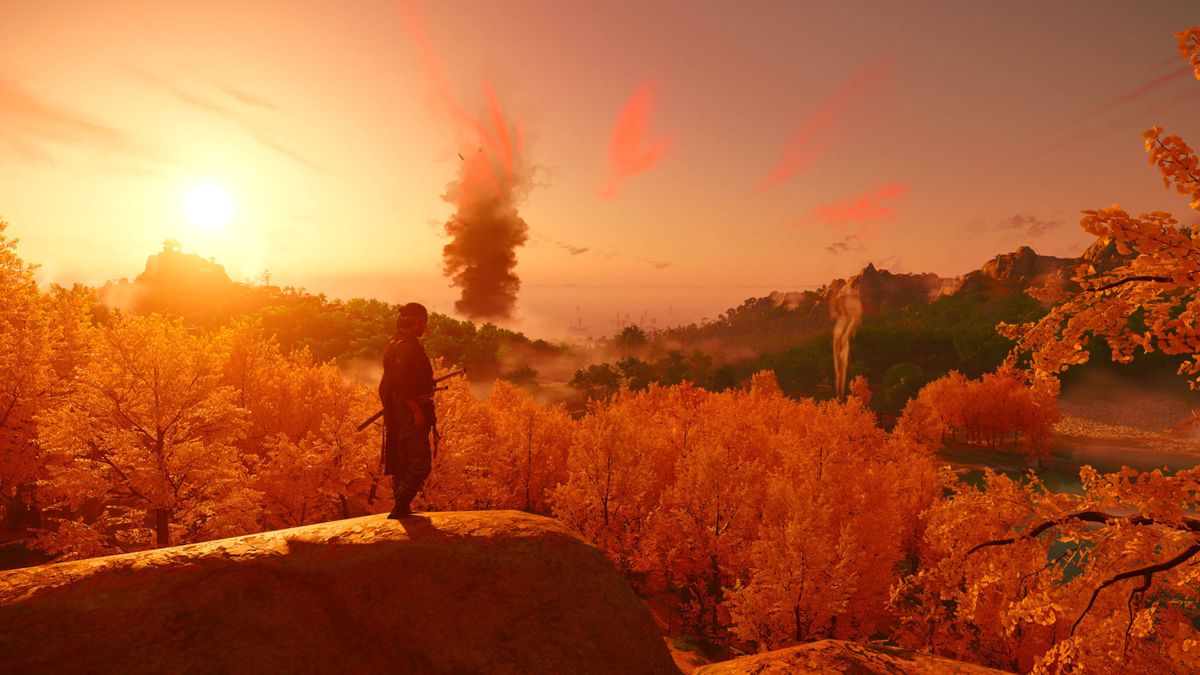
For the most part, Nixxes has done a superb job of the conversion, with all of the latest rendering technologies, such as upscaling and frame generation, as well as support for ultra-wide monitors and PlayStation and Nintendo controllers.
However, it’s not an entirely flawless port, but I suspect most of the issues will get ironed out via patches.
Sony provided no early preview code of Ghost of Tsushima, so all of my performance testing was done on the version that everyone around the world has access to, i.e. the global release version. That means the performance data we’ve got is as the game is on release, without any pre-release weirdness adding to the mix. So, there’s no excuse…
Ghost of Tsushima PC performance
The game’s performance was recorded over three 60 second runs, over three resolutions (1080p, 1440p, 4K) and five graphics presets (Very Low, Low, Medium, High, and Very High).
Sucker Punch and Nixxes Software suggest that a Core i5 8600 +RTX 2060combination (or Ryzen 5 3600 +RX 5600 XT) is good enough for Medium settings at 1080p, with a performance of 60 fps. As you can see below, the Core i5 9600K +RX 5700 XTsetup, with the same settings, performed notably better, so the devs' suggestions are probably quite accurate.
The biggest gaming news, reviews and hardware deals
For 4K Very High at 60 fps, the recommended hardware is along the lines of aCore i7 11400/Ryzen 5 5600with anRTX 4080orRX 7900 XTgraphics card. Again, my testing suggests that’s about right, as the main thing one can glean from the above benchmarks is that Ghost of Tsushima isn’t particularly CPU-heavy.
Having a lot of CPU cores doesn’t particularly help, though outright clock speed does. So, as long as you have a processor with six cores that support multithreading, you’ll be fine. AMD chips with 3D V-cache do enjoy a small boost, but only at low resolutions and even then, it’s really only the 1% low figures that see the most improvement.
Image1of5(Image credit: Sony/Sucker Punch)(Image credit: Sony/Sucker Punch)(Image credit: Sony/Sucker Punch)(Image credit: Sony/Sucker Punch)(Image credit: Sony/Sucker Punch)
Image1of5(Image credit: Sony/Sucker Punch)(Image credit: Sony/Sucker Punch)(Image credit: Sony/Sucker Punch)(Image credit: Sony/Sucker Punch)(Image credit: Sony/Sucker Punch)
Image1of5
(Image credit: Sony/Sucker Punch)(Image credit: Sony/Sucker Punch)(Image credit: Sony/Sucker Punch)(Image credit: Sony/Sucker Punch)(Image credit: Sony/Sucker Punch)
(Image credit: Sony/Sucker Punch)(Image credit: Sony/Sucker Punch)(Image credit: Sony/Sucker Punch)(Image credit: Sony/Sucker Punch)(Image credit: Sony/Sucker Punch)
(Image credit: Sony/Sucker Punch)
(Image credit: Sony/Sucker Punch)
(Image credit: Sony/Sucker Punch)
(Image credit: Sony/Sucker Punch)
(Image credit: Sony/Sucker Punch)

(Image credit: Sony/Sucker Punch)
(Image credit: Sony/Sucker Punch)
(Image credit: Sony/Sucker Punch)
(Image credit: Sony/Sucker Punch)
(Image credit: Sony/Sucker Punch)
(Image credit: Sony/Sucker Punch)
(Image credit: Sony/Sucker Punch)
(Image credit: Sony/Sucker Punch)
(Image credit: Sony/Sucker Punch)
(Image credit: Sony/Sucker Punch)
(Image credit: Sony/Sucker Punch)
(Image credit: Sony/Sucker Punch)
(Image credit: Sony/Sucker Punch)
(Image credit: Sony/Sucker Punch)
(Image credit: Sony/Sucker Punch)
(Image credit: Sony/Sucker Punch)
(Image credit: Sony/Sucker Punch)
(Image credit: Sony/Sucker Punch)
(Image credit: Sony/Sucker Punch)
(Image credit: Sony/Sucker Punch)
Ghost of Tsushima is, though,veryGPU demanding, especially with the graphics set to High or Very High. That final preset doesn’t max out some of the quality settings, such as shadows, volumetric fog, and ambient occlusion. You might be thinking that a PS4 game shouldn’t be like this, but it’s worth noting that the best PS4 games were created to be played at relatively low resolutions and low frame rates.
That meant the complexity and number of shaders could be ramped up, without impacting the performance too much. However, running at 4K natively, with an uncapped frame rate with some added PC goodies, those lengthy shaders are quite a challenge for any GPU.
But, even if you do have one of the best graphics cards you can buy right now, you won’t get ultra-high frame rates (e.g. 200 fps or more). Not without the use of performance-enhancing tech, at least.
Upscaling and frame generation
The more Tsushima pixels you give the GPU to process, the more it’s going to struggle, and this is where upscaling can help significantly. Nixxes Software has added three systems to the game—AMD’s FSR, Intel’s XeSS, and Nvidia’s DLSS—so every PC gamer will be able to enable something to boost the frame rate.
You’ve also got AMD and Nvidia frame generation systems to boost things even further and for the first time in any game, it’s entirely decoupled from the upscaler. Nvidia launched its Frame Generation feature like that, and it’s great to see AMD following suit, even for Nvidia users.
Because, as we’ve already mentioned, it’s now possible torun DLSS Super Resolution and FSR 3 Frame Generation on, say, an RTX 30-series graphics card. The game performance charts show that Ghost of Tsushima runs much better at lower resolutions, and the frame rate rapidly declines as the pixel count increases. So it is no surprise that upscaling helps performance considerably.
Both FSR and DLSS add a noticeable degree of blurring to the overall visuals at high performance settings, but Quality and Balanced modes worked quite nicely—you get a decent bump in the frame rate, better anti-aliasing than TAA offers, and a very minor amount of object fuzziness. It’s a shame that Nixxes Software hasn’t added a sharpness slider in the upscaling options to let you set it to your own tastes, however.
When in motion, FSR is a little worse looking than DLSS, but there’s not a great deal of difference between the two—it’s there if you really look for it, but as long as you use Balanced or Quality modes, you’re unlikely to be unhappy with the results.
Whatwasa surprise was just how bad XeSS was. Only two XeSS settings actually improve performance (Ultra Quality and Ultra Quality Plus) and even then they still introduce some serious shadow artifacts. I tried reloading the game between changes in XeSS settings, rebooting the PC, and letting the Arc A770 cool between each run—none of it made any difference.
Image1of9(Image credit: Sony/Sucker Punch)(Image credit: Sony/Sucker Punch)(Image credit: Sony/Sucker Punch)(Image credit: Sony/Sucker Punch)(Image credit: Sony/Sucker Punch)(Image credit: Sony/Sucker Punch)(Image credit: Sony/Sucker Punch)(Image credit: Sony/Sucker Punch)(Image credit: Sony/Sucker Punch)
Image1of9(Image credit: Sony/Sucker Punch)(Image credit: Sony/Sucker Punch)(Image credit: Sony/Sucker Punch)(Image credit: Sony/Sucker Punch)(Image credit: Sony/Sucker Punch)(Image credit: Sony/Sucker Punch)(Image credit: Sony/Sucker Punch)(Image credit: Sony/Sucker Punch)(Image credit: Sony/Sucker Punch)
Image1of9
(Image credit: Sony/Sucker Punch)(Image credit: Sony/Sucker Punch)(Image credit: Sony/Sucker Punch)(Image credit: Sony/Sucker Punch)(Image credit: Sony/Sucker Punch)(Image credit: Sony/Sucker Punch)(Image credit: Sony/Sucker Punch)(Image credit: Sony/Sucker Punch)(Image credit: Sony/Sucker Punch)
(Image credit: Sony/Sucker Punch)(Image credit: Sony/Sucker Punch)(Image credit: Sony/Sucker Punch)(Image credit: Sony/Sucker Punch)(Image credit: Sony/Sucker Punch)(Image credit: Sony/Sucker Punch)(Image credit: Sony/Sucker Punch)(Image credit: Sony/Sucker Punch)(Image credit: Sony/Sucker Punch)
(Image credit: Sony/Sucker Punch)
(Image credit: Sony/Sucker Punch)
(Image credit: Sony/Sucker Punch)
(Image credit: Sony/Sucker Punch)
(Image credit: Sony/Sucker Punch)
(Image credit: Sony/Sucker Punch)
(Image credit: Sony/Sucker Punch)
(Image credit: Sony/Sucker Punch)
(Image credit: Sony/Sucker Punch)
(Image credit: Sony/Sucker Punch)
(Image credit: Sony/Sucker Punch)
(Image credit: Sony/Sucker Punch)
(Image credit: Sony/Sucker Punch)
(Image credit: Sony/Sucker Punch)
(Image credit: Sony/Sucker Punch)
(Image credit: Sony/Sucker Punch)
(Image credit: Sony/Sucker Punch)
(Image credit: Sony/Sucker Punch)
(Image credit: Sony/Sucker Punch)
(Image credit: Sony/Sucker Punch)
(Image credit: Sony/Sucker Punch)
(Image credit: Sony/Sucker Punch)
(Image credit: Sony/Sucker Punch)
(Image credit: Sony/Sucker Punch)
(Image credit: Sony/Sucker Punch)
(Image credit: Sony/Sucker Punch)
(Image credit: Sony/Sucker Punch)
(Image credit: Sony/Sucker Punch)
(Image credit: Sony/Sucker Punch)
(Image credit: Sony/Sucker Punch)
(Image credit: Sony/Sucker Punch)
(Image credit: Sony/Sucker Punch)
(Image credit: Sony/Sucker Punch)
(Image credit: Sony/Sucker Punch)
(Image credit: Sony/Sucker Punch)
(Image credit: Sony/Sucker Punch)
(Image credit: Sony/Sucker Punch)
(Image credit: Sony/Sucker Punch)
(Image credit: Sony/Sucker Punch)
(Image credit: Sony/Sucker Punch)
(Image credit: Sony/Sucker Punch)
(Image credit: Sony/Sucker Punch)
(Image credit: Sony/Sucker Punch)
(Image credit: Sony/Sucker Punch)
(Image credit: Sony/Sucker Punch)
The Alchemist GPU generally hasserious problems in Ghost of Tsushima, including misplaced meshes, jittery shadows, and pretty low performance all around. That 1080p Very High result of 35 fps isn’t a mistake, despite 1440p Very High being 21 fps higher. I checked it multiple times and each time, the lower resolution runs were worse than the higher resolutions. I also tried a couple of driver sets, including the very latest WHQL release, to no joy whatsoever.
But at least it runs the game, which is more than can be said for the Radeon RX 7800 XT I tried to use for this analysis. It managed all of three seconds of game time, before freezing, and then crashing to the desktop. The GPU displayed the same problem in all of the tested platforms; it wasn’t overheating nor lacking in power, so I can only assume that I either have a glitchy graphics chip or AMD has a bit more work to do in its drivers for this game.
One last thing to note about frame generation—both AMD and Nvidia’s systems work pretty well, even when the base frame rate is quite low, but cutscenes tend to be problematic with either of them enabled. I’ve mostly experienced a bit of micro-stuttering but sometimes got a black frame, flickering in and out of view.
Of the two, Nvidia’s DLSS frame generation produces superior-looking results. AMD’s FSR 3 interpolation system often has problems with narrow tree branches, resulting in them rapidly flicking about.
Ghost of Tsushima VRAM usage
For the most part, Ghost of Tsushima doesn’t use a huge amount of graphics card VRAM. Using Microsoft’s PIX development tool, I recorded actual usage, rather than allocated memory, and you can see that owners of 8GB cards will be fine—just as long as you don’t try to max out the quality settings.
However, it’s worth noting that all of the performance figures we’ve looked at so far are for the open-world areas. Move to a village or town, where there are lots more finer details and moving meshes, and the frame rate does take a bit of a knock. The CPUandGPU loads are much higher in such areas, and even really powerful gaming PCs will struggle to push high frame rates without the aid of upscaling and/or frame generation.
If you have an 8GB graphics card you might experience stuttering in these areas, as the VRAM usage exceeds that figure when running at 4K Very High or more. I say ‘might’ because I actually didn’t—the RTX 3060 Ti struggled to reach 25 fps in the Golden Temple location but at least it was a consistent frame rate, with no sudden hitches.
That said, there were a few times immediately after loading a saved game when a rapid camera movement would induce a momentary pause. But that was pretty much the only time.
Best settings
Due to time constraints, it just wasn’t possible to dig into the individual graphics settings to determine how each and every one impacts performance. However, thanks to many hours of benchmarking the quality presets, I can say that the published system requirements seem accurate enough and along with my own performance charts, you’ll be able to judge how well it will run on your gaming PC.
Turning down the quality settings exposes the very aggressive LOD (level of detail) system that Sucker Punch employs in the game, and the end result isn’t very nice. Think of the Medium preset as being the lowest one you should go with, and you’ll be fine, as that’s pretty decent looking.
Image1of5(Image credit: Sony/Sucker Punch)(Image credit: Sony/Sucker Punch)(Image credit: Sony/Sucker Punch)(Image credit: Sony/Sucker Punch)(Image credit: Sony/Sucker Punch)
Image1of5(Image credit: Sony/Sucker Punch)(Image credit: Sony/Sucker Punch)(Image credit: Sony/Sucker Punch)(Image credit: Sony/Sucker Punch)(Image credit: Sony/Sucker Punch)
Image1of5
(Image credit: Sony/Sucker Punch)(Image credit: Sony/Sucker Punch)(Image credit: Sony/Sucker Punch)(Image credit: Sony/Sucker Punch)(Image credit: Sony/Sucker Punch)
(Image credit: Sony/Sucker Punch)(Image credit: Sony/Sucker Punch)(Image credit: Sony/Sucker Punch)(Image credit: Sony/Sucker Punch)(Image credit: Sony/Sucker Punch)
(Image credit: Sony/Sucker Punch)
(Image credit: Sony/Sucker Punch)
(Image credit: Sony/Sucker Punch)
(Image credit: Sony/Sucker Punch)
(Image credit: Sony/Sucker Punch)
(Image credit: Sony/Sucker Punch)
(Image credit: Sony/Sucker Punch)
(Image credit: Sony/Sucker Punch)
(Image credit: Sony/Sucker Punch)
(Image credit: Sony/Sucker Punch)
(Image credit: Sony/Sucker Punch)
(Image credit: Sony/Sucker Punch)
(Image credit: Sony/Sucker Punch)
(Image credit: Sony/Sucker Punch)
(Image credit: Sony/Sucker Punch)
(Image credit: Sony/Sucker Punch)
(Image credit: Sony/Sucker Punch)
(Image credit: Sony/Sucker Punch)
(Image credit: Sony/Sucker Punch)
(Image credit: Sony/Sucker Punch)
(Image credit: Sony/Sucker Punch)
(Image credit: Sony/Sucker Punch)
(Image credit: Sony/Sucker Punch)
(Image credit: Sony/Sucker Punch)
(Image credit: Sony/Sucker Punch)
If a handheld gaming PC like the Asus ROG Ally can run the game at over 30 fps with the Medium quality setting, your PC likely will too.
Of course, if you want the game to really shine, then the Very High preset or maximum quality is the only way to go. On a great 4K gaming monitor, Ghost of Tsushima looks stunning, though pushing the camera up too close to certain models will show the limits of the visuals.
And you’ll need amighty GPUto run it at high frame rates, if you go all out with the graphics—getting less than 80 fps at 4K Very High on a RTX 4080 Super, in a game that doesn’t use ray tracing, tells you all you need to know.
Fortunately, it’s not the kind of game thatneeds140+ fps to be thoroughly enjoyed, and once all the glitches and problems have been fixed, it should run well enough on most gamer’s PCs. Nixxes Software has done a very solid job at porting the PS4 game, not just in terms of performance, but in how it’s made Ghost of Tsushima as PC-friendly as possible.
And it’s been a good while since we’ve seen a new game like that.
TOPICSHardware
TOPICS
More about hardwareIf you’re trying to convince me your ‘companionship’ robot is ‘lifelike’, maybe don’t rip her face off in the demo videoIs the new RTX 5070 really as fast as Nvidia’s previous flagship RTX 4090 GPU? Turns out the answer is yes. Kinda.
More about hardware
If you’re trying to convince me your ‘companionship’ robot is ‘lifelike’, maybe don’t rip her face off in the demo videoIs the new RTX 5070 really as fast as Nvidia’s previous flagship RTX 4090 GPU? Turns out the answer is yes. Kinda.
If you’re trying to convince me your ‘companionship’ robot is ‘lifelike’, maybe don’t rip her face off in the demo video
If you’re trying to convince me your ‘companionship’ robot is ‘lifelike’, maybe don’t rip her face off in the demo video
Is the new RTX 5070 really as fast as Nvidia’s previous flagship RTX 4090 GPU? Turns out the answer is yes. Kinda.
Is the new RTX 5070 really as fast as Nvidia’s previous flagship RTX 4090 GPU? Turns out the answer is yes. Kinda.
Latest
See more latest►
Most Popular
The Witcher 3’s now 2-year-old bonus quest is our first taste of the ‘vibe’ CD Projekt is going for in The Witcher 4
2024 was the year updates for old games beat out all the new ones for me
Train like you game with this adventure-inspired workout
‘It’s simply impossible to make a difficulty level that’s just right for all players’: How Final Fantasy 14’s lead battle designer has been playing a precarious balancing game for Dawntrail’s dungeons and raids
Please join me in getting super excited for all the cool looking survival games coming in 2025 (and beyond)
Competitive shooters are at a crucial crossroads in 2025: ‘sweaty’ teamplay vs. casual fun
Call of Duty’s $28 Squid Game skins are the perfect crossover for our capitalist dystopia, and Activision knows exactly what it’s doing
These are the 14 biggest upcoming RPGs of 2025—get ready for another amazing year for the genre
Five new Steam games you probably missed (January 6, 2025)
I’ve seen enough: No more forcing singleplayer studios to make mediocre live service games
HARDWARE BUYING GUIDESLATEST GAME REVIEWS1Best Steam Deck accessories in Australia for 2025: Our favorite docks, powerbanks and gamepads2Best graphics card for laptops: the mobile GPUs I’d want in my next gaming laptop3Best mini PCs in 2025: The compact computers I love the most4Best 14-inch gaming laptop: The top compact gaming laptops I’ve held in these hands5Best Mini-ITX motherboards in 2025: My pick from all the mini mobo marvels I’ve tested1Thank Goodness You’re Here! review2Shiren the Wanderer: The Mystery Dungeon of Serpentcoil Island review3WD Black SN850X 8 TB NVMe SSD review4Ikea Utespelare desk review5Asus ROG Harpe Ace Mini wireless mouse review
HARDWARE BUYING GUIDESLATEST GAME REVIEWS1Best Steam Deck accessories in Australia for 2025: Our favorite docks, powerbanks and gamepads2Best graphics card for laptops: the mobile GPUs I’d want in my next gaming laptop3Best mini PCs in 2025: The compact computers I love the most4Best 14-inch gaming laptop: The top compact gaming laptops I’ve held in these hands5Best Mini-ITX motherboards in 2025: My pick from all the mini mobo marvels I’ve tested1Thank Goodness You’re Here! review2Shiren the Wanderer: The Mystery Dungeon of Serpentcoil Island review3WD Black SN850X 8 TB NVMe SSD review4Ikea Utespelare desk review5Asus ROG Harpe Ace Mini wireless mouse review
HARDWARE BUYING GUIDESLATEST GAME REVIEWS1Best Steam Deck accessories in Australia for 2025: Our favorite docks, powerbanks and gamepads2Best graphics card for laptops: the mobile GPUs I’d want in my next gaming laptop3Best mini PCs in 2025: The compact computers I love the most4Best 14-inch gaming laptop: The top compact gaming laptops I’ve held in these hands5Best Mini-ITX motherboards in 2025: My pick from all the mini mobo marvels I’ve tested1Thank Goodness You’re Here! review2Shiren the Wanderer: The Mystery Dungeon of Serpentcoil Island review3WD Black SN850X 8 TB NVMe SSD review4Ikea Utespelare desk review5Asus ROG Harpe Ace Mini wireless mouse review
HARDWARE BUYING GUIDESLATEST GAME REVIEWS1Best Steam Deck accessories in Australia for 2025: Our favorite docks, powerbanks and gamepads2Best graphics card for laptops: the mobile GPUs I’d want in my next gaming laptop3Best mini PCs in 2025: The compact computers I love the most4Best 14-inch gaming laptop: The top compact gaming laptops I’ve held in these hands5Best Mini-ITX motherboards in 2025: My pick from all the mini mobo marvels I’ve tested1Thank Goodness You’re Here! review2Shiren the Wanderer: The Mystery Dungeon of Serpentcoil Island review3WD Black SN850X 8 TB NVMe SSD review4Ikea Utespelare desk review5Asus ROG Harpe Ace Mini wireless mouse review
HARDWARE BUYING GUIDESLATEST GAME REVIEWS
1Best Steam Deck accessories in Australia for 2025: Our favorite docks, powerbanks and gamepads
1Best Steam Deck accessories in Australia for 2025: Our favorite docks, powerbanks and gamepads
1
Best Steam Deck accessories in Australia for 2025: Our favorite docks, powerbanks and gamepads
2Best graphics card for laptops: the mobile GPUs I’d want in my next gaming laptop
2Best graphics card for laptops: the mobile GPUs I’d want in my next gaming laptop
2
Best graphics card for laptops: the mobile GPUs I’d want in my next gaming laptop
3Best mini PCs in 2025: The compact computers I love the most
3Best mini PCs in 2025: The compact computers I love the most
3
Best mini PCs in 2025: The compact computers I love the most
4Best 14-inch gaming laptop: The top compact gaming laptops I’ve held in these hands
4Best 14-inch gaming laptop: The top compact gaming laptops I’ve held in these hands
4
Best 14-inch gaming laptop: The top compact gaming laptops I’ve held in these hands
5Best Mini-ITX motherboards in 2025: My pick from all the mini mobo marvels I’ve tested
5Best Mini-ITX motherboards in 2025: My pick from all the mini mobo marvels I’ve tested
5
Best Mini-ITX motherboards in 2025: My pick from all the mini mobo marvels I’ve tested
1Thank Goodness You’re Here! review
1Thank Goodness You’re Here! review
1
Thank Goodness You’re Here! review
2Shiren the Wanderer: The Mystery Dungeon of Serpentcoil Island review
2Shiren the Wanderer: The Mystery Dungeon of Serpentcoil Island review
2
Shiren the Wanderer: The Mystery Dungeon of Serpentcoil Island review
3WD Black SN850X 8 TB NVMe SSD review
3WD Black SN850X 8 TB NVMe SSD review
3
WD Black SN850X 8 TB NVMe SSD review
4Ikea Utespelare desk review
4Ikea Utespelare desk review
4
Ikea Utespelare desk review
5Asus ROG Harpe Ace Mini wireless mouse review
5Asus ROG Harpe Ace Mini wireless mouse review
5
Asus ROG Harpe Ace Mini wireless mouse review
