HardwareStarfieldStarfield: Shattered Space performance analysis—New DLC, new patch, same old frame ratesWhen you purchase through links on our site, we may earn an affiliate commission.Here’s how it works.
HardwareStarfieldStarfield: Shattered Space performance analysis—New DLC, new patch, same old frame ratesWhen you purchase through links on our site, we may earn an affiliate commission.Here’s how it works.
When you purchase through links on our site, we may earn an affiliate commission.Here’s how it works.
(Image credit: Bethesda Game Studios)
Jump to:Native performanceUpscaling performanceQuality presets and settings
Jump to:Native performanceUpscaling performanceQuality presets and settings
A little over a year ago, Bethesda Game Studios releasedStarfield, its first new IP since it snapped up the rights to the Fallout series in 2004 (resulting in the 2008 Fallout 3). While the graphics and scale of the game were a notable improvement over previous games, such asFallout 4andThe Elder Scrolls V: Skyrim, two criticisms were commonly held of Starfield—namely it was boring and the performance wasn’t great.
Patches for the latter wereslow to arriveand it was the modding community that helped matters first, with mods forswapping FSR upscaling with DLSSbeing really popular.
Content was another matter entirely, though, and it wasn’t until August this year thatRev-8 patchgave us a ground vehicle…and nothing else. Well, now there’s a DLC called Shattered Space, with a new location and a series of quests to explore and complete.
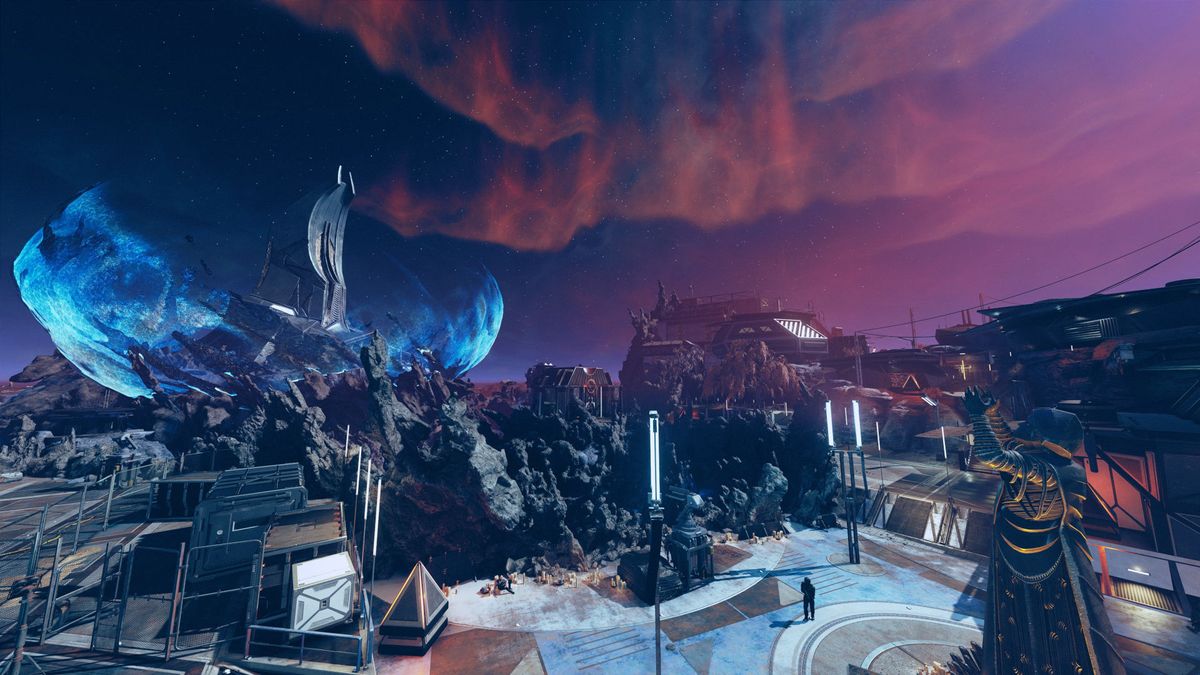
Starfield also got a fresh patch with ‘general performance improvements and fixes,’ so if you’re looking to dive back into the game or want to pick up anew, here’s what the performance is like in the new DLC.
Native performance
(Image credit: Bethesda Game Studios)
Starfield essentially has three main gameplay zones: Open world in space, open world on the ground, and urban areas replete with endless loading, as you move from section to section. It’s the latter that tends to be the most demanding on your gaming PC and regions like Akila City will work your CPU and GPU pretty hard.
To that end, I’ve taken performance figures in a section of the main urban area in the DLC. Rather than take multiple runs and average them, I’ve used a single lengthy run, over three minutes in length, because the one positive thing about Starfield’s performance is that it’s pretty consistent.
For testing, I’ve used anAsus ROG Ally, anAcer RTX 4050 gaming laptop, and three desktop configurations, with a variety of graphics cards. Bethesda’s minimum system requirements are somewhat vague in places—‘AMD Ryzen 5’ for the CPU—but it demands a Radeon RX 5700 orGeForce GTX 1070 Tifor the GPU.
The biggest gaming news, reviews and hardware deals
There are four quality presets for the graphics options, and we’ll look at those in detail shortly, but the one thing to note about Starfield is that all of the rendering techniques are very traditional. That makes it pretty heavy going once the pixel count is high but at 1080p, Starfield is quite CPU-limited.
As you can see in the above results, all of the high-end setups have no problem running at this resolution, but you might be surprised to see that even with low graphics applied, the frame rate isn’t super high. It’s perfectly playable like this, of course, as Starfield isn’t a twitchy, ultra-fast game.
However, compared to Akila City, the DLC’s new location is quite sparsely detailed and populated. There’s no obvious reason for the relatively low performance—it won’t push past 100 fps just staring at a blank wall, for example.
It’s a shame that Starfield isn’t playable at 1080p Low on the ROG Ally, although it was okay on the RTX 4050 laptop. Not great but not bad, either.
The handheld gaming PC and laptop only have 1080p screens, hence why they’ve been dropped for the 1440p testing. At this resolution, Starfield becomes GPU-limited (except for theRTX 4080 SuperPC) and the performance on the mid-range setups falls below 60 fps.
It’s not a major problem, thanks to the overall pace of the game, but one thing does become more prevalent at this graphics level, and it’s stuttering. It’s not a shader compilation issue, fortunately, and it’s more about traversal stutter, where new assets are loaded as you move about.
All bar one of the cards used have more than 8 GB of VRAM so the hitching isn’t a memory-related problem, simply a case of Bethesda’s engine just doing its thing.
Despite Starfield being around for a full year now, it’s clear that Intel’s GPU architecture just doesn’t like the game at all. At 1440p, theArc A770massively struggles and the performance results don’t show the full picture of how glitchy and stuttery it is.
4K gaming, especially at native resolution, is the preserve of high-end GPUs but theRTX 4070andRX 7800 XTcope fairly well. But if you want to be playing Starfield at this resolution, you really need to use upscaling to take some of the pixel load off the graphics card and give it more breathing space.
Going back to the point about Starfield’s being quite demanding on the CPU, the game typically runs with four heavy threads, plus another four threads that are medium in load. TheRyzen 9 9950XandCore i7 14700KFcope perfectly well with this (as you’d expect!), and so does theRyzen 5 5600X—however, over the sampling period, all 12 threads were being utilised quite heavily (between 50% and 65%).
This is important to note because the one thing upscaling can’t do is produce more performance than the absolute base minimum. The figures one gets at 1080p Low are the very highest one will achieve and no amount of upscaling will fix that.
Frame generation, on the other hand, can make quite a difference.
Upscaling performance
(Image credit: Bethesda Game Studios)

Starfield offers the full gamut of upscaling systems (AMD’s FSR, Intel’s XeSS, and Nvidia’s DLSS) but none of them are the latest versions. For example, DLSS 3.5 is used for upscaling and frame generation, and FSR is just 3.0—that means you’re not getting the best AMD upscaler and you can’t enable FSR frame generation with DLSS or XeSS upscaling.
So for Intel Arc owners, you’ll need to use FSR rather than XeSS, if you want to employ frame generation to make things more enjoyable. That’s a problem because out of the three systems, FSR is the weakest visually.
Upscaling alone doesn’t particularly help the ROG Ally, RTX 4050 laptop, or Arc A770 unfortunately. There’s just too much going on in the engine for those systems to cope with but one can see that frame generation saves the day for the handheld and laptop.
It comes with a hefty price, though, and it’s input lag. On the ROG Ally, it’s awful and makes the game feel like it’s wading through a vat of treacle, but it’s just about okay on the RTX 4050 machine—stick to DLSS Quality mode with frame gen, and the lag’s acceptable enough. Play with a controller and it’s barely noticeable.
Frame gen is best employed on more powerful gaming PCs but it’s not the preserve of the really expensive ones. The Ryzen 5 5600X andRadeon RX 5700 XTcombination worked really well with FSR Quality mode and frame gen, producing silky smooth frame rates and very little input lag.
Image1of5(Image credit: Bethesda Game Studios)(Image credit: Bethesda Game Studios)(Image credit: Bethesda Game Studios)(Image credit: Bethesda Game Studios)(Image credit: Bethesda Game Studios)
Image1of5(Image credit: Bethesda Game Studios)(Image credit: Bethesda Game Studios)(Image credit: Bethesda Game Studios)(Image credit: Bethesda Game Studios)(Image credit: Bethesda Game Studios)
Image1of5
(Image credit: Bethesda Game Studios)(Image credit: Bethesda Game Studios)(Image credit: Bethesda Game Studios)(Image credit: Bethesda Game Studios)(Image credit: Bethesda Game Studios)
(Image credit: Bethesda Game Studios)(Image credit: Bethesda Game Studios)(Image credit: Bethesda Game Studios)(Image credit: Bethesda Game Studios)(Image credit: Bethesda Game Studios)
(Image credit: Bethesda Game Studios)
(Image credit: Bethesda Game Studios)
(Image credit: Bethesda Game Studios)
(Image credit: Bethesda Game Studios)
(Image credit: Bethesda Game Studios)

(Image credit: Bethesda Game Studios)
(Image credit: Bethesda Game Studios)
(Image credit: Bethesda Game Studios)
(Image credit: Bethesda Game Studios)
(Image credit: Bethesda Game Studios)
(Image credit: Bethesda Game Studios)
(Image credit: Bethesda Game Studios)
(Image credit: Bethesda Game Studios)
(Image credit: Bethesda Game Studios)
(Image credit: Bethesda Game Studios)
(Image credit: Bethesda Game Studios)
(Image credit: Bethesda Game Studios)
(Image credit: Bethesda Game Studios)
(Image credit: Bethesda Game Studios)
(Image credit: Bethesda Game Studios)
(Image credit: Bethesda Game Studios)
(Image credit: Bethesda Game Studios)
(Image credit: Bethesda Game Studios)
(Image credit: Bethesda Game Studios)
(Image credit: Bethesda Game Studios)
In terms of the quality of the upscaling, it’s a case of DLSS > XeSS > FSR. The latter induces quite a bit of pixel crawling along vertical edges at lower resolutions and dropping the render scale right down makes background objects, such as moons and stars, look somewhat odd.
Static images can’t really showcase how good DLSS and FSR frame generation is but to my eyes, it’s pretty good. Again, Nvidia’s system produces nicer-looking results than AMD’s but there isn’t a big difference between them.
Image1of5(Image credit: Bethesda Game Studios)(Image credit: Bethesda Game Studios)(Image credit: Bethesda Game Studios)(Image credit: Bethesda Game Studios)(Image credit: Bethesda Game Studios)
Image1of5(Image credit: Bethesda Game Studios)(Image credit: Bethesda Game Studios)(Image credit: Bethesda Game Studios)(Image credit: Bethesda Game Studios)(Image credit: Bethesda Game Studios)
Image1of5
(Image credit: Bethesda Game Studios)(Image credit: Bethesda Game Studios)(Image credit: Bethesda Game Studios)(Image credit: Bethesda Game Studios)(Image credit: Bethesda Game Studios)
(Image credit: Bethesda Game Studios)(Image credit: Bethesda Game Studios)(Image credit: Bethesda Game Studios)(Image credit: Bethesda Game Studios)(Image credit: Bethesda Game Studios)
(Image credit: Bethesda Game Studios)
(Image credit: Bethesda Game Studios)
(Image credit: Bethesda Game Studios)
(Image credit: Bethesda Game Studios)
(Image credit: Bethesda Game Studios)
(Image credit: Bethesda Game Studios)
(Image credit: Bethesda Game Studios)
(Image credit: Bethesda Game Studios)
(Image credit: Bethesda Game Studios)
(Image credit: Bethesda Game Studios)
(Image credit: Bethesda Game Studios)
(Image credit: Bethesda Game Studios)
(Image credit: Bethesda Game Studios)
(Image credit: Bethesda Game Studios)
(Image credit: Bethesda Game Studios)
(Image credit: Bethesda Game Studios)
(Image credit: Bethesda Game Studios)
(Image credit: Bethesda Game Studios)
(Image credit: Bethesda Game Studios)
(Image credit: Bethesda Game Studios)
(Image credit: Bethesda Game Studios)
(Image credit: Bethesda Game Studios)
(Image credit: Bethesda Game Studios)
(Image credit: Bethesda Game Studios)
(Image credit: Bethesda Game Studios)
One annoyance is that FSR is automatically applied whenever you use one of the graphics preset options, irrespective of what GPU you have in your gaming PC. All of the upscalers produce a much better anti-aliasing effect than the native system but it’s a trivial task to have the engine use the most appropriate upscaler.
Quality presets and settings
For the best performance and graphics balance on most gaming PCs, use the Medium or High preset and then turn down these settings:
As mentioned, you’ve got four graphics preset options to choose from (interestingly, there’s a script for an Ultra Low option but it’s not used) and there is a wealth of other options to play around with to get the ideal performance, though the above three make the biggest difference.
Swipe to scroll horizontallyQuality settingsLowMediumHighUltraShadow QualityLowMediumHighUltraIndirect LightingLowMediumHighUltraReflectionsLowMediumHighUltraParticle QualityLowMediumHighHighVolumetric LightingLowMediumHighUltraCrowd DensityLowMediumHighHighMotion BlurLowMediumHighUltraGTAO QualityLowMediumHighUltraGrass QualityLowMediumHighUltraContact ShadowsLowMediumHighUltraAnisotropic Filtering1x4x8x16xAll Layers Use AnisotropicOffOffOnOn
Swipe to scroll horizontally
Quality settingsLowMediumHighUltraShadow QualityLowMediumHighUltraIndirect LightingLowMediumHighUltraReflectionsLowMediumHighUltraParticle QualityLowMediumHighHighVolumetric LightingLowMediumHighUltraCrowd DensityLowMediumHighHighMotion BlurLowMediumHighUltraGTAO QualityLowMediumHighUltraGrass QualityLowMediumHighUltraContact ShadowsLowMediumHighUltraAnisotropic Filtering1x4x8x16xAll Layers Use AnisotropicOffOffOnOn
The biggest performance change comes from switching between Low and Medium, and it also produces the most noticeable difference in graphics quality. Medium to High, and High to Ultra, only improves things subtly but at least there’s no massive drop in the frame rate as you increase the graphics quality.
Obviously, that does depend on what GPU you have, but in general, if your PC copes well enough at Medium settings, it’ll be fine to use High and so on. It all comes down to personal preference.
I’ve found that the most demanding settings are Shadow Quality, Volumetric Lighting, and GTAO Quality. They’re also the ones that make the biggest difference to the overall graphics but if you don’t mind things not looking 100% perfect, then knock these three down a level or two, if you’re hunting for a higher frame rate.
Image1of4(Image credit: Bethesda Game Studios)(Image credit: Bethesda Game Studios)(Image credit: Bethesda Game Studios)(Image credit: Bethesda Game Studios)
Image1of4(Image credit: Bethesda Game Studios)(Image credit: Bethesda Game Studios)(Image credit: Bethesda Game Studios)(Image credit: Bethesda Game Studios)
Image1of4
(Image credit: Bethesda Game Studios)(Image credit: Bethesda Game Studios)(Image credit: Bethesda Game Studios)(Image credit: Bethesda Game Studios)
(Image credit: Bethesda Game Studios)(Image credit: Bethesda Game Studios)(Image credit: Bethesda Game Studios)(Image credit: Bethesda Game Studios)
(Image credit: Bethesda Game Studios)
(Image credit: Bethesda Game Studios)
(Image credit: Bethesda Game Studios)
(Image credit: Bethesda Game Studios)
(Image credit: Bethesda Game Studios)
(Image credit: Bethesda Game Studios)
(Image credit: Bethesda Game Studios)
(Image credit: Bethesda Game Studios)
(Image credit: Bethesda Game Studios)
(Image credit: Bethesda Game Studios)
(Image credit: Bethesda Game Studios)
(Image credit: Bethesda Game Studios)
(Image credit: Bethesda Game Studios)
(Image credit: Bethesda Game Studios)
(Image credit: Bethesda Game Studios)
(Image credit: Bethesda Game Studios)
(Image credit: Bethesda Game Studios)
(Image credit: Bethesda Game Studios)
(Image credit: Bethesda Game Studios)
(Image credit: Bethesda Game Studios)
Overall, while Starfield’s performance is considerably better than what it was like at launch, it’s still not brilliant. It’s serviceable enough and if you’ve played the game on a console, it’s markedly better, but given what’s going on in the world around you, the visuals don’t quite justify the frame rates.
This is especially true of the new DLC where one is left to wonder just what the heck the engine is doing to result in sub-60 fps figures when there are only a handful of NPCs aimlessly wandering about in a lacklustre landscape.
TOPICSHardware
TOPICS
More about hardwareIs the new RTX 5070 really as fast as Nvidia’s previous flagship RTX 4090 GPU? Turns out the answer is yes. Kinda.It’s time for me to admit that AI-accelerated frame generation might actually be the way of the future and that’s a good thingLatestMarvel Rivals' latest update quietly killed the game’s burgeoning mod sceneSee more latest►
More about hardwareIs the new RTX 5070 really as fast as Nvidia’s previous flagship RTX 4090 GPU? Turns out the answer is yes. Kinda.It’s time for me to admit that AI-accelerated frame generation might actually be the way of the future and that’s a good thingLatestMarvel Rivals' latest update quietly killed the game’s burgeoning mod sceneSee more latest►
More about hardwareIs the new RTX 5070 really as fast as Nvidia’s previous flagship RTX 4090 GPU? Turns out the answer is yes. Kinda.It’s time for me to admit that AI-accelerated frame generation might actually be the way of the future and that’s a good thing
More about hardware
Is the new RTX 5070 really as fast as Nvidia’s previous flagship RTX 4090 GPU? Turns out the answer is yes. Kinda.It’s time for me to admit that AI-accelerated frame generation might actually be the way of the future and that’s a good thing
Is the new RTX 5070 really as fast as Nvidia’s previous flagship RTX 4090 GPU? Turns out the answer is yes. Kinda.
Is the new RTX 5070 really as fast as Nvidia’s previous flagship RTX 4090 GPU? Turns out the answer is yes. Kinda.
It’s time for me to admit that AI-accelerated frame generation might actually be the way of the future and that’s a good thing
It’s time for me to admit that AI-accelerated frame generation might actually be the way of the future and that’s a good thing
LatestMarvel Rivals' latest update quietly killed the game’s burgeoning mod sceneSee more latest►
Latest
Marvel Rivals' latest update quietly killed the game’s burgeoning mod scene
Marvel Rivals' latest update quietly killed the game’s burgeoning mod scene
Marvel Rivals' latest update quietly killed the game’s burgeoning mod scene
See more latest►
Most Popular
‘It’s simply impossible to make a difficulty level that’s just right for all players’: How Final Fantasy 14’s lead battle designer has been playing a precarious balancing game for Dawntrail’s dungeons and raids
Please join me in getting super excited for all the cool looking survival games coming in 2025 (and beyond)
Competitive shooters are at a crucial crossroads in 2025: ‘sweaty’ teamplay vs. casual fun
Call of Duty’s $28 Squid Game skins are the perfect crossover for our capitalist dystopia, and Activision knows exactly what it’s doing
These are the 14 biggest upcoming RPGs of 2025—get ready for another amazing year for the genre
Five new Steam games you probably missed (January 6, 2025)
I’ve seen enough: No more forcing singleplayer studios to make mediocre live service games
6 games that could be bigger hits than you’re expecting in 2025
What are your 2025 gaming resolutions?
The FBI put a $5 million bounty on the ‘Cryptoqueen’ last year but still hasn’t found her, so take your pick: Russia, South Africa, or murdered on a yacht in 2018
HARDWARE BUYING GUIDESLATEST GAME REVIEWS1Best Steam Deck accessories in Australia for 2025: Our favorite docks, powerbanks and gamepads2Best graphics card for laptops: the mobile GPUs I’d want in my next gaming laptop3Best mini PCs in 2025: The compact computers I love the most4Best 14-inch gaming laptop: The top compact gaming laptops I’ve held in these hands5Best Mini-ITX motherboards in 2025: My pick from all the mini mobo marvels I’ve tested1Thank Goodness You’re Here! review2Shiren the Wanderer: The Mystery Dungeon of Serpentcoil Island review3WD Black SN850X 8 TB NVMe SSD review4Ikea Utespelare desk review5Asus ROG Harpe Ace Mini wireless mouse review
HARDWARE BUYING GUIDESLATEST GAME REVIEWS1Best Steam Deck accessories in Australia for 2025: Our favorite docks, powerbanks and gamepads2Best graphics card for laptops: the mobile GPUs I’d want in my next gaming laptop3Best mini PCs in 2025: The compact computers I love the most4Best 14-inch gaming laptop: The top compact gaming laptops I’ve held in these hands5Best Mini-ITX motherboards in 2025: My pick from all the mini mobo marvels I’ve tested1Thank Goodness You’re Here! review2Shiren the Wanderer: The Mystery Dungeon of Serpentcoil Island review3WD Black SN850X 8 TB NVMe SSD review4Ikea Utespelare desk review5Asus ROG Harpe Ace Mini wireless mouse review
HARDWARE BUYING GUIDESLATEST GAME REVIEWS1Best Steam Deck accessories in Australia for 2025: Our favorite docks, powerbanks and gamepads2Best graphics card for laptops: the mobile GPUs I’d want in my next gaming laptop3Best mini PCs in 2025: The compact computers I love the most4Best 14-inch gaming laptop: The top compact gaming laptops I’ve held in these hands5Best Mini-ITX motherboards in 2025: My pick from all the mini mobo marvels I’ve tested1Thank Goodness You’re Here! review2Shiren the Wanderer: The Mystery Dungeon of Serpentcoil Island review3WD Black SN850X 8 TB NVMe SSD review4Ikea Utespelare desk review5Asus ROG Harpe Ace Mini wireless mouse review
HARDWARE BUYING GUIDESLATEST GAME REVIEWS1Best Steam Deck accessories in Australia for 2025: Our favorite docks, powerbanks and gamepads2Best graphics card for laptops: the mobile GPUs I’d want in my next gaming laptop3Best mini PCs in 2025: The compact computers I love the most4Best 14-inch gaming laptop: The top compact gaming laptops I’ve held in these hands5Best Mini-ITX motherboards in 2025: My pick from all the mini mobo marvels I’ve tested1Thank Goodness You’re Here! review2Shiren the Wanderer: The Mystery Dungeon of Serpentcoil Island review3WD Black SN850X 8 TB NVMe SSD review4Ikea Utespelare desk review5Asus ROG Harpe Ace Mini wireless mouse review
HARDWARE BUYING GUIDESLATEST GAME REVIEWS
1Best Steam Deck accessories in Australia for 2025: Our favorite docks, powerbanks and gamepads
1Best Steam Deck accessories in Australia for 2025: Our favorite docks, powerbanks and gamepads
1
Best Steam Deck accessories in Australia for 2025: Our favorite docks, powerbanks and gamepads
2Best graphics card for laptops: the mobile GPUs I’d want in my next gaming laptop
2Best graphics card for laptops: the mobile GPUs I’d want in my next gaming laptop
2
Best graphics card for laptops: the mobile GPUs I’d want in my next gaming laptop
3Best mini PCs in 2025: The compact computers I love the most
3Best mini PCs in 2025: The compact computers I love the most
3
Best mini PCs in 2025: The compact computers I love the most
4Best 14-inch gaming laptop: The top compact gaming laptops I’ve held in these hands
4Best 14-inch gaming laptop: The top compact gaming laptops I’ve held in these hands
4
Best 14-inch gaming laptop: The top compact gaming laptops I’ve held in these hands
5Best Mini-ITX motherboards in 2025: My pick from all the mini mobo marvels I’ve tested
5Best Mini-ITX motherboards in 2025: My pick from all the mini mobo marvels I’ve tested
5
Best Mini-ITX motherboards in 2025: My pick from all the mini mobo marvels I’ve tested
1Thank Goodness You’re Here! review
1Thank Goodness You’re Here! review
1
Thank Goodness You’re Here! review
2Shiren the Wanderer: The Mystery Dungeon of Serpentcoil Island review
2Shiren the Wanderer: The Mystery Dungeon of Serpentcoil Island review
2
Shiren the Wanderer: The Mystery Dungeon of Serpentcoil Island review
3WD Black SN850X 8 TB NVMe SSD review
3WD Black SN850X 8 TB NVMe SSD review
3
WD Black SN850X 8 TB NVMe SSD review
4Ikea Utespelare desk review
4Ikea Utespelare desk review
4
Ikea Utespelare desk review
5Asus ROG Harpe Ace Mini wireless mouse review
5Asus ROG Harpe Ace Mini wireless mouse review
5
Asus ROG Harpe Ace Mini wireless mouse review
