HardwareWarhammer 40000: Space Marine 2Warhammer 40,000: Space Marine 2 performance analysis—Blurry upscaling, mushy graphics, and so-so frame ratesWhen you purchase through links on our site, we may earn an affiliate commission.Here’s how it works.
HardwareWarhammer 40000: Space Marine 2Warhammer 40,000: Space Marine 2 performance analysis—Blurry upscaling, mushy graphics, and so-so frame ratesWhen you purchase through links on our site, we may earn an affiliate commission.Here’s how it works.
When you purchase through links on our site, we may earn an affiliate commission.Here’s how it works.
(Image credit: Sabre Interactive)
Jump to:Native performanceUpscaling performanceQuality presets and settings
Jump to:Native performanceUpscaling performanceQuality presets and settings
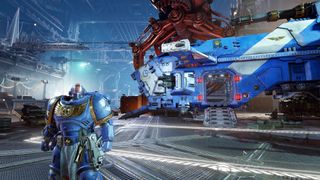
It’s been 13 years sinceWarhammer 40,000: Space Marinewas released but at long last, the third-person shooter-slasher has a sequel in the form of Space Marine 2. Graphics and engine technology have moved on alotsince the era of the PlayStation 3 and Xbox 360, and we now live in a world of ray tracing, upscaling, and frame generation. Bucking modern sensibilities somewhat,Warhammer 40,000: Space Marine 2only follows one of those trends.
Developer Sabre Interactive has 23 years of experience but its most recent game that’s similar to Space Marine 2 isWorld War Z—both involve massive hordes of enemies to wade through and destroy, and both involve cooperative squad-based gameplay. In terms of rendering technology, Space Marine 2 is very traditional, with no use of ray tracing for lighting, shadows, or reflections. At which your Radeon GPU might well be heaving a sigh of relief.
But that doesn’t mean Space Marine 2 is guaranteed to run at high frame rates on older or lower-tier hardware. Therecommended hardware requirementsfor 60 fps at 1080p ultra settings include aRyzen 7 5800Xand aGeForce RTX 3070. While these aren’t the latest generation of chips, they’re not exactly slow either.
As you’ll soon see, it’s clear that the developers targeted 60 fps for most PC gamers playing Space Marine 2.
Native performance
To examine the game’s performance, I selected a region in the singleplayer campaign that involves two bouts of intense combat. Space Marine 2 does frequent checkpoint saves and, in the review code, there is no way to load an earlier save. That meant having to stop a benchmark run mid-battle before a checkpoint was reached, and I found that the recorded frame rate varied a lot from run to run.
To get the figures below, I performed six runs, selecting the three lowest sets and averaging those. In some cases, the frame rates were around 15% higher than those shown but on occasion, they were 5 to 10% lower.
There are four quality presets for the graphics options, which we’ll look at in more detail shortly, and as you can see, at 1080p low, all of the test systems coped with Space Marine 2 just fine. Well, apart from the handheld gaming PC, which is a bit of a shame as the game would be fun to play in short bursts on a pocket PC.
The biggest gaming news, reviews and hardware deals
However, the moment you switch to 1080p medium, the lower-end systems struggle to reach 60 fps. Performance on theArc A770is especially choppy and there are numerous rendering glitches, such as missing textures and misplaced effects, so Intel has some work to do with its drivers.
The higher-tier hardware runs at over 60 fps all the way up to the ultra preset but if you want really high frame rates (e.g. 120 fps or higher), then you’re not going to get that without the use of upscaling and/or a system with the best gaming CPU and GPU in it.
Raising the resolution to 1440p saw a noticeable drop in frame rates, and 4K gaming in Space Marine 2 is very much the preserve of top-end hardware. Sure, you could use low-quality settings to claw some performance back but few people with a PC costing several thousand dollars are going to do that.
Keep the resolution down and use a suitable quality preset, and most systems will be able to get around 60 fps—not consistently so but Space Marine 2 is a relatively slow-moving game, so you don’t really benefit all that much from ultra-high frame rates.
Sometimes the stutter is very brief but there are times when it turns the game into a juddering mess.
Sometimes the stutter is very brief but there are times when it turns the game into a juddering mess.
Despite the game’s system requirements recommending an eight-core CPU, I found no problems with using the six-coreRyzen 5 5600X. I tested some of the lower-end GPUs with theRyzen 9 9950Xsystem but didn’t experience much difference in performance, even with the 1% low fps values, although it does run through the obligatory shader compilation stage, during the first launch of the game, much quicker.
That said, the game does generate alotof threads. On theCore i7 14700KF, two P-cores were flat out handling four threads but all of the other cores were still pretty busy. The Ryzen 9 9950X distributed the load much better, though, with every core being used but generally no more than 30% utilisation.
Speaking of shaders, there’s no shader stutter, thankfully, but there is traversal stutter. This happens when you cross an invisible boundary and the engine starts to load in the assets in preparation for the next stage of the level you’re on. Sometimes the stutter is very brief but there are times when it turns the game into a juddering mess, and this problem doesn’t just occur with low-tier hardware.
Upscaling performance
Space Marine 2 is a little old-school when it comes to upscaling options. You getFSR 2and DLSS, and that’s it—no XeSS, noFSR 3.1, and noframe generationeither. The game defaults to using either FSR or DLSS quality mode when you first fire up the game and given that the native performance isn’t exactly stellar, the use of upscaling might seem somewhat mandatory.
Image1of6(Image credit: Sabre Interactive)(Image credit: Sabre Interactive)(Image credit: Sabre Interactive)(Image credit: Sabre Interactive)(Image credit: Sabre Interactive)(Image credit: Sabre Interactive)
Image1of6(Image credit: Sabre Interactive)(Image credit: Sabre Interactive)(Image credit: Sabre Interactive)(Image credit: Sabre Interactive)(Image credit: Sabre Interactive)(Image credit: Sabre Interactive)
Image1of6
(Image credit: Sabre Interactive)(Image credit: Sabre Interactive)(Image credit: Sabre Interactive)(Image credit: Sabre Interactive)(Image credit: Sabre Interactive)(Image credit: Sabre Interactive)
(Image credit: Sabre Interactive)(Image credit: Sabre Interactive)(Image credit: Sabre Interactive)(Image credit: Sabre Interactive)(Image credit: Sabre Interactive)(Image credit: Sabre Interactive)
(Image credit: Sabre Interactive)
(Image credit: Sabre Interactive)
(Image credit: Sabre Interactive)
(Image credit: Sabre Interactive)
(Image credit: Sabre Interactive)

(Image credit: Sabre Interactive)
(Image credit: Sabre Interactive)
(Image credit: Sabre Interactive)
(Image credit: Sabre Interactive)
(Image credit: Sabre Interactive)
(Image credit: Sabre Interactive)
(Image credit: Sabre Interactive)
(Image credit: Sabre Interactive)
(Image credit: Sabre Interactive)
(Image credit: Sabre Interactive)
(Image credit: Sabre Interactive)
(Image credit: Sabre Interactive)
(Image credit: Sabre Interactive)
(Image credit: Sabre Interactive)
(Image credit: Sabre Interactive)
(Image credit: Sabre Interactive)
(Image credit: Sabre Interactive)
(Image credit: Sabre Interactive)
(Image credit: Sabre Interactive)
(Image credit: Sabre Interactive)
(Image credit: Sabre Interactive)
(Image credit: Sabre Interactive)
(Image credit: Sabre Interactive)
(Image credit: Sabre Interactive)
(Image credit: Sabre Interactive)
Neither upscaler has been implemented particularly well but FSR is especially poor. Even in quality mode, the game becomes rather blurry and there’s no sharpening option to improve matters. For lower-tier hardware running at 1080p, upscaling looks a mess and even though DLSS is much better than FSR in this game, everything is far too mushy looking, especially with more aggressive upscaling modes.
Image1of6(Image credit: Sabre Interactive)(Image credit: Sabre Interactive)(Image credit: Sabre Interactive)(Image credit: Sabre Interactive)(Image credit: Sabre Interactive)(Image credit: Sabre Interactive)
Image1of6(Image credit: Sabre Interactive)(Image credit: Sabre Interactive)(Image credit: Sabre Interactive)(Image credit: Sabre Interactive)(Image credit: Sabre Interactive)(Image credit: Sabre Interactive)
Image1of6
(Image credit: Sabre Interactive)(Image credit: Sabre Interactive)(Image credit: Sabre Interactive)(Image credit: Sabre Interactive)(Image credit: Sabre Interactive)(Image credit: Sabre Interactive)
(Image credit: Sabre Interactive)(Image credit: Sabre Interactive)(Image credit: Sabre Interactive)(Image credit: Sabre Interactive)(Image credit: Sabre Interactive)(Image credit: Sabre Interactive)
(Image credit: Sabre Interactive)
(Image credit: Sabre Interactive)
(Image credit: Sabre Interactive)
(Image credit: Sabre Interactive)
(Image credit: Sabre Interactive)
(Image credit: Sabre Interactive)
(Image credit: Sabre Interactive)
(Image credit: Sabre Interactive)
(Image credit: Sabre Interactive)
(Image credit: Sabre Interactive)
(Image credit: Sabre Interactive)
(Image credit: Sabre Interactive)
(Image credit: Sabre Interactive)
(Image credit: Sabre Interactive)
(Image credit: Sabre Interactive)
(Image credit: Sabre Interactive)
(Image credit: Sabre Interactive)
(Image credit: Sabre Interactive)
(Image credit: Sabre Interactive)
(Image credit: Sabre Interactive)
(Image credit: Sabre Interactive)
(Image credit: Sabre Interactive)
(Image credit: Sabre Interactive)
(Image credit: Sabre Interactive)
(Image credit: Sabre Interactive)
(Image credit: Sabre Interactive)
(Image credit: Sabre Interactive)
(Image credit: Sabre Interactive)
(Image credit: Sabre Interactive)
(Image credit: Sabre Interactive)
Frame generation should never be used as a panacea for engine optimisation issues but Space Marine 2 could really do with it. The game doesn’t require ultra-low input latencies to be enjoyed so a few more milliseconds of lag, to get better performance without leaning on the blurry upscaling, would be completely acceptable.
I should imagine the modding community will come up with a solution if Sabre Interactive doesn’t add the feature in a later patch. Until then, I recommend not using upscaling at all and just tweaking the graphics or dropping the resolution to get the performance you want.
Quality presets and settings
As mentioned, there are four quality presets to choose from and, compared toStar Wars Outlaws, a relatively small number of options to tweak.
Swipe to scroll horizontallyQuality settingsLowMediumHighUltraTexture filteringLowMediumHighUltraTexture resolutionLowMediumHighUltraShadowsLowMediumHighHighScreen space ambient occlusionOffDefaultDefaultHighScreen space reflectionsOffDefaultDefaultHighVolumetricsLowMediumMediumHighEffectsLowMediumHighHighDetailsLowMediumHighUltraCloth simulationLowMediumMediumHigh
Swipe to scroll horizontally
Quality settingsLowMediumHighUltraTexture filteringLowMediumHighUltraTexture resolutionLowMediumHighUltraShadowsLowMediumHighHighScreen space ambient occlusionOffDefaultDefaultHighScreen space reflectionsOffDefaultDefaultHighVolumetricsLowMediumMediumHighEffectsLowMediumHighHighDetailsLowMediumHighUltraCloth simulationLowMediumMediumHigh
There’s not a world of difference, in terms of performance, between medium and high, but going from low to medium, or high to ultra, generally results in a fair-sized drop in the frame rate. The low preset disables the use of screen space ambient occlusion and reflections, and while the latter is something that isn’t crucial to the overall looks, the former very much is.
Image1of4(Image credit: Sabre Interactive)(Image credit: Sabre Interactive)(Image credit: Sabre Interactive)(Image credit: Sabre Interactive)
Image1of4(Image credit: Sabre Interactive)(Image credit: Sabre Interactive)(Image credit: Sabre Interactive)(Image credit: Sabre Interactive)
Image1of4
(Image credit: Sabre Interactive)(Image credit: Sabre Interactive)(Image credit: Sabre Interactive)(Image credit: Sabre Interactive)
(Image credit: Sabre Interactive)(Image credit: Sabre Interactive)(Image credit: Sabre Interactive)(Image credit: Sabre Interactive)
(Image credit: Sabre Interactive)
(Image credit: Sabre Interactive)
(Image credit: Sabre Interactive)
(Image credit: Sabre Interactive)
(Image credit: Sabre Interactive)
(Image credit: Sabre Interactive)
(Image credit: Sabre Interactive)
(Image credit: Sabre Interactive)
(Image credit: Sabre Interactive)
(Image credit: Sabre Interactive)
(Image credit: Sabre Interactive)
(Image credit: Sabre Interactive)
(Image credit: Sabre Interactive)
(Image credit: Sabre Interactive)
(Image credit: Sabre Interactive)
(Image credit: Sabre Interactive)
(Image credit: Sabre Interactive)
(Image credit: Sabre Interactive)
(Image credit: Sabre Interactive)
(Image credit: Sabre Interactive)
The visuals don’t quite justify the overall performance.
The visuals don’t quite justify the overall performance.
It’s worth noting that the game flags up a video memory warning if you try to use a texture resolution setting that’s too high for your graphics card. If you have 6 GB of VRAM, then medium resolution is the limit, high for 8 GB, and the ultra setting requires 12 GB or more.
That said, I didn’t experience all that much of a performance hit using an unsuitable texture resolution, nor could I see an impact on the graphics quality. Space Marine 2 isn’t an open-world game and most of the levels are fairly tight corridors, only opening up for large battles. So you probably won’t need to worry too much if you don’t have enough VRAM for a given texture resolution setting.
Space Marine 2 looks perfectly acceptable on medium settings, albeit rather mushy looking, and depending on what GPU you have, you can drop volumetrics and effects down to low without too much of a loss in graphical fidelity to keep things running smoothly. But if you game at 1080p and have a graphics card with 8 GB VRAM that’s no more than two generations old, then just apply the high preset and game away.
(Image credit: Sabre Interactive)
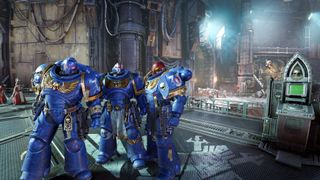
Warhammer 40,000: Space Marine 2 is a fun game to play but the visuals don’t quite justify the overall performance. It’s notbad—any modern 3D game that can run at 60 fps all the time is fine—but it’s not great either, especially if one compares it to, say,Doom Eternal. The Chapter Master will be most displeased.
TOPICSHardware
TOPICS
More about hardwareThe Freewrite Wordrunner with a built-in word counter might be the keyboard to look out for if you want to improve your writing processLenovo’s rollable laptop screen isn’t just a CES party trick—you’ll be able to pick one up yourself in JuneLatestToday’s Wordle answer for Friday, January 10See more latest►
More about hardwareThe Freewrite Wordrunner with a built-in word counter might be the keyboard to look out for if you want to improve your writing processLenovo’s rollable laptop screen isn’t just a CES party trick—you’ll be able to pick one up yourself in JuneLatestToday’s Wordle answer for Friday, January 10See more latest►
More about hardwareThe Freewrite Wordrunner with a built-in word counter might be the keyboard to look out for if you want to improve your writing processLenovo’s rollable laptop screen isn’t just a CES party trick—you’ll be able to pick one up yourself in June
More about hardware
The Freewrite Wordrunner with a built-in word counter might be the keyboard to look out for if you want to improve your writing processLenovo’s rollable laptop screen isn’t just a CES party trick—you’ll be able to pick one up yourself in June
The Freewrite Wordrunner with a built-in word counter might be the keyboard to look out for if you want to improve your writing process
The Freewrite Wordrunner with a built-in word counter might be the keyboard to look out for if you want to improve your writing process
Lenovo’s rollable laptop screen isn’t just a CES party trick—you’ll be able to pick one up yourself in June
Lenovo’s rollable laptop screen isn’t just a CES party trick—you’ll be able to pick one up yourself in June
LatestToday’s Wordle answer for Friday, January 10See more latest►
Latest
Today’s Wordle answer for Friday, January 10
Today’s Wordle answer for Friday, January 10
Today’s Wordle answer for Friday, January 10
See more latest►
Most Popular
These are the 14 biggest upcoming RPGs of 2025—get ready for another amazing year for the genre
Five new Steam games you probably missed (January 6, 2025)
I’ve seen enough: No more forcing singleplayer studios to make mediocre live service games
6 games that could be bigger hits than you’re expecting in 2025
What are your 2025 gaming resolutions?
The FBI put a $5 million bounty on the ‘Cryptoqueen’ last year but still hasn’t found her, so take your pick: Russia, South Africa, or murdered on a yacht in 2018
The Witcher season 4: Everything we know about Hemsworth’s debut on The Continent
8 bold gaming predictions for 2025
The PC game releases we’re most excited about in January
Twitter is dead, X is a cesspit, let’s make 2025 the year of the message board
HARDWARE BUYING GUIDESLATEST GAME REVIEWS1Best Steam Deck accessories in Australia for 2025: Our favorite docks, powerbanks and gamepads2Best graphics card for laptops: the mobile GPUs I’d want in my next gaming laptop3Best mini PCs in 2025: The compact computers I love the most4Best 14-inch gaming laptop: The top compact gaming laptops I’ve held in these hands5Best Mini-ITX motherboards in 2025: My pick from all the mini mobo marvels I’ve tested1Thank Goodness You’re Here! review: An anarchic treasure trove of jokes and skits2Shiren the Wanderer: The Mystery Dungeon of Serpentcoil Island review—like juggling chainsaws on horseback3WD Black SN850X 8 TB NVMe SSD review4Ikea Utespelare desk review5Asus ROG Harpe Ace Mini wireless mouse review
HARDWARE BUYING GUIDESLATEST GAME REVIEWS1Best Steam Deck accessories in Australia for 2025: Our favorite docks, powerbanks and gamepads2Best graphics card for laptops: the mobile GPUs I’d want in my next gaming laptop3Best mini PCs in 2025: The compact computers I love the most4Best 14-inch gaming laptop: The top compact gaming laptops I’ve held in these hands5Best Mini-ITX motherboards in 2025: My pick from all the mini mobo marvels I’ve tested1Thank Goodness You’re Here! review: An anarchic treasure trove of jokes and skits2Shiren the Wanderer: The Mystery Dungeon of Serpentcoil Island review—like juggling chainsaws on horseback3WD Black SN850X 8 TB NVMe SSD review4Ikea Utespelare desk review5Asus ROG Harpe Ace Mini wireless mouse review
HARDWARE BUYING GUIDESLATEST GAME REVIEWS1Best Steam Deck accessories in Australia for 2025: Our favorite docks, powerbanks and gamepads2Best graphics card for laptops: the mobile GPUs I’d want in my next gaming laptop3Best mini PCs in 2025: The compact computers I love the most4Best 14-inch gaming laptop: The top compact gaming laptops I’ve held in these hands5Best Mini-ITX motherboards in 2025: My pick from all the mini mobo marvels I’ve tested1Thank Goodness You’re Here! review: An anarchic treasure trove of jokes and skits2Shiren the Wanderer: The Mystery Dungeon of Serpentcoil Island review—like juggling chainsaws on horseback3WD Black SN850X 8 TB NVMe SSD review4Ikea Utespelare desk review5Asus ROG Harpe Ace Mini wireless mouse review
HARDWARE BUYING GUIDESLATEST GAME REVIEWS1Best Steam Deck accessories in Australia for 2025: Our favorite docks, powerbanks and gamepads2Best graphics card for laptops: the mobile GPUs I’d want in my next gaming laptop3Best mini PCs in 2025: The compact computers I love the most4Best 14-inch gaming laptop: The top compact gaming laptops I’ve held in these hands5Best Mini-ITX motherboards in 2025: My pick from all the mini mobo marvels I’ve tested1Thank Goodness You’re Here! review: An anarchic treasure trove of jokes and skits2Shiren the Wanderer: The Mystery Dungeon of Serpentcoil Island review—like juggling chainsaws on horseback3WD Black SN850X 8 TB NVMe SSD review4Ikea Utespelare desk review5Asus ROG Harpe Ace Mini wireless mouse review
HARDWARE BUYING GUIDESLATEST GAME REVIEWS
1Best Steam Deck accessories in Australia for 2025: Our favorite docks, powerbanks and gamepads
1Best Steam Deck accessories in Australia for 2025: Our favorite docks, powerbanks and gamepads
1
Best Steam Deck accessories in Australia for 2025: Our favorite docks, powerbanks and gamepads
2Best graphics card for laptops: the mobile GPUs I’d want in my next gaming laptop
2Best graphics card for laptops: the mobile GPUs I’d want in my next gaming laptop
2
Best graphics card for laptops: the mobile GPUs I’d want in my next gaming laptop
3Best mini PCs in 2025: The compact computers I love the most
3Best mini PCs in 2025: The compact computers I love the most
3
Best mini PCs in 2025: The compact computers I love the most
4Best 14-inch gaming laptop: The top compact gaming laptops I’ve held in these hands
4Best 14-inch gaming laptop: The top compact gaming laptops I’ve held in these hands
4
Best 14-inch gaming laptop: The top compact gaming laptops I’ve held in these hands
5Best Mini-ITX motherboards in 2025: My pick from all the mini mobo marvels I’ve tested
5Best Mini-ITX motherboards in 2025: My pick from all the mini mobo marvels I’ve tested
5
Best Mini-ITX motherboards in 2025: My pick from all the mini mobo marvels I’ve tested
1Thank Goodness You’re Here! review: An anarchic treasure trove of jokes and skits
1Thank Goodness You’re Here! review: An anarchic treasure trove of jokes and skits
1
Thank Goodness You’re Here! review: An anarchic treasure trove of jokes and skits
2Shiren the Wanderer: The Mystery Dungeon of Serpentcoil Island review—like juggling chainsaws on horseback
2Shiren the Wanderer: The Mystery Dungeon of Serpentcoil Island review—like juggling chainsaws on horseback
2
Shiren the Wanderer: The Mystery Dungeon of Serpentcoil Island review—like juggling chainsaws on horseback
3WD Black SN850X 8 TB NVMe SSD review
3WD Black SN850X 8 TB NVMe SSD review
3
WD Black SN850X 8 TB NVMe SSD review
4Ikea Utespelare desk review
4Ikea Utespelare desk review
4
Ikea Utespelare desk review
5Asus ROG Harpe Ace Mini wireless mouse review
5Asus ROG Harpe Ace Mini wireless mouse review
5
Asus ROG Harpe Ace Mini wireless mouse review
